How to Embed YouTube Videos on Shopify: Quick Guide Using EmbedAny
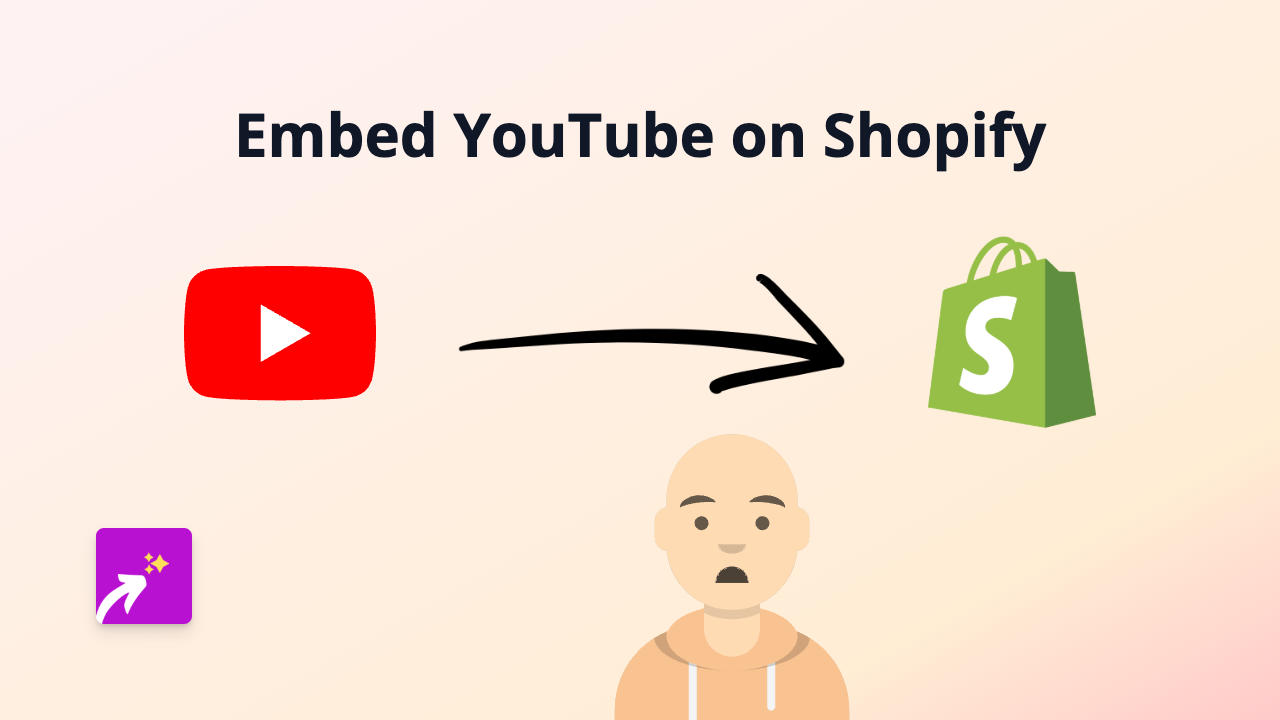
Want to showcase YouTube videos directly on your Shopify store? Adding videos to your product descriptions or pages can significantly increase customer engagement and boost your conversion rates. In this guide, we’ll show you how to easily embed YouTube videos on your Shopify store using EmbedAny – no coding required.
Why Embed YouTube Videos on Your Shopify Store?
YouTube videos can help you:
- Demonstrate your products in action
- Share customer testimonials and reviews
- Provide tutorials on how to use your products
- Tell your brand story more effectively
- Increase time spent on your store pages
Step-by-Step Guide to Embedding YouTube Videos
Step 1: Install the EmbedAny App
- Visit the EmbedAny app page on the Shopify App Store
- Click “Add app” and follow the installation instructions
- Activate the app on your store when prompted
Step 2: Find the YouTube Video You Want to Embed
- Go to YouTube and find the video you want to embed
- Copy the full YouTube video URL from your browser’s address bar (e.g., https://www.youtube.com/watch?v=abcdefghijk)
Step 3: Add the Video to Your Shopify Store
- Go to the page or product where you want to add the YouTube video
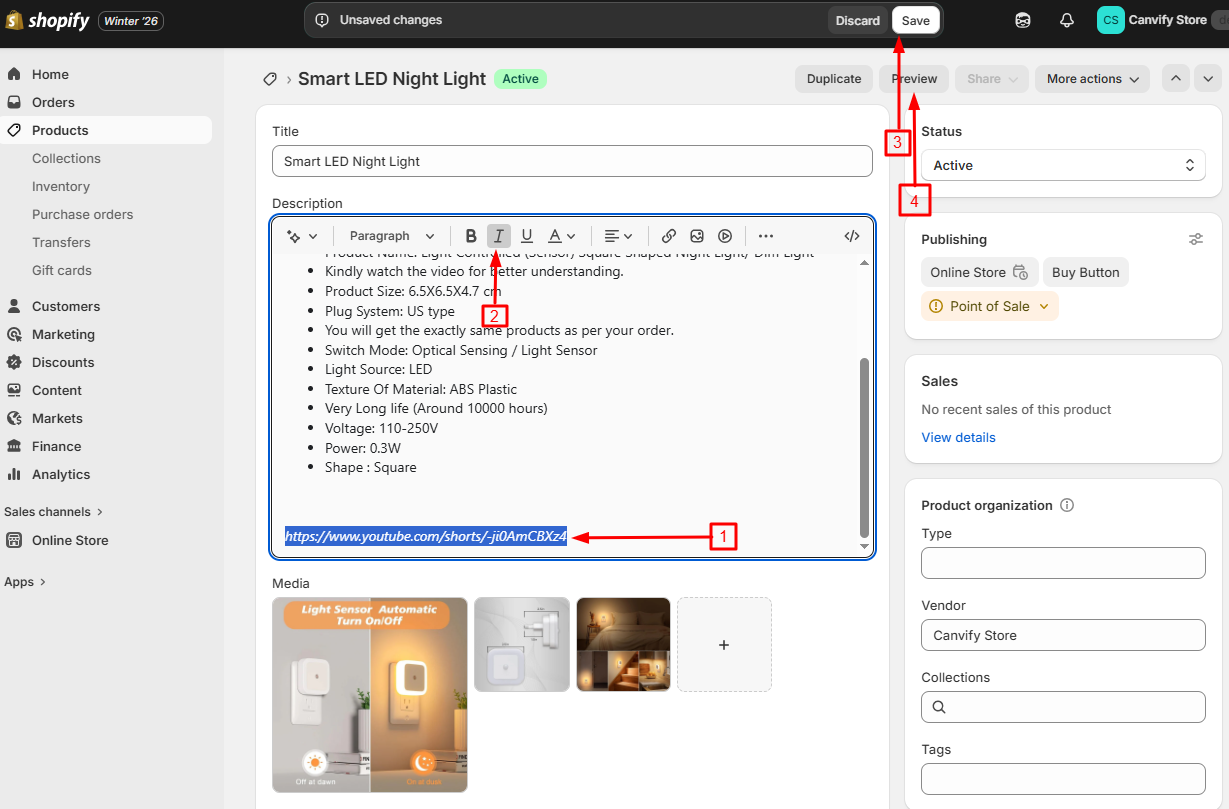
- In the description editor, paste the YouTube link
- Important: Select the YouTube link and make it italic (use the italic button or press Ctrl+I)
- Save your changes
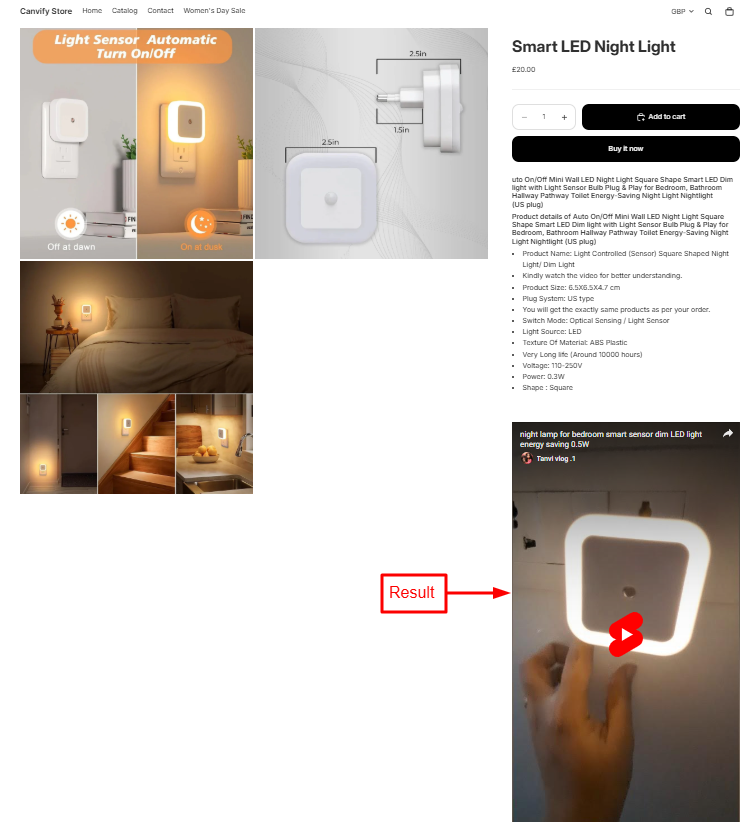
That’s it! The YouTube video will now appear embedded directly on your page. Your customers can watch it without leaving your store.
Tips for Using YouTube Videos Effectively
- Choose videos with good production quality
- Keep videos concise and focused on your products
- Consider creating custom videos that match your brand aesthetic
- Add videos to product pages that benefit from demonstrations
- Use YouTube analytics to understand which videos resonate with your audience
Examples of YouTube Content to Embed
- Product demonstrations and tutorials
- Customer testimonials and reviews
- Behind-the-scenes footage of your business
- How your products are made
- Answers to frequently asked questions
EmbedAny works with over 800 platforms beyond just YouTube, allowing you to create a rich, interactive shopping experience for your customers. All without writing a single line of code!
Remember, visual content is processed faster by the brain than text alone. By adding YouTube videos to your Shopify store, you’re making it easier for customers to understand your products and connect with your brand.