How to Embed Replit on Shopify: The Ultimate Guide
Are you looking to showcase your coding projects or share interactive code examples directly on your Shopify store? This guide will show you how to embed Replit content on your Shopify site in just a few minutes, without any technical skills required.
What is Replit?
Replit is an online coding platform that allows users to write, run, and share code in various programming languages. It’s perfect for displaying code examples, tutorials, or even interactive programming projects on your Shopify store.
Why Embed Replit on Your Shopify Store?
- Create AI Landing pages for your store
- Share interactive tutorials with your customers
- Demonstrate custom solutions you’ve built
- Add technical content to your product descriptions or blog posts
How to Embed Replit on Shopify Using EmbedAny
Step 1: Install EmbedAny
First, you’ll need to install the EmbedAny app on your Shopify store:
- Visit EmbedAny on the Shopify App Store
- Click “Add app” and follow the installation process
- Activate the app when prompted
Step 2: Find the Replit App You Want to Embed
- Go to Replit and either create a new account or log in if you already have one. In the text box, briefly describe your app idea and start building your app.
- Open the ‘Apps’ tab from the left navigation bar and select your app.
- You’ll see a caution message at the top of your app indicating that ‘open a new tab to test authentication and file uploads’. Click the ‘New tab’ button in that message — your app will open in a new window. Then, copy the app’s link from the browser’s address bar.
Step 3: Embed Your Replit App
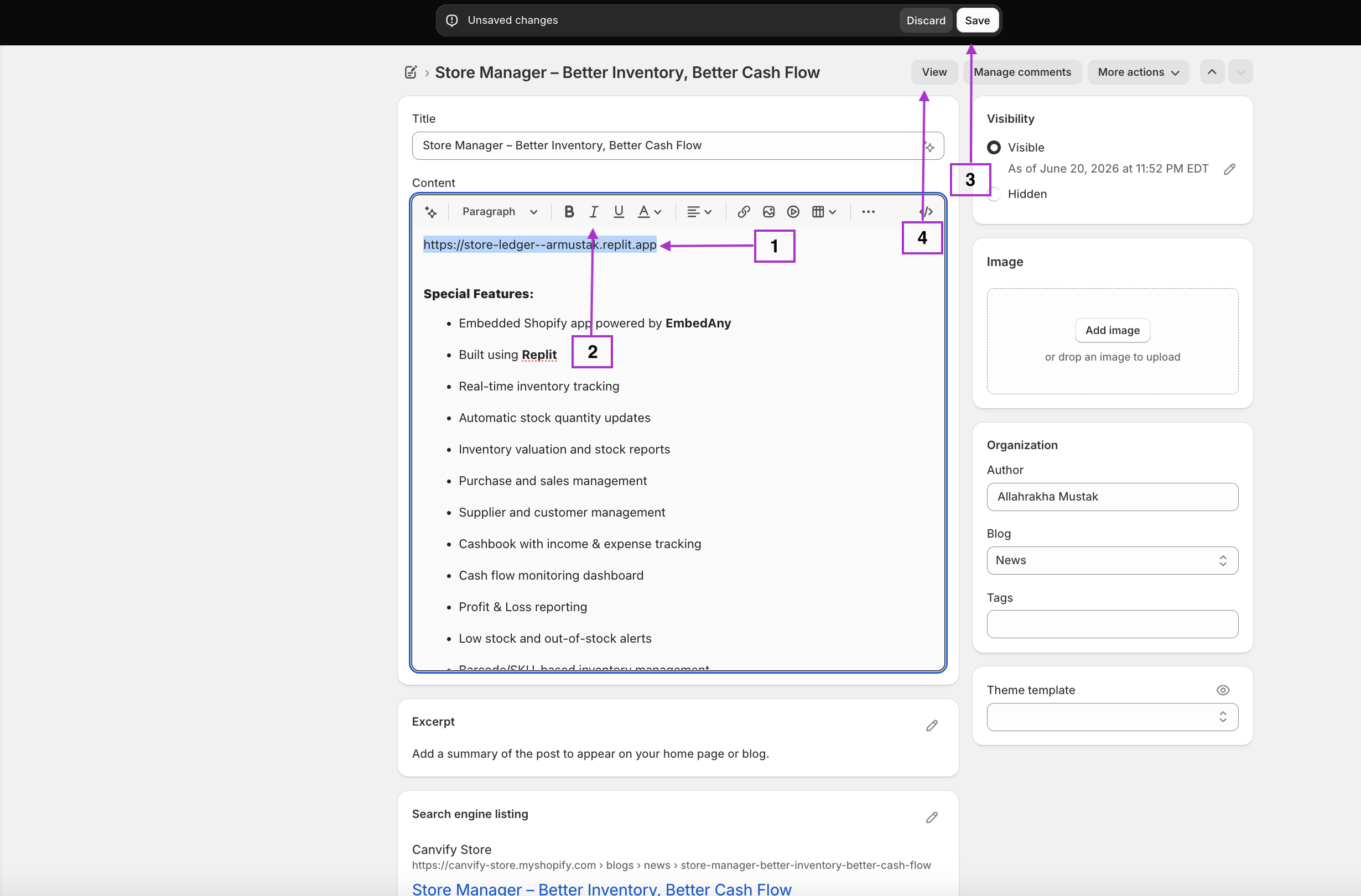
- Go to your Shopify admin panel
- Navigate to the page, product, or blog post where you want to add the embedded Replit app.
- In the text editor, paste the Replit URL
- Important step: Make the link italic by selecting it and clicking the italic button or using keyboard shortcuts (Ctrl+I or Cmd+I)
- Save your changes
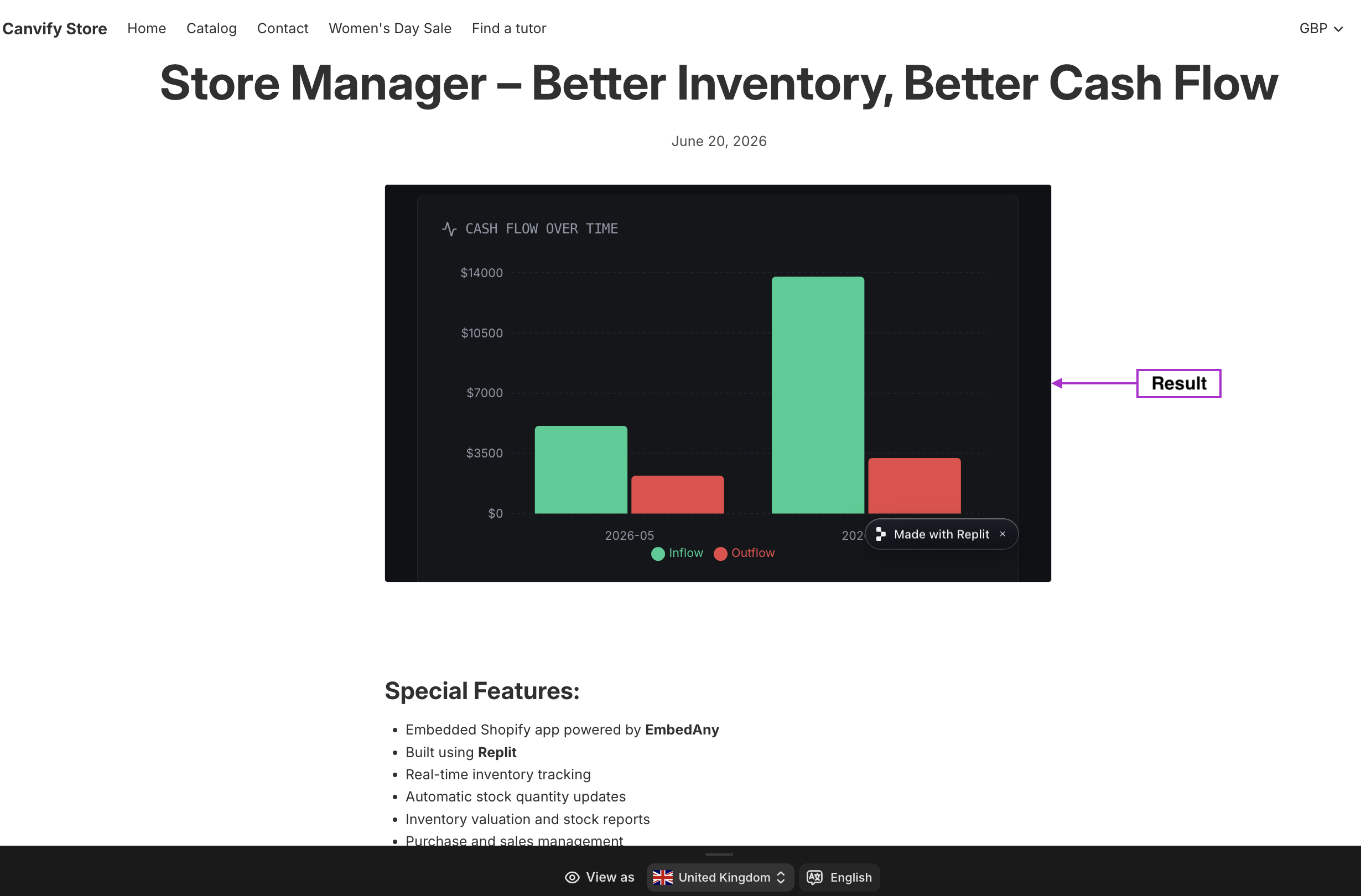
That’s it! EmbedAny will automatically convert your italic Replit link into an interactive embed that your visitors can engage with directly on your page.
Examples of Replit Embeds You Can Add
- Code snippets that explain how your product works
- Interactive demos that let customers try before they buy
- Programming tutorials related to your products
- Custom calculators or tools you’ve built for your customers
Tips for Using Replit Embeds Effectively
- Place your embed near relevant content to provide context
- Add a brief description above the embed to explain what it is
- Consider the width of your embed in relation to your page layout
- Test how your embed appears on both desktop and mobile devices
By embedding Replit content on your Shopify store, you’re adding valuable interactive elements that can help explain technical concepts, showcase your expertise, and engage your visitors in new ways.