How to Embed Heyzine Flipbooks on Shopify with EmbedAny
Looking to showcase digital catalogues, brochures or magazines on your Shopify store? Heyzine flipbooks are a fantastic way to display your PDF content in an interactive, page-turning format. In this guide, we’ll show you how to easily embed Heyzine flipbooks on your Shopify store using EmbedAny.
What is Heyzine?
Heyzine is a popular online service that turns PDFs into interactive digital flipbooks. These flipbooks mimic real page-turning experiences, making product catalogues, lookbooks, and brochures more engaging for your customers.
Why Embed Heyzine Flipbooks on Your Shopify Store?
- Provide an immersive shopping experience
- Keep customers on your store longer
- Present product catalogues in a professional format
- Improve engagement with interactive content
Step-by-Step Guide to Embedding Heyzine on Shopify
Step 1: Install the EmbedAny App
First, you’ll need to install EmbedAny from the Shopify App Store:
- Visit https://apps.shopify.com/embed
- Click “Add app” and follow the installation instructions
- Ensure the app is activated on your store
Step 2: Create Your Heyzine Flipbook
- Go to Heyzine.com and upload your PDF
- Customise your flipbook as needed
- When finished, copy the share link to your flipbook
Step 3: Add the Flipbook to Your Shopify Store
- Go to the Shopify admin area where you want to add your flipbook (product description, page, blog post, etc.)
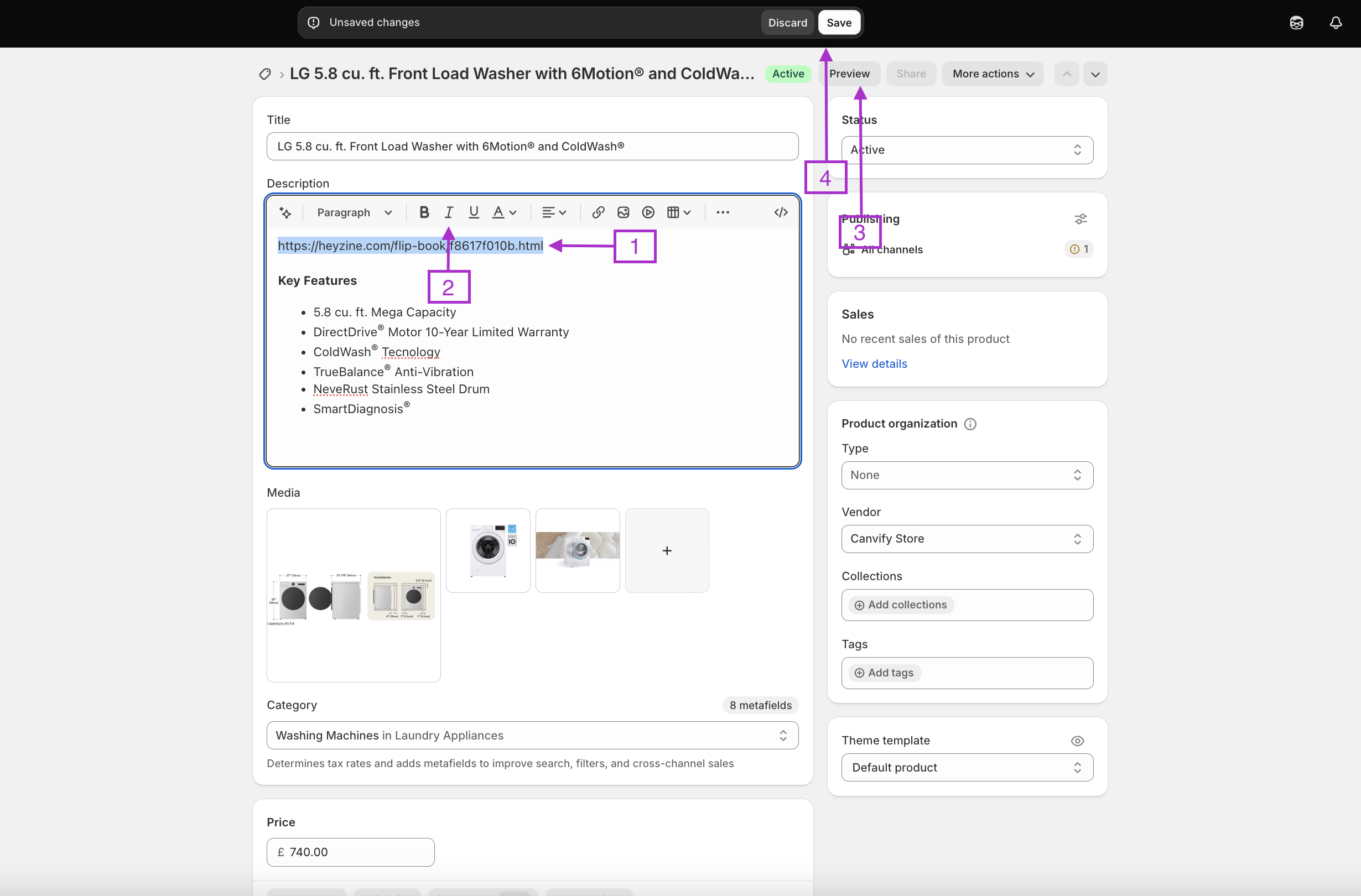
- Paste your Heyzine link into the rich text editor
- Select the link and click the italic button (or use the keyboard shortcut Ctrl+I / Cmd+I)
- Save your changes
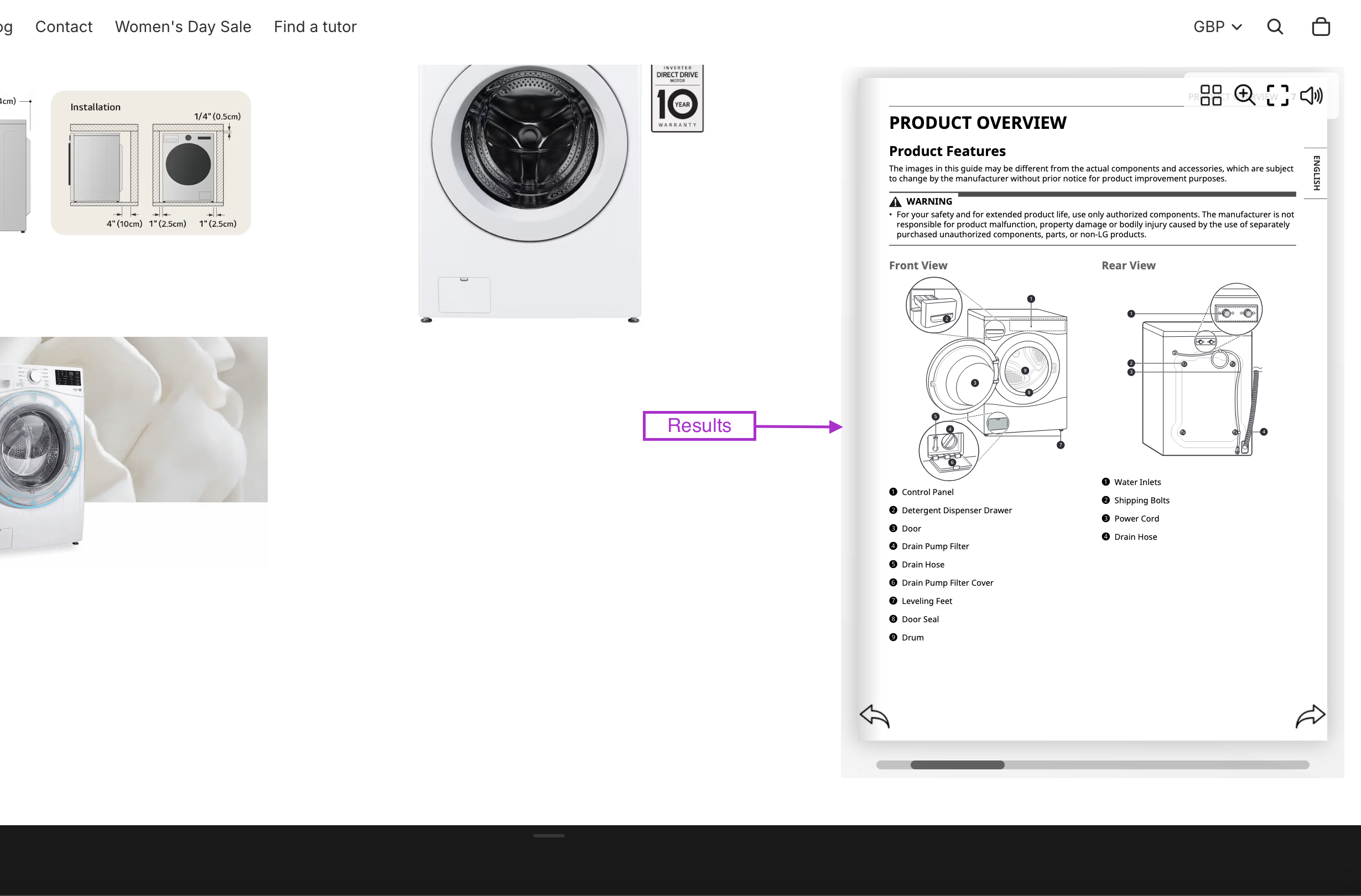
That’s it! The link will now transform into a fully interactive flipbook that your customers can browse without leaving your store.
Tips for Using Heyzine Flipbooks on Shopify
- Product Catalogues: Embed your complete product range in a browsable format
- Lookbooks: Showcase your latest collection with an interactive fashion lookbook
- Instruction Manuals: Add product manuals that customers can easily flip through
- Digital Magazines: Share company news or industry insights in magazine format
Common Questions
Q: Will my flipbook be mobile-friendly?
A: Yes! The embedded Heyzine flipbooks adapt to different screen sizes.
Q: Can I track how customers interact with my flipbooks?
A: Heyzine offers analytics in their paid plans, giving you insights into how people engage with your content.
By adding Heyzine flipbooks to your Shopify store, you’re providing customers with a rich, interactive experience that can boost engagement and potentially increase sales. Give it a try and see how this dynamic content can transform your online store!