How to Embed SoundCloud Tracks on Your Shopify Store with EmbedAny
Want to showcase SoundCloud tracks on your Shopify store? Whether you’re featuring your own music, sharing playlists that match your brand’s vibe, or highlighting artist collaborations, embedding SoundCloud content can engage visitors and enhance your store’s experience.
Why Embed SoundCloud on Your Shopify Store?
- Add background music that represents your brand
- Showcase music products you’re selling
- Share playlists that complement your products
- Display testimonials or reviews recorded as audio
- Feature artist collaborations relevant to your business
Getting Started with SoundCloud Embeds
Step 1: Install EmbedAny on Your Shopify Store
Before embedding SoundCloud content, you’ll need to install and activate the EmbedAny app:
- Visit EmbedAny on the Shopify App Store
- Click “Add app” and follow the installation process
- Activate the app on your store
Step 2: Find the SoundCloud Content You Want to Embed
SoundCloud offers various content types you can embed:
- Individual tracks
- Playlists
- User profiles
- Albums
Visit SoundCloud, find the content you want to embed, and copy the URL from your browser’s address bar.
Step 3: Add the SoundCloud Link to Your Store
Now comes the magic part:
- Go to any text editor in your Shopify admin (product descriptions, pages, blog posts)
- Paste the SoundCloud link where you want it to appear
- Important: Make the link italic by selecting it and clicking the italic button (or using keyboard shortcuts)
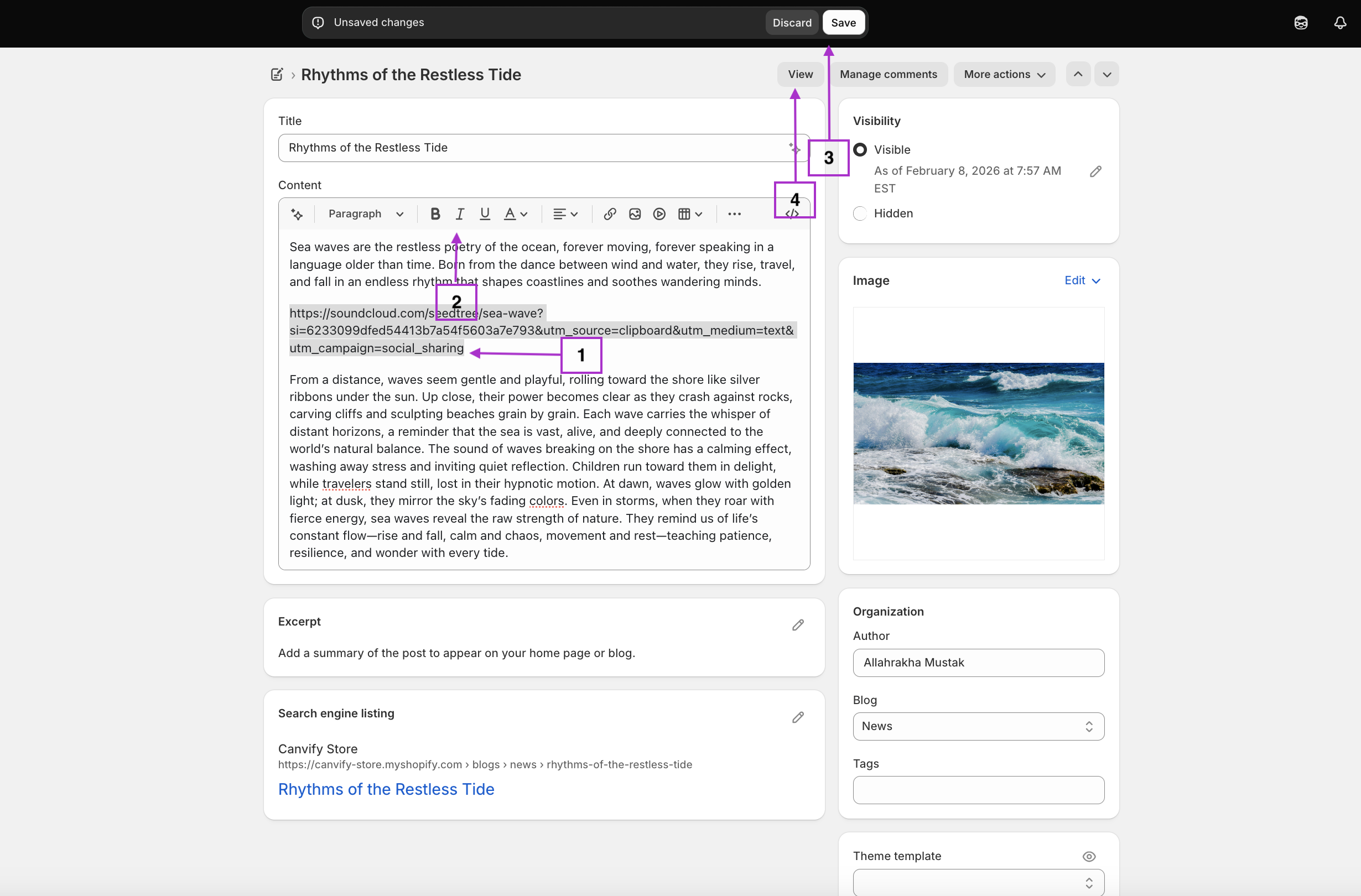
For example, if you paste this SoundCloud link: https://soundcloud.com/artist/track-name
EmbedAny will automatically transform it into an interactive SoundCloud player that visitors can play directly on your page.
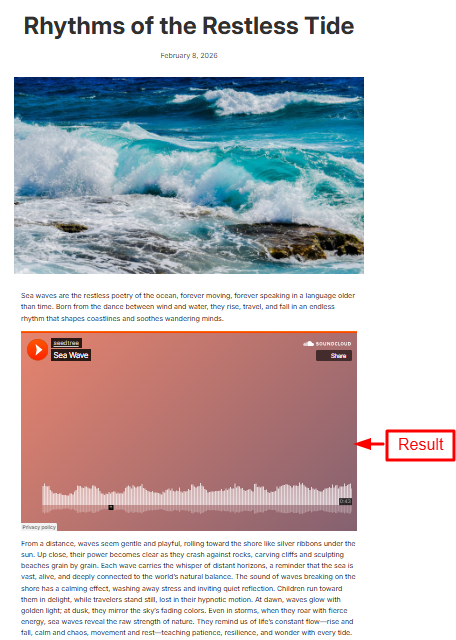
Examples of SoundCloud Embeds
You can embed various SoundCloud content:
- Single Tracks: Perfect for featuring a specific song
- Playlists: Great for creating a shopping atmosphere
- Artist Profiles: Showcase all music from a particular artist
- Albums: Display a collection of related tracks
Placement Ideas for SoundCloud Embeds
Consider adding SoundCloud players to:
- Product descriptions for music-related items
- About Us page to share your brand’s playlist
- Blog posts about music or relevant topics
- Homepage to set the mood for your store
Troubleshooting
If your SoundCloud embed isn’t appearing:
- Ensure EmbedAny is properly installed and activated
- Verify you’ve made the SoundCloud link italic
- Check that the SoundCloud link is valid and publicly accessible
With EmbedAny, adding SoundCloud music to your Shopify store is straightforward and code-free. Start enhancing your store’s experience with engaging audio content today!