How to Embed Adobe Express on Shopify: A Step-by-Step Guide
Are you looking to showcase your Adobe Express designs, graphics, or presentations directly on your Shopify store? This guide will walk you through the simple process of embedding Adobe Express content anywhere on your Shopify site without any coding knowledge.
What is Adobe Express?
Adobe Express (formerly Adobe Spark) is a powerful design tool that lets you create stunning graphics, web pages, videos, and more. Embedding these creations directly on your Shopify store can help engage customers with professional visuals and interactive content.
Prerequisites
- A Shopify store
- Adobe Express content you want to embed (with shareable links)
- EmbedAny app installed on your Shopify store
Step-by-Step Guide to Embedding Adobe Express
Step 1: Install EmbedAny on Your Shopify Store
- Visit the EmbedAny app page in the Shopify App Store
- Click “Add app” and follow the installation prompts
- Activate the app as directed during setup
Step 2: Create or Access Your Adobe Express Content
- Design your content in Adobe Express
- Make sure your Adobe Express creation is published and shareable
- Copy the URL of your Adobe Express content
Step 3: Embed Your Adobe Express Content
- Go to the page, product description, or blog post where you want to add your Adobe Express content
- Paste the Adobe Express URL into your content editor
- Important step: Highlight the URL and apply italic formatting (using the italic button or Ctrl+I/Cmd+I)
- Save your changes
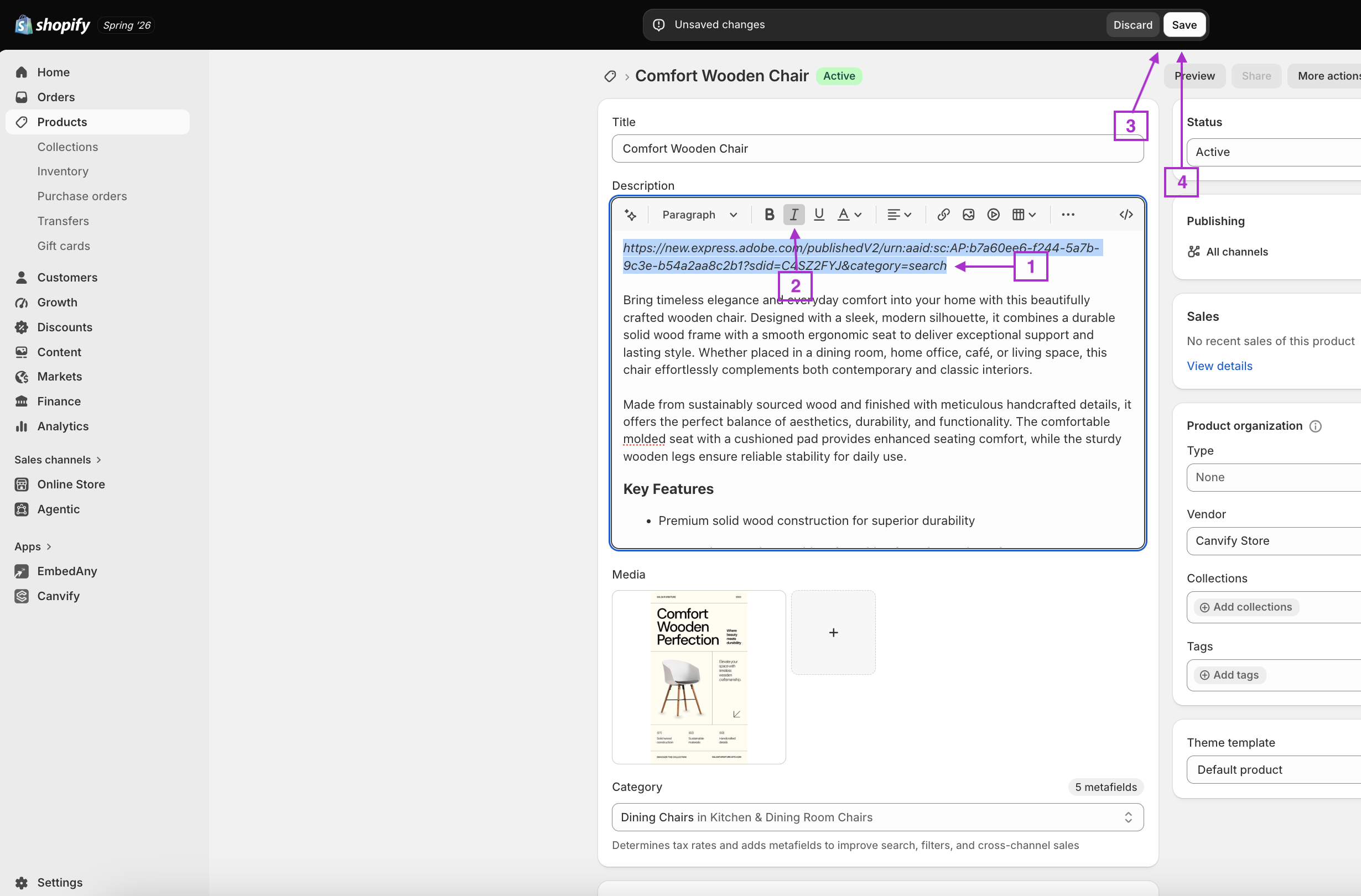
That’s it! EmbedAny will automatically transform your italicised Adobe Express link into an interactive embedded version of your content.
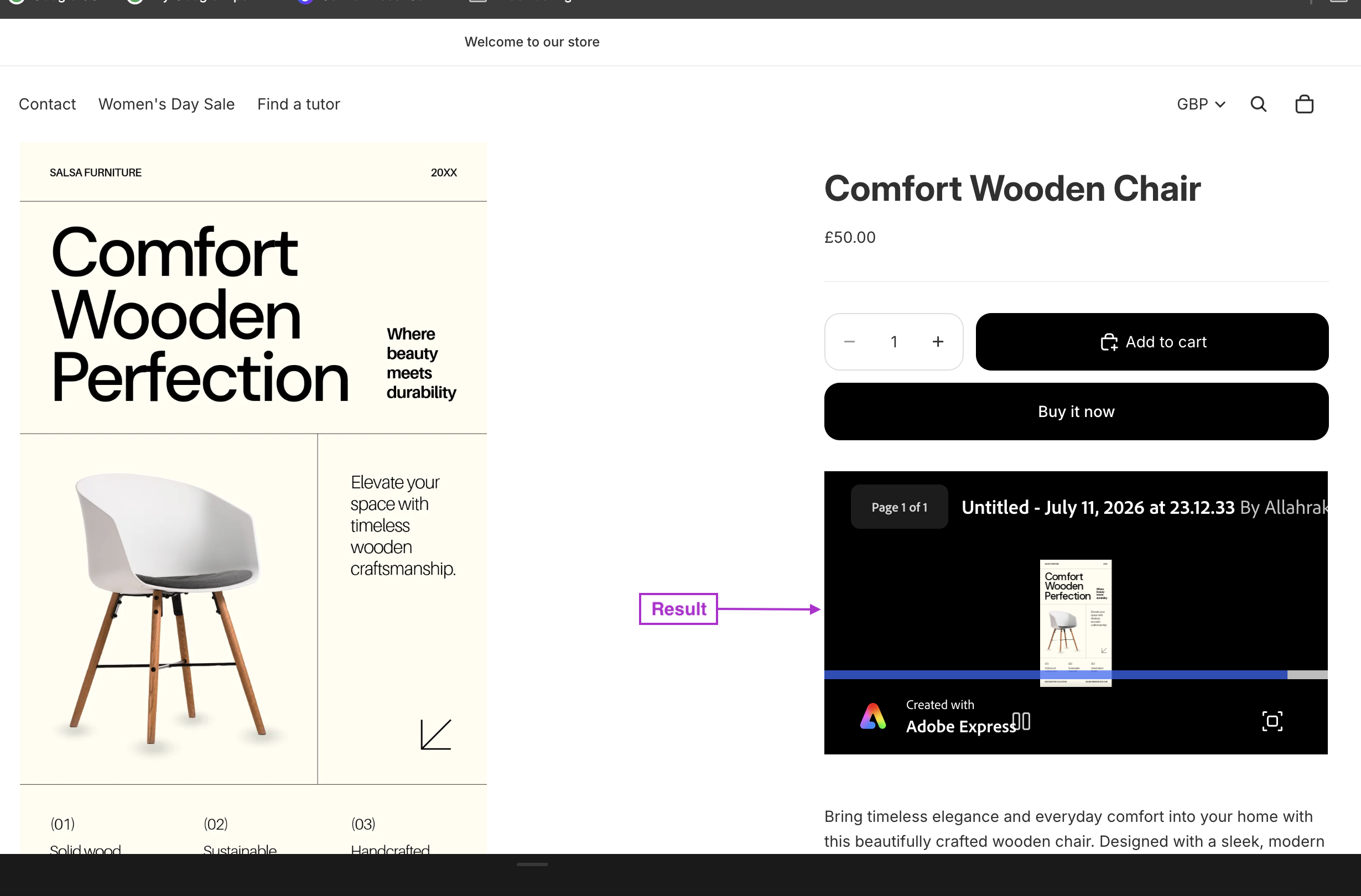
Where Can You Use Adobe Express Embeds?
- Product descriptions to showcase product tutorials
- Blog posts to add interactive infographics
- About pages to include team presentations
- Custom pages for interactive portfolios
- Homepage sections for promotional content
Why Embed Adobe Express on Your Shopify Store?
- Enhanced visual appeal: Add professional graphics directly in your store
- Better engagement: Keep customers on your site with interactive content
- Improved conversion: Show rather than tell with visual presentations
- Time-saving: Update your Adobe Express content once, and it updates everywhere it’s embedded
Troubleshooting Tips
- Make sure your Adobe Express link is public and shareable
- Confirm the link is properly italicised
- Check that EmbedAny is properly activated on your store
- Clear your cache if the embed isn’t appearing
By embedding Adobe Express content on your Shopify store, you’re creating a more dynamic and visually appealing shopping experience for your customers. This simple no-code solution helps you showcase your brand’s creativity without the hassle of complex integrations.