
How-to guides
Adding to Theme as a Section
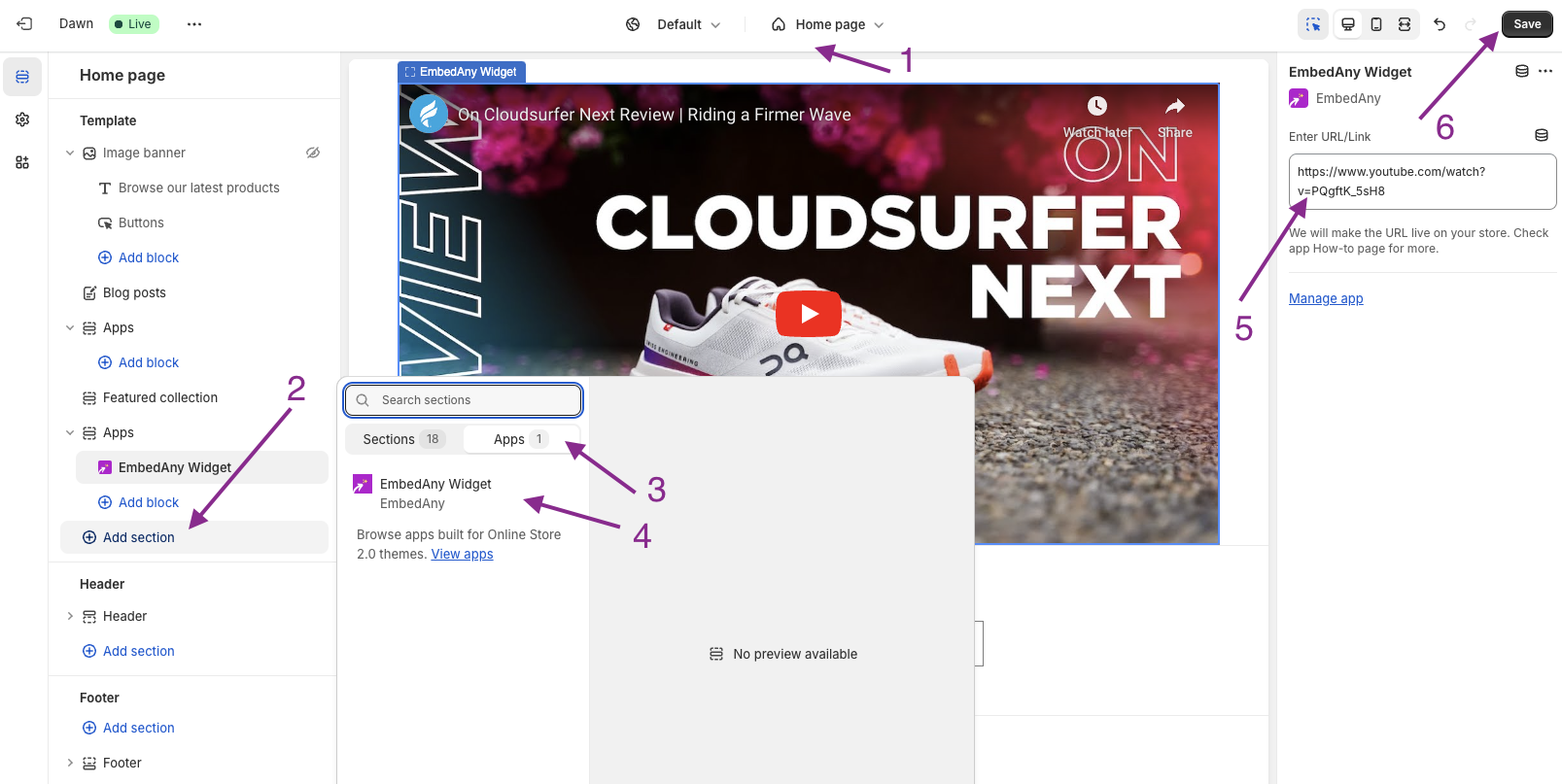
You can add the EmbedAny Integration to your theme as a section. Don’t worry, about i button, it’s not needed when adding as a section.
- Go to your Shopify Admin.
- Click on Online Store > Themes > Customize.
- Select the template, for example “Home page”.
- Click on Add Section, where you want to add a “live link”.
- Select Apps > EmbedAny Widget.
- Paste the URL/link and Save.
- That’s it! You will see the link is converted to an interactive content.
Ps. if you’re using a Vintage Shopify theme, this section feature will not be available. But you can still make links italic and this works charm.