
10 Best Instafeed Alternatives for Shopify in 2026 (Ranked & Compared)
 Abdullah Shahid
Instafeed does one thing: pulls your Instagram posts onto your Shopify store. For a lot of merchants, that’s where the problem starts.
I’ve worked with brands that installed Instafeed and felt immediately limited. Not because the app is bad… it’s clean, reliable, and has a strong free plan but because in 2026, a basic Instagram grid is rarely the whole picture. Your customers are on TikTok. Your brand content lives on YouTube. Your reviews are on Trustpilot. You’re posting Reels, not just square images.
An app that only handles Instagram is a narrow solution to a wide problem.
In this guide, I’ll walk through the 10 best Instafeed alternatives for Shopify in 2026. I’ll cover what each one does well, who it’s best for, and where it falls short. Whether you want a richer embedding experience, a shoppable UGC feed, a multi-platform aggregator, or something entirely different, there’s an option here that fits.
Why Merchants Look for Instafeed Alternatives
Before getting into the list, it’s worth naming what drives people away from Instafeed specifically.
Platform lock-in. Instafeed only connects to Instagram. If your brand also runs a TikTok account, a YouTube channel, or posts Pinterest content — none of that shows up. You’d need separate apps for each, which means more JavaScript, slower pages, and more subscriptions.
Limited customization on the free plan. The free tier gives you a basic grid, which works. But product tagging, hashtag filtering, and layout flexibility are locked behind paid plans.
It’s a passive gallery, not a conversion tool. Instafeed displays your posts. It doesn’t actively help those posts sell. There’s no embedded CTA logic, no multi-platform UGC aggregation, and no way to pull in third-party content like customer reviews or external video.
API instability. Several merchants have reported intermittent syncing issues tied to Instagram’s API changes. When your feed goes blank on a product page mid-campaign, it costs you trust.
If any of those resonate, here are the alternatives worth considering.
1. EmbedAny: Best for Multi-Platform Content and Social Proof That Converts
- Shopify App Store: apps.shopify.com/embed
- Website: embedany.com
- Pricing: Free plan available. Paid from $8.70/month
- Built for Shopify: Yes
EmbedAny is not just an Instagram feed app. That’s the entire point.
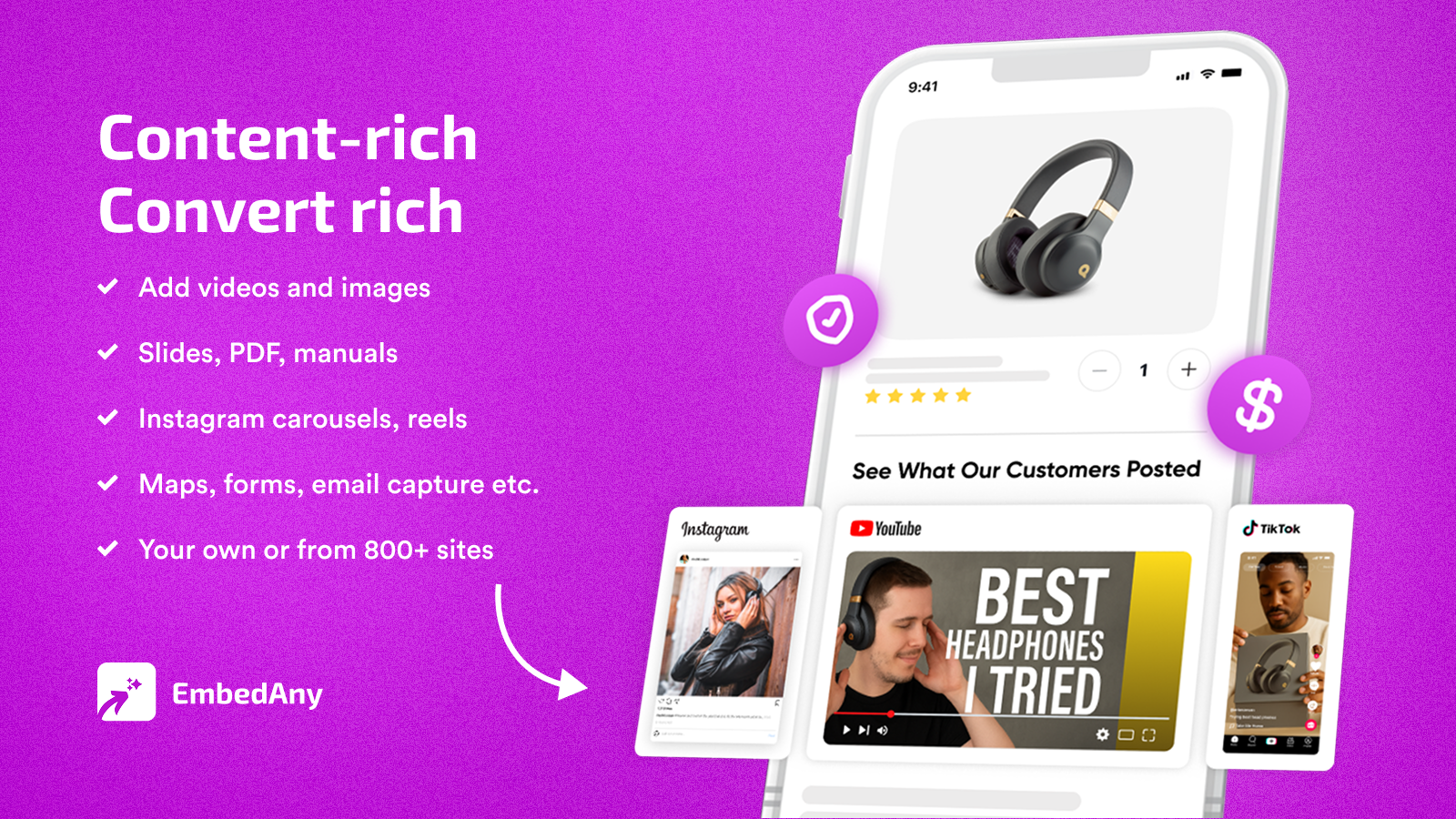
While every other alternative on this list focuses on one or two social platforms, EmbedAny supports 800+ content sources. Instagram, TikTok, YouTube, Reels, Spotify, Google Reviews, Trustpilot, Pinterest, Substack, Soundcloud, PDFs, Google Slides: all of it can be embedded anywhere in your Shopify store by pasting a single URL. No iframe code. No developer. No configuration.
I’ve seen stores use EmbedAny to replace 4-5 separate apps at once. One merchant was paying for an Instagram feed app, a YouTube embed tool, a Trustpilot widget plugin, and a PDF display app. EmbedAny consolidated all of it.
Here’s how I’d use it specifically for the social proof and content use cases that Instafeed typically handles:
- Paste an Instagram Reel link directly onto a product page, it renders as a live, interactive widget
- Add a TikTok of a customer unboxing your product next to the add-to-cart button
- Embed a Google Review or Trustpilot page widget on your homepage without a separate review app
- Place a YouTube product demo in your collection pages to add context before a visitor clicks through
- Display a curated Instagram profile feed on your homepage by pasting the profile URL
The difference from Instafeed is that EmbedAny treats content as a conversion tool, not a gallery decoration. Every embed is intentional and placed where it moves someone toward a purchase decision.
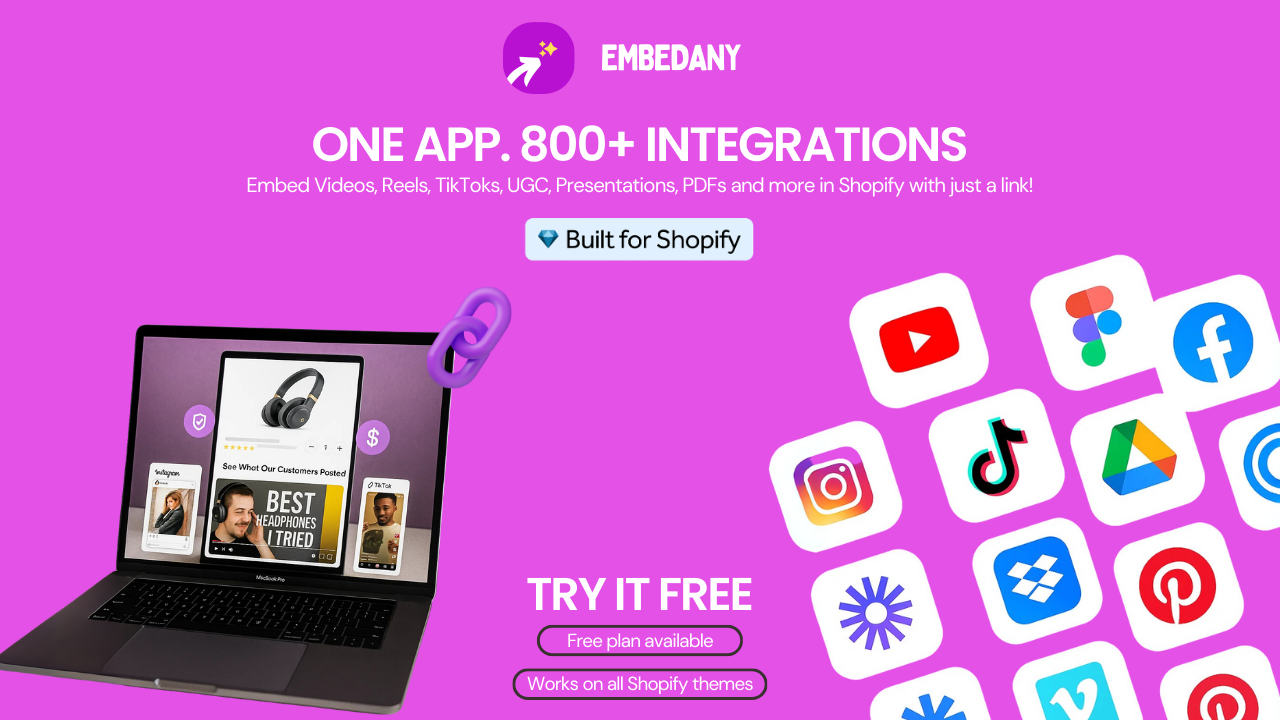
On the Shopify App Store, EmbedAny carries the Built for Shopify badge, meaning it has passed Shopify’s standards for performance, design, and integration. One merchant review describes it as: “You can embed 800 different kinds of content with this single app. Considering that it can replace many of your paid apps, $8.70/month is a small price.”
The honest limitation: EmbedAny does not auto-sync a live Instagram feed the way Instafeed does. You paste specific content links rather than connecting an account to display all recent posts automatically. For merchants who want a set-it-and-forget-it auto-updating feed of all their recent Instagram posts, a dedicated feed app may complement EmbedAny. But for merchants who want to curate the exact content that shows on each page, and add content from anywhere, not just Instagram. EmbedAny is the more powerful and flexible tool.
For a deeper look at how to use this approach, check out our guide on how to embed Instagram posts in Shopify.
| Feature | EmbedAny |
|---|---|
| Platforms supported | 800+ |
| Setup | Paste a URL, done |
| Works in Shopify editor | Yes |
| Auto-syncing feed | No (curated embeds) |
| Built for Shopify badge | Yes |
| Free plan | Yes |
| Starting price | $8.70/month |
2. Socialwidget: Best for Instagram and TikTok Shoppable Feeds
- Pricing: Free plan available. Paid from $9.90/month
- Shopify App Store rating: 4.8/5 (1,000+ reviews)
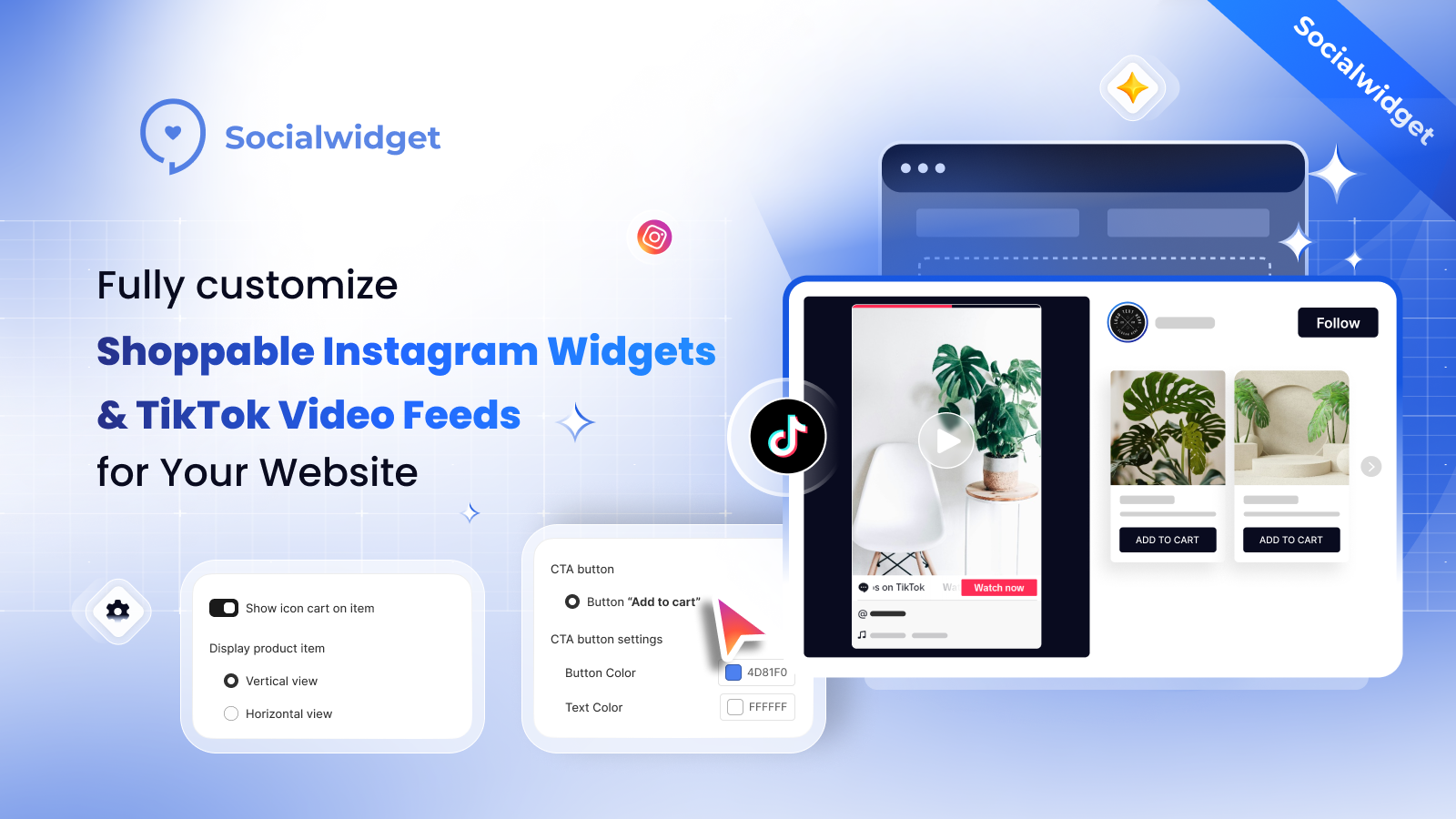
Socialwidget by OneCommerce is built specifically for merchants who want to turn Instagram and TikTok content into a structured, shoppable experience on their Shopify store. It is the strongest Instafeed alternative for merchants who want automatic feed syncing from two platforms, not just one.
What sets Socialwidget apart from Instafeed is the TikTok integration. If your brand is active on both Instagram and TikTok, Socialwidget lets you display and shoppable-tag content from both inside a single widget. For most Shopify merchants in 2026, that covers the majority of social video content they produce.
Product tagging is available on paid plans. Posts and Reels can have multiple products tagged, taking visitors from social content to product pages without leaving your store. Layout options include grid, carousel, and collage formats that adapt automatically to mobile and desktop.
The free plan is functional but limits the number of posts displayed. The $9.90/month entry plan unlocks more posts, product tagging, and TikTok feeds. For the feature set, it’s well-priced.
Best for stores that are active on both Instagram and TikTok and want a shoppable dual-platform feed without custom configuration.
3. Covet.pics: Best for Shoppable UGC Galleries
- Pricing: Free plan available. Paid from $14/month
- Shopify App Store rating: 4.8/5 (600+ reviews)
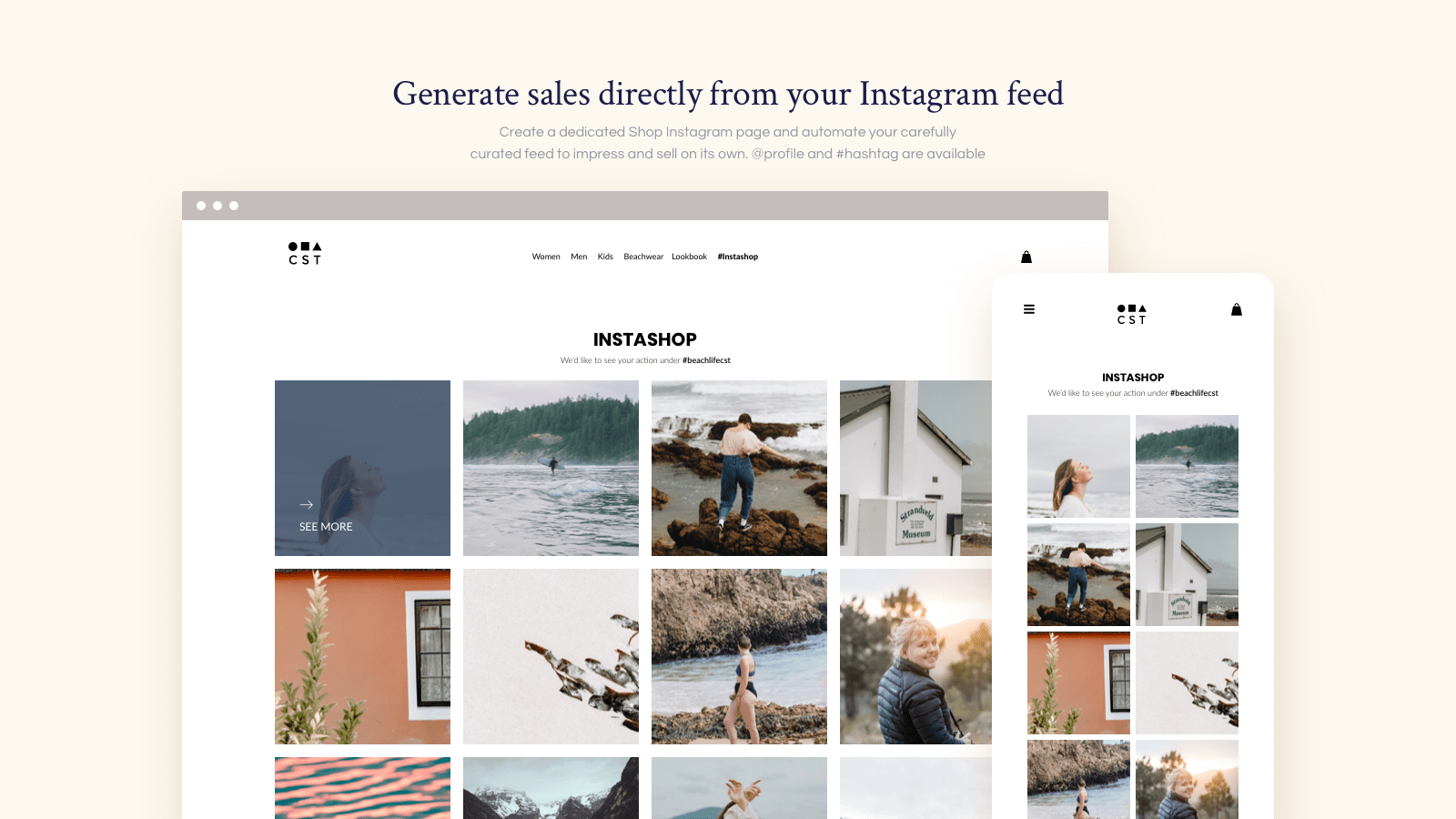
Covet.pics takes a different angle from most Instagram feed apps. Rather than just displaying your brand’s own posts, it focuses on aggregating user-generated content, real customer photos of your products shared on Instagram, and turning that into a shoppable gallery on your store.
This matters because UGC converts differently than brand content. Visitors trust real customer photos more than polished brand images. According to research compiled by Baymard Institute, authentic customer imagery reduces purchase hesitation significantly, particularly for fashion, beauty, and lifestyle categories.
Covet.pics lets you pull in tagged posts and hashtag content, moderate what appears in your gallery, tag products directly on each image, and display the result as a clean, shoppable feed on any page. The visual output looks excellent, it’s clear the app prioritizes aesthetic quality alongside function.
The main limitation is that it’s Instagram-centric. It doesn’t pull in TikTok videos or content from outside the Instagram ecosystem. For brands whose UGC lives primarily on Instagram, that’s not a problem. For brands with significant TikTok or YouTube UGC, a multi-platform tool fits better.
4. Add Social Feed on Website by Tagembed
- Pricing: $19-$99/mo
- Shopify App Store rating: 5.0/5 (12 reviews)
 Tagembed is a social feed platform, and their Shopify app is called Add Social Feed on Website. It’s a newer listing with a small but perfect review score, built around the same multi-platform aggregation that Tagembed is known for.
Where Instafeed handles Instagram only, Tagembed’s Shopify app pulls content from multiple social networks into a single widget. That means merchants running accounts across Instagram, Facebook, Twitter/X, YouTube, Pinterest, and TikTok don’t need separate apps for each. You connect your accounts, configure your feed source, and display everything from one install.
The content moderation and filtering tools are where Tagembed earns its reputation. You can hide specific posts, pin top-performing content, apply hashtag filters, and organize what visitors actually see. For brands with high content volume or teams posting across multiple platforms, having that level of control over the display matters — a raw chronological dump from five accounts at once is rarely what you want on a product page.
The free plan is functional for getting started. And because the app is newer on Shopify, it’s one to watch: the developer has an established platform behind it, and the 5.0 rating suggests early adopters are happy.
Best for stores active on several social platforms who want one unified social feed widget, moderation controls, and room to grow without platform lock-in.
Tagembed is a social feed platform, and their Shopify app is called Add Social Feed on Website. It’s a newer listing with a small but perfect review score, built around the same multi-platform aggregation that Tagembed is known for.
Where Instafeed handles Instagram only, Tagembed’s Shopify app pulls content from multiple social networks into a single widget. That means merchants running accounts across Instagram, Facebook, Twitter/X, YouTube, Pinterest, and TikTok don’t need separate apps for each. You connect your accounts, configure your feed source, and display everything from one install.
The content moderation and filtering tools are where Tagembed earns its reputation. You can hide specific posts, pin top-performing content, apply hashtag filters, and organize what visitors actually see. For brands with high content volume or teams posting across multiple platforms, having that level of control over the display matters — a raw chronological dump from five accounts at once is rarely what you want on a product page.
The free plan is functional for getting started. And because the app is newer on Shopify, it’s one to watch: the developer has an established platform behind it, and the 5.0 rating suggests early adopters are happy.
Best for stores active on several social platforms who want one unified social feed widget, moderation controls, and room to grow without platform lock-in.
5. GSC Instagram Feed: Best Free Option for Clean Feed Display
- Pricing: Free
- Shopify App Store rating: 4.9/5 (1,500+ reviews)
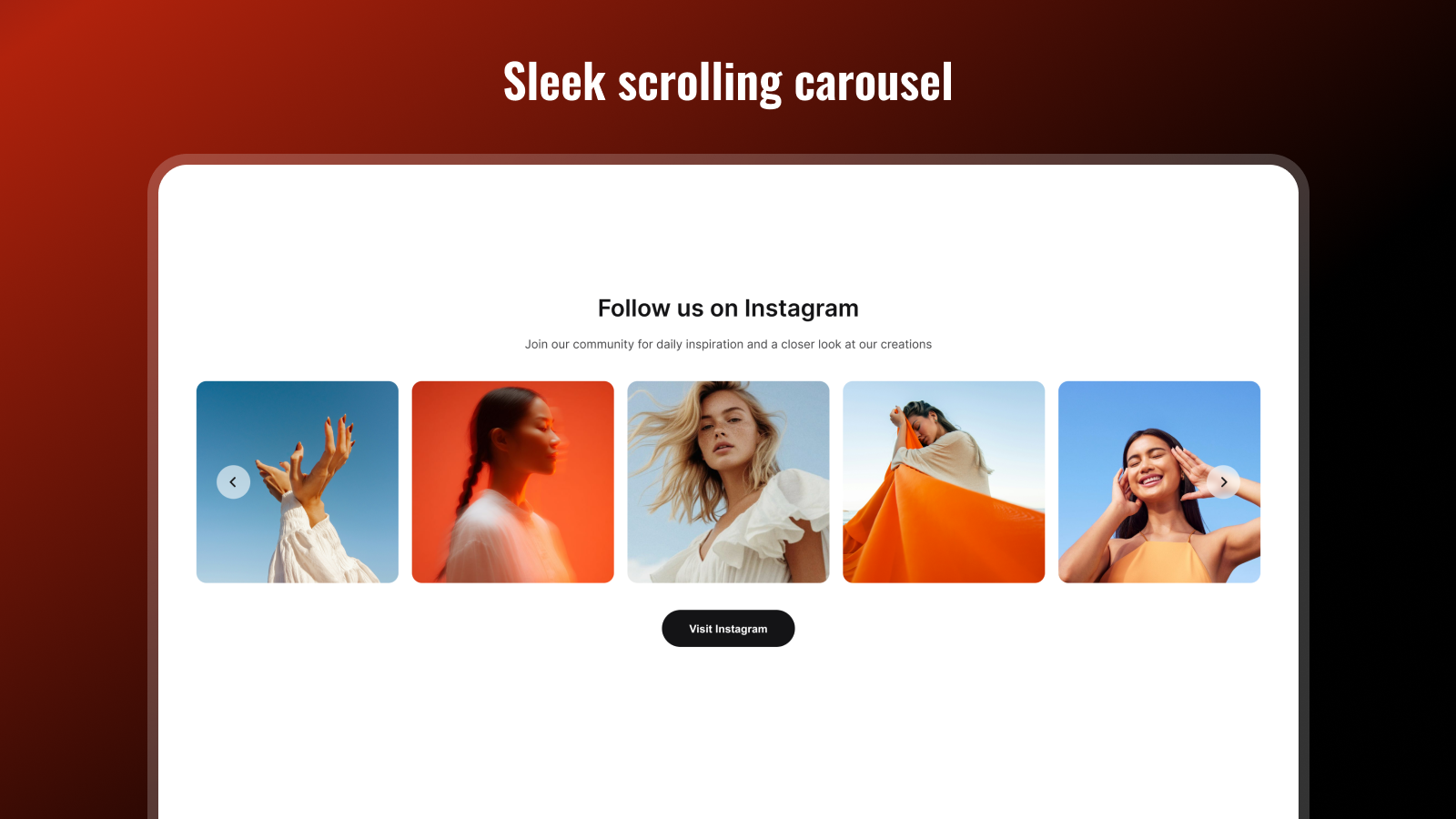
If your goal is simply to display your Instagram feed cleanly on your Shopify store at zero cost, GSC Instagram Feed by Getsitecontrol is the strongest free option available.
The app supports Instagram posts, Reels, and videos in both grid and carousel layouts. Merchants can pin, hide, or reorder posts manually to control what visitors see first. The feed adapts automatically for mobile and desktop without additional setup.
Setup takes a few minutes. The admin panel is minimal, which is either a strength or a limitation depending on what you need. There’s no product tagging, no analytics dashboard, and no multi-platform support. It does one thing and does it cleanly.
For early-stage stores that want social proof without a monthly fee, GSC Instagram Feed is the most practical starting point. The moment you need product tagging or cross-platform support, you’ll outgrow it, but getting started here costs nothing.
6. Omega InstaFeed: Best for Design-Forward Brands with Analytics Needs
- Pricing: Free plan available. Paid tiers available.
- Shopify App Store rating: 4.8/5 (400+ reviews)
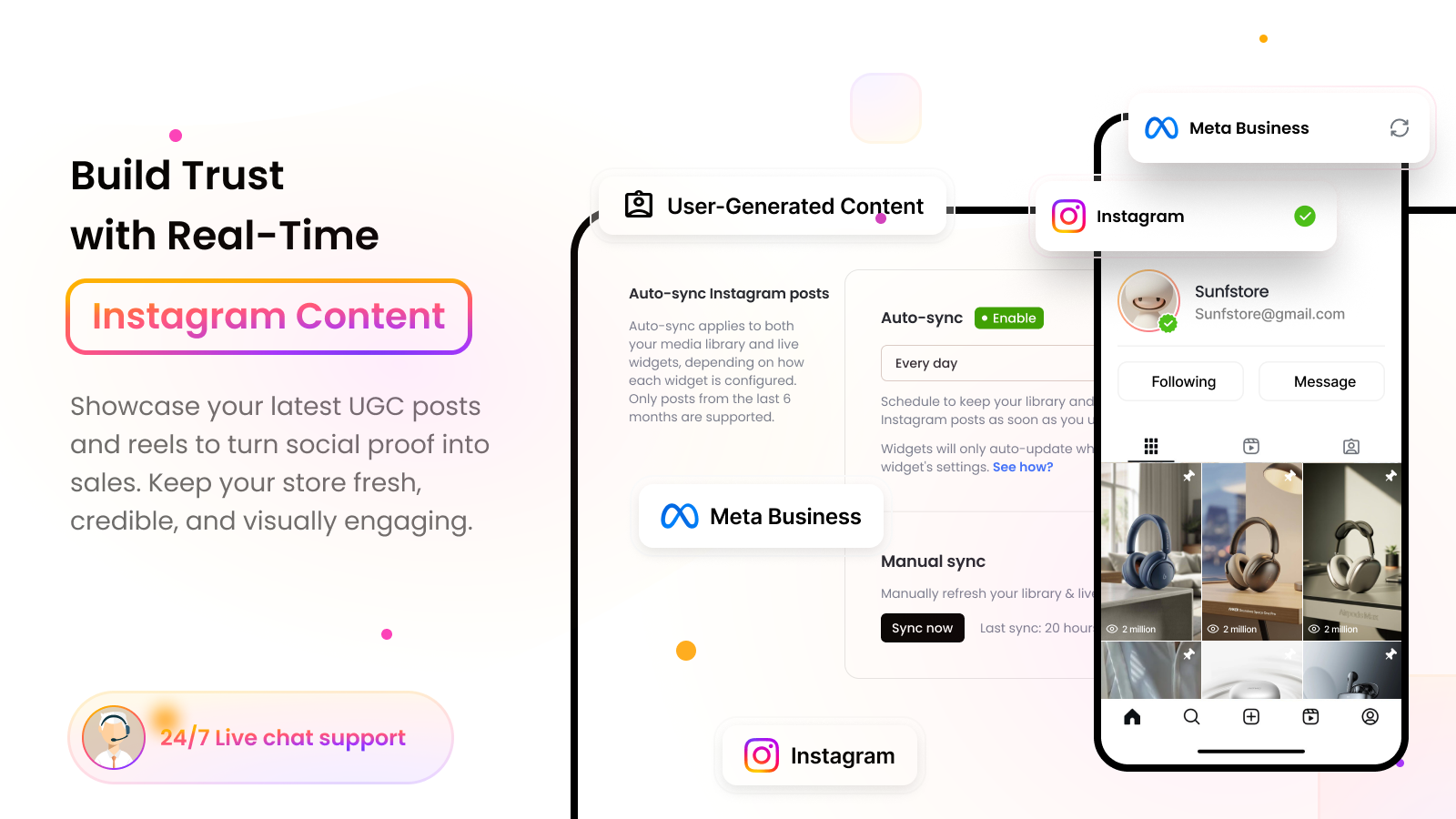
Omega InstaFeed positions itself as a design-forward Instagram feed solution with built-in analytics. The key differentiator from Instafeed is visual polish and performance tracking in the same app.
The app supports grid, carousel, collage, and highlight-style layouts with AI-powered color presets that help align the feed to your store’s branding automatically. For merchants who care about how their Instagram integration looks, not just that it exists, Omega handles the aesthetic side better than most.
The analytics layer tracks engagement rates and click behavior on the embedded feed. This is genuinely useful for merchandising decisions: which posts drive the most product page visits, which Reels get the highest engagement inside your store. Most Instagram feed apps do not surface this data.
User-generated content can be highlighted alongside brand posts, and the app supports real-time syncing so content updates automatically as you post.
Omega is a step up from Instafeed in both design and data, without jumping to a full multi-platform aggregator like Tagembed. Best for design-conscious DTC brands that want visibility into how their Instagram integration is performing.
7. Elfsight Instagram Gallery: Polished Widget with Minimal Setup
- Pricing: $5.99/month. Free trial available.
- Shopify App Store rating: 4.8/5 (55 reviews)
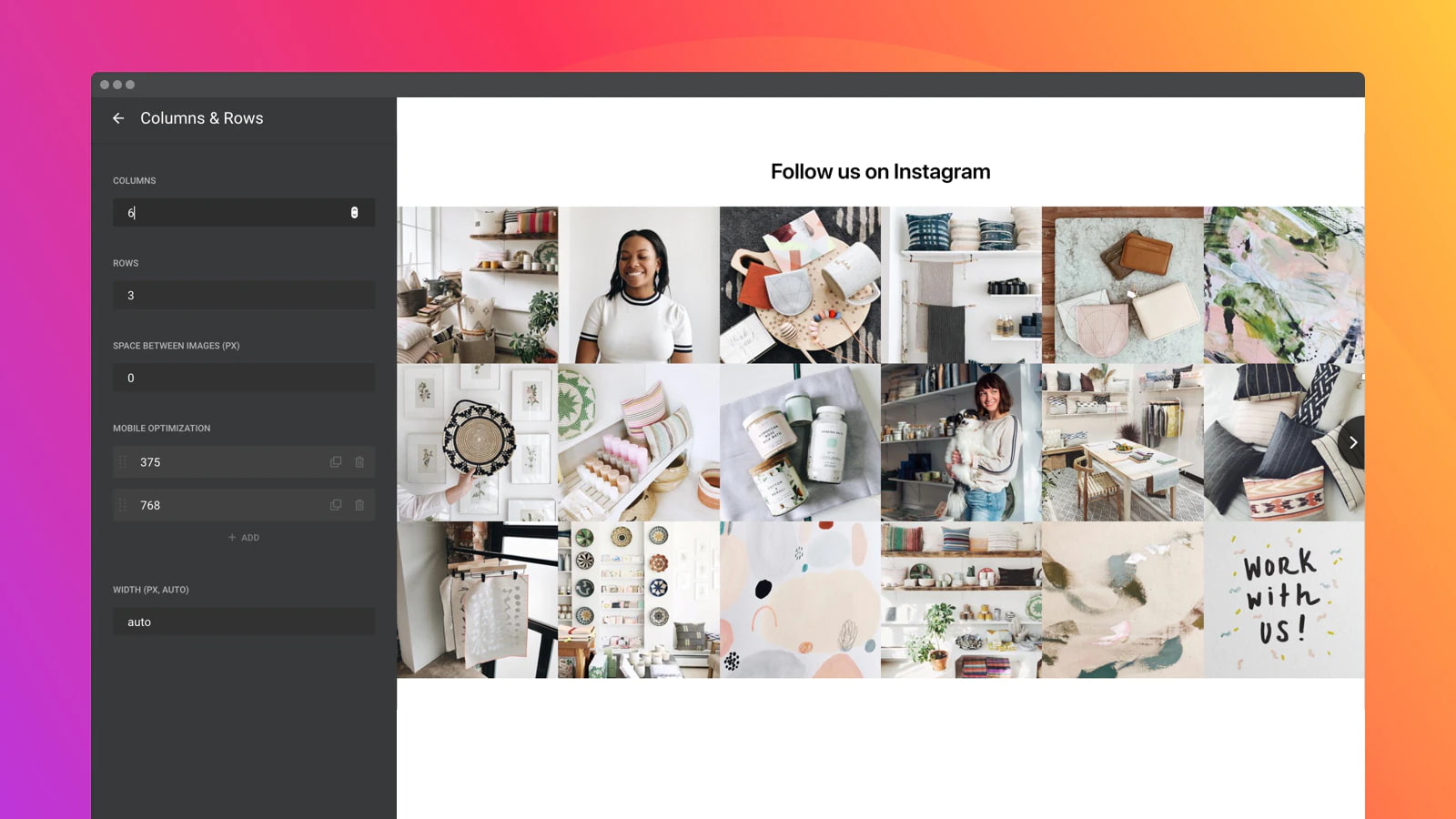 Elfsight is a widget company with a broad catalogue of Shopify apps covering reviews, chat buttons, countdown timers, contact forms, and more. Their Instagram app, listed as Elfsight Instagram Gallery on the Shopify App Store is one of those tools. It’s not a standalone platform but a native Shopify app built by a developer who makes dozens of similar products.
What makes it distinct on this list is the sourcing flexibility. Most Instagram feed apps display posts from your own connected account. Elfsight Instagram Gallery lets you pull content by username, hashtag, or location, meaning you can curate feeds from accounts you don’t own, surface posts tagged at a specific place, or build a feed around a campaign hashtag without needing direct account access.
For brands running influencer campaigns, event-based marketing, or hashtag contests, that sourcing flexibility is genuinely useful. You can surface real customer and creator content without requiring them to connect their accounts to your app.
Layout options include grid, slider, masonry, and carousel formats with hover effects and customizable styling. The admin setup is clean and fast. Elfsight keeps things deliberately simple across its product range.
At $5.99/month with a free trial, it sits comfortably between the free options earlier on this list and the more feature-heavy paid alternatives. Best for merchants who want reliable, attractive feed display with flexible sourcing options and a minimal learning curve.
Elfsight is a widget company with a broad catalogue of Shopify apps covering reviews, chat buttons, countdown timers, contact forms, and more. Their Instagram app, listed as Elfsight Instagram Gallery on the Shopify App Store is one of those tools. It’s not a standalone platform but a native Shopify app built by a developer who makes dozens of similar products.
What makes it distinct on this list is the sourcing flexibility. Most Instagram feed apps display posts from your own connected account. Elfsight Instagram Gallery lets you pull content by username, hashtag, or location, meaning you can curate feeds from accounts you don’t own, surface posts tagged at a specific place, or build a feed around a campaign hashtag without needing direct account access.
For brands running influencer campaigns, event-based marketing, or hashtag contests, that sourcing flexibility is genuinely useful. You can surface real customer and creator content without requiring them to connect their accounts to your app.
Layout options include grid, slider, masonry, and carousel formats with hover effects and customizable styling. The admin setup is clean and fast. Elfsight keeps things deliberately simple across its product range.
At $5.99/month with a free trial, it sits comfortably between the free options earlier on this list and the more feature-heavy paid alternatives. Best for merchants who want reliable, attractive feed display with flexible sourcing options and a minimal learning curve.
8. Wave Connect Instagram TikTok by Growave
- Pricing: Free plan available. Paid from $4.95/month
- Shopify App Store rating: 4.9/5 (124 reviews)
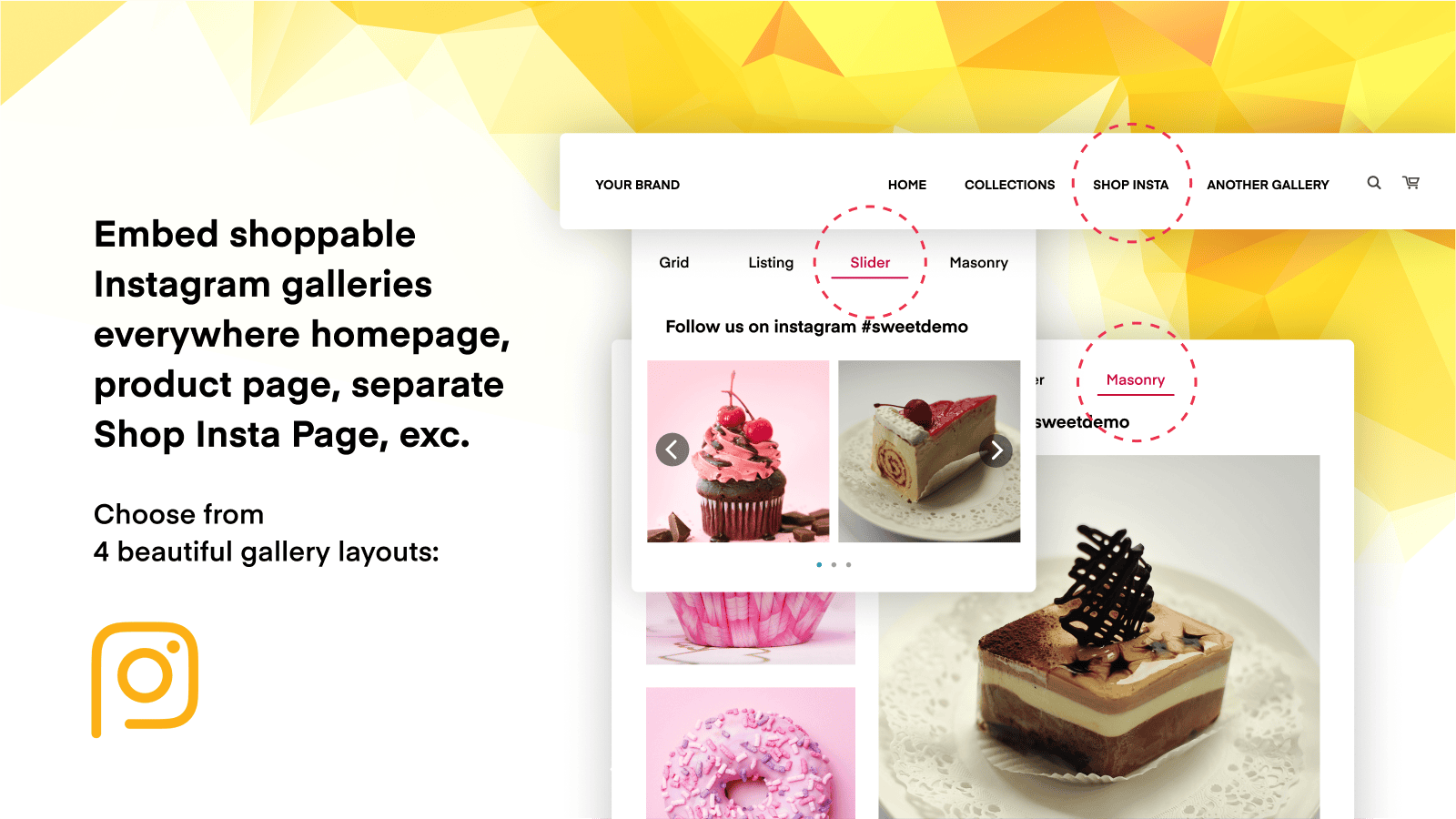
Growave is best known for their all-in-one loyalty and marketing platform, but they also publish a dedicated Instagram and TikTok feed app called Wave Connect Instagram TikTok. This is the relevant Shopify app for social feed display, separate from their loyalty suite and priced independently at $4.95/month.
The focus is user-generated content from both Instagram and TikTok simultaneously. Merchants can display a combined shoppable feed pulling from both platforms, tag products directly on posts and videos, and embed the result on any page in their store. At under $5/month, it’s one of the most affordable options on this list that covers both Instagram and TikTok in the same widget.
The 4.9 rating across 124 reviews signals consistent reliability. Merchants highlight the app’s straightforward setup and the quality of Growave’s support, the same team behind their larger platform, so response quality tends to be good.
Where Wave Connect is limited compared to Socialwidget is in layout variety and customization depth. It covers the core use case well: display Instagram and TikTok content, tag products, drive conversions. If you need granular control over layout, styling, or filtering, Socialwidget has more options. But for most stores that want a clean dual-platform shoppable feed without paying more than $5/month, Wave Connect is hard to beat on value.
9. Tagbox (Tagshop): Best for AI-Powered UGC and Influencer Discovery
- Pricing: Paid plans. Entry pricing from $29/month
- Website: tagbox.com
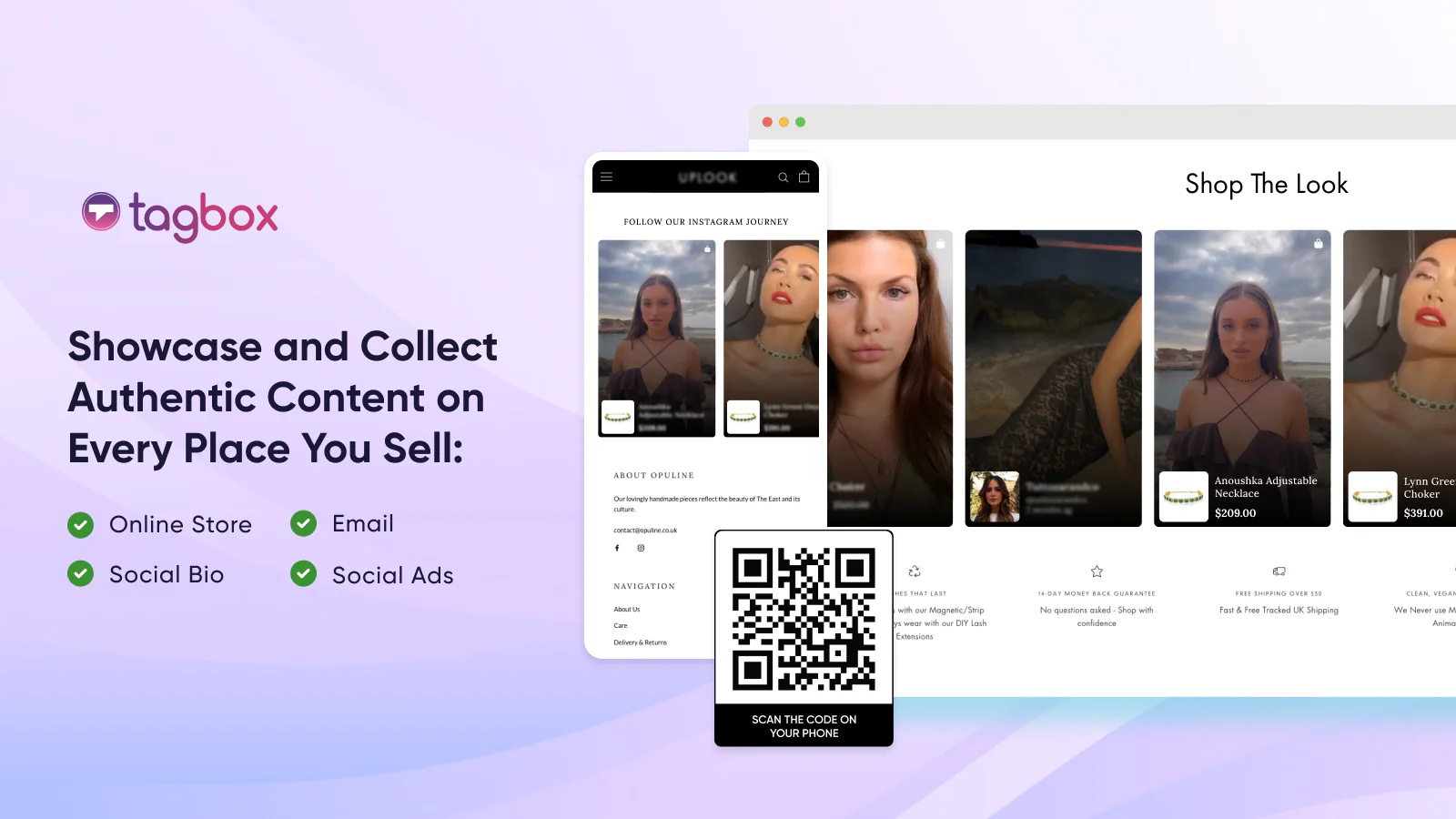
Tagbox (also marketed as Tagshop for ecommerce use cases) is an AI-powered UGC platform that goes considerably further than a standard Instagram feed app. It’s built for brands that treat user-generated content as a revenue channel, not just a social proof decoration.
The platform uses AI to match UGC images with specific products in your Shopify catalog automatically, which removes the manual work of tagging hundreds of customer photos. It supports influencer discovery within the platform, meaning you can find creators posting about your products and reach out to them directly without a separate tool.
Tagbox’s Shopon.bio feature creates a shoppable social bio link where your Instagram and TikTok content becomes a mini storefront, useful for driving traffic from your social profiles directly to product pages.
The tradeoff is price and complexity. Tagbox is not the right tool for a merchant who wants a quick, clean feed display. It’s built for brands actively investing in UGC as a systematic strategy, collecting it, moderating it, publishing it, and measuring its revenue impact.
Little Sleepies increased their average order value by 13% using Tagbox’s shoppable UGC galleries, which gives an indication of what the tool can do when used intentionally.
10. MP Instagram Feed by Shopplaza
- Pricing: Free plan available. Paid plans available.
- Shopify App Store rating: 4.9/5 (highly rated)
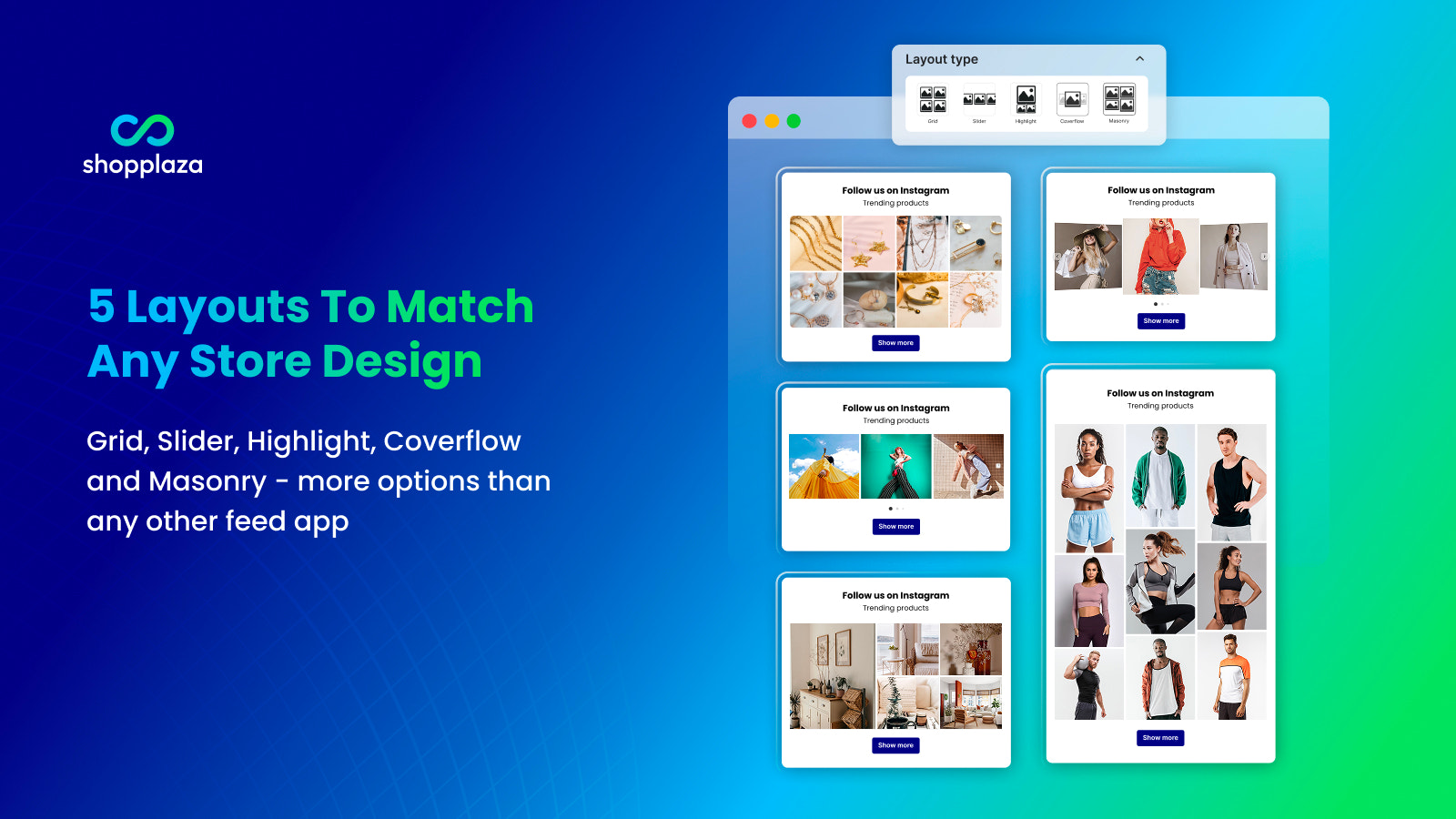 MP Instagram Feed is a native Shopify app that earns its place at the end of this list by doing more than the basics. It supports both Instagram and TikTok feeds, covers five distinct layout types: grid, slider, highlight, coverflow, and masonry. It includes built-in analytics for tracking engagement and post performance directly inside the app.
That last point matters more than it sounds. Most Instagram feed apps show you content but give you no data on how that content performs once it’s on your store. MP Instagram Feed tracks which posts get clicks, which layouts drive the most engagement, and how the feed is contributing to traffic flow across your pages. For merchants who want to treat their social feed as a measurable part of their storefront rather than a passive decoration, that analytics layer closes a gap most other apps leave open.
Multiple Instagram and TikTok accounts can be connected simultaneously, which makes it useful for stores managing several brands or regional accounts. Auto-sync keeps content fresh automatically, and product tagging is supported so posts become directly shoppable.
Setup requires no coding and the app carries the Built for Shopify badge. For stores that have outgrown a basic feed and want performance visibility without jumping to a full UGC platform like Tagbox, MP Instagram Feed sits in a practical middle ground.
MP Instagram Feed is a native Shopify app that earns its place at the end of this list by doing more than the basics. It supports both Instagram and TikTok feeds, covers five distinct layout types: grid, slider, highlight, coverflow, and masonry. It includes built-in analytics for tracking engagement and post performance directly inside the app.
That last point matters more than it sounds. Most Instagram feed apps show you content but give you no data on how that content performs once it’s on your store. MP Instagram Feed tracks which posts get clicks, which layouts drive the most engagement, and how the feed is contributing to traffic flow across your pages. For merchants who want to treat their social feed as a measurable part of their storefront rather than a passive decoration, that analytics layer closes a gap most other apps leave open.
Multiple Instagram and TikTok accounts can be connected simultaneously, which makes it useful for stores managing several brands or regional accounts. Auto-sync keeps content fresh automatically, and product tagging is supported so posts become directly shoppable.
Setup requires no coding and the app carries the Built for Shopify badge. For stores that have outgrown a basic feed and want performance visibility without jumping to a full UGC platform like Tagbox, MP Instagram Feed sits in a practical middle ground.
Full Comparison Table
| # | App | Best For | Free Plan | Starting Price | Platforms | Shoppable |
|---|---|---|---|---|---|---|
| 1 | EmbedAny | Multi-platform curated embeds | Yes | $8.70/mo | 800+ | No (curated) |
| 2 | Socialwidget | Instagram + TikTok shoppable feeds | Yes | $9.90/mo | 2 | Yes |
| 3 | Covet.pics | Shoppable UGC galleries | Yes | $14/mo | Yes | |
| 4 | Add Social Feed by Tagembed | Multi-platform feed aggregation | Yes | Free | 10+ | Yes |
| 5 | GSC Instagram Feed | Free basic feed display | Yes (forever) | Free | No | |
| 6 | Omega InstaFeed | Design polish + analytics | Yes | Paid tiers | Yes | |
| 7 | Elfsight Instagram Gallery | Hashtag/location feed sourcing | Trial | $5.99/mo | No | |
| 8 | Wave Connect by Growave | Instagram + TikTok UGC combined | Trial | $4.95/mo | 2 | Yes |
| 9 | Tagbox | AI-powered UGC + influencer discovery | No | $29/mo | Instagram + TikTok | Yes |
| 10 | MP Instagram Feed | Instagram + TikTok + analytics | Yes | Paid tiers | 2 | Yes |
How to Choose the Right Instafeed Alternative
The right app depends on what you’re actually trying to accomplish. Here are the three most common situations I see:
You want a simple, auto-updating Instagram feed with no hassle. Start with GSC Instagram Feed (free) or pay up to Socialwidget ($9.90/mo) if you want TikTok coverage and product tagging. Both are lightweight and easy to manage.
You want to embed specific, high-impact content, not just a feed. This is where EmbedAny fits best. Rather than displaying everything you post, you curate exactly what appears and where. A TikTok testimonial on a product page. A Google Review widget next to a checkout button. A YouTube demo on a landing page. You pick the content that moves people, not just the most recent post from your feed.
You want UGC at scale. If you’re running hashtag campaigns, working with influencers, and want customer photos automatically collected and tagged with products, Covet.pics or Tagbox are the right tools. They’re built for this specifically.
One thing I always remind merchants: the number of followers you have on Instagram matters less than how you use that content once someone lands on your store. A visitor who sees a real customer’s Reel on a product page converts at a meaningfully higher rate than one who scrolls past a generic photo grid.
That’s why I consistently recommend pairing any Instagram feed app with an embedding strategy. Use EmbedAny alongside whichever feed tool you choose. The feed handles the auto-updating gallery. EmbedAny places your best individual pieces of content exactly where they convert, on product pages, above the fold, next to add-to-cart buttons.
For more on how to use embedded content strategically, read our guide on how to add social proof to Shopify.
Final Thoughts: Stop Treating Instagram Like a Decoration
Most stores that install an Instagram feed app treat it as decoration, something that fills space at the bottom of the homepage and signals that the brand is active on social media.
That’s the wrong mindset.
Instagram content, TikTok videos, customer Reels, and UGC are some of the highest-converting assets a Shopify store has access to. The difference between a feed that decorates and a feed that sells is placement and intent.
The apps on this list range from free to $49/month and from simple to sophisticated. Pick based on the gap you’re trying to close.
If you’re just getting started, GSC Instagram Feed costs nothing and gets your posts on the page. If you’re running an active content strategy across multiple platforms, EmbedAny lets you place any piece of content anywhere in your store with a single paste. If you’re running UGC campaigns, Covet.pics or Tagbox handles the aggregation side.
The one thing I’d caution against is installing a feed app and considering the job done. Placement is everything. A product video embedded next to the buy button converts. The same video buried under product descriptions doesn’t. Use whatever tool you choose with intention.
For more on embedding social content effectively, check out our guide on how to embed TikTok videos in Shopify.
FAQs
what is the best free instafeed alternative for shopify
GSC Instagram Feed is the strongest free option, it’s completely free with no paid tier required, displays posts and Reels in grid or carousel layouts, and has clean moderation tools. EmbedAny also has a free plan for merchants who want to embed specific pieces of content rather than an auto-syncing feed.
does embedany replace instafeed
Partially, and in some cases completely. EmbedAny handles content embedding from 800+ platforms including Instagram, TikTok, YouTube, and more, by pasting a URL. It doesn’t auto-sync a full Instagram feed the way Instafeed does, but it lets you place specific, curated Instagram content exactly where you want it on any page. For merchants who care more about strategic placement than automated galleries, EmbedAny does more.
which instafeed alternative supports tiktok
Socialwidget and Tagbox are the strongest options for TikTok feeds alongside Instagram. Tagembed also supports TikTok as part of its 18+ platform aggregation. EmbedAny lets you embed individual TikTok videos by pasting a link, though it doesn’t auto-sync a TikTok feed by account.
are instagram feed apps bad for shopify page speed
They can be. Every feed app adds JavaScript that runs at page load. Apps that use iframes or external API calls on every page view add measurable load time. The lightest options are GSC Instagram Feed and Behold.so for developers. EmbedAny embeds are lightweight because content loads from the source platform rather than adding heavy app scripts globally. Always test page speed before and after installing any feed widget using Google PageSpeed Insights.
what is the difference between a shoppable instagram feed and a regular feed
A regular Instagram feed displays your posts as a visual gallery, visitors can click through to Instagram but cannot shop directly from the feed. A shoppable feed lets you tag products on individual posts so visitors can click directly to the product page or add-to-cart on your Shopify store without leaving. Shoppable feeds convert meaningfully better than passive galleries. Socialwidget, Covet.pics, and Growave all support product tagging.
can i use multiple instagram feed apps at once
Technically yes, but I’d advise against it. Multiple feed apps loading simultaneously will slow your store down and may conflict with each other’s scripts. Instead, pick one feed app for your auto-updating gallery and use a tool like EmbedAny for placing specific pieces of content on high-intent pages.
which instafeed alternative is best for ugc
Covet.pics is the most focused option for UGC aggregation, it’s built specifically to pull in tagged customer photos from Instagram, moderate them, and display them as shoppable galleries. Tagbox goes further with AI-powered product matching and influencer discovery, but at a higher price and complexity level. For brands running active hashtag campaigns, either is a strong choice.
does instafeed work with tiktok
The original Instafeed by Mintt does not natively support TikTok feeds. Some versions of apps marketed as “Instafeed” include TikTok support, so it’s worth checking the specific listing. If TikTok is important to your content strategy, Socialwidget or Tagembed are more reliable choices.
how many instagram posts should i show on my shopify store
I generally recommend showing 6 to 12 posts in a homepage or product page feed. Enough to show brand activity and social proof, not so many that the grid dominates the page or slows load time. For product-specific pages, curating 2 to 4 directly relevant posts or Reels converts better than a full feed. Quality and relevance of placement matter more than volume.
is instafeed the same as the instafeed shopify app
There are several apps in the Shopify App Store with “Instafeed” or similar names, including Instafeed by Mintt, Instafeed IG by Instasell, and GSC Instagram Feed, Instafeed. The one most commonly referred to as simply “Instafeed” is the app by Mintt, which is the most-reviewed and free-forever version. If you’re evaluating alternatives, confirm which specific app you’re looking to replace.