
How to Embed Bandcamp Music on Shopify
 Abdullah Shahid
If you sell music, merch, or artist products through Shopify, bringing your Bandcamp releases into the same storefront can make the shopping experience much more engaging. You can embed Bandcamp albums and tracks directly in Shopify without rebuilding your music library.
In this guide, I will show you the easiest ways to add a Bandcamp player to Shopify, where to place it, and what actually syncs between Bandcamp and Shopify. Adding music gives an otherwise image-led page more life, complements the merch you are selling, and can help shoppers connect with the release before buying.
Can You Connect Bandcamp to Shopify?
Yes, but there is an important distinction: you can embed Bandcamp content inside Shopify, but the two services do not automatically become one synchronized store. Your Bandcamp music, purchases, inventory, and Shopify products remain separate unless you build a separate integration.
Bandcamp provides its own embeddable player for albums and tracks. On a Bandcamp album, select Share/Embed, choose Embed this album, customise the player, and copy the generated code. You can adjust its size, colours, tracklist, and whether merchandise appears in the player.
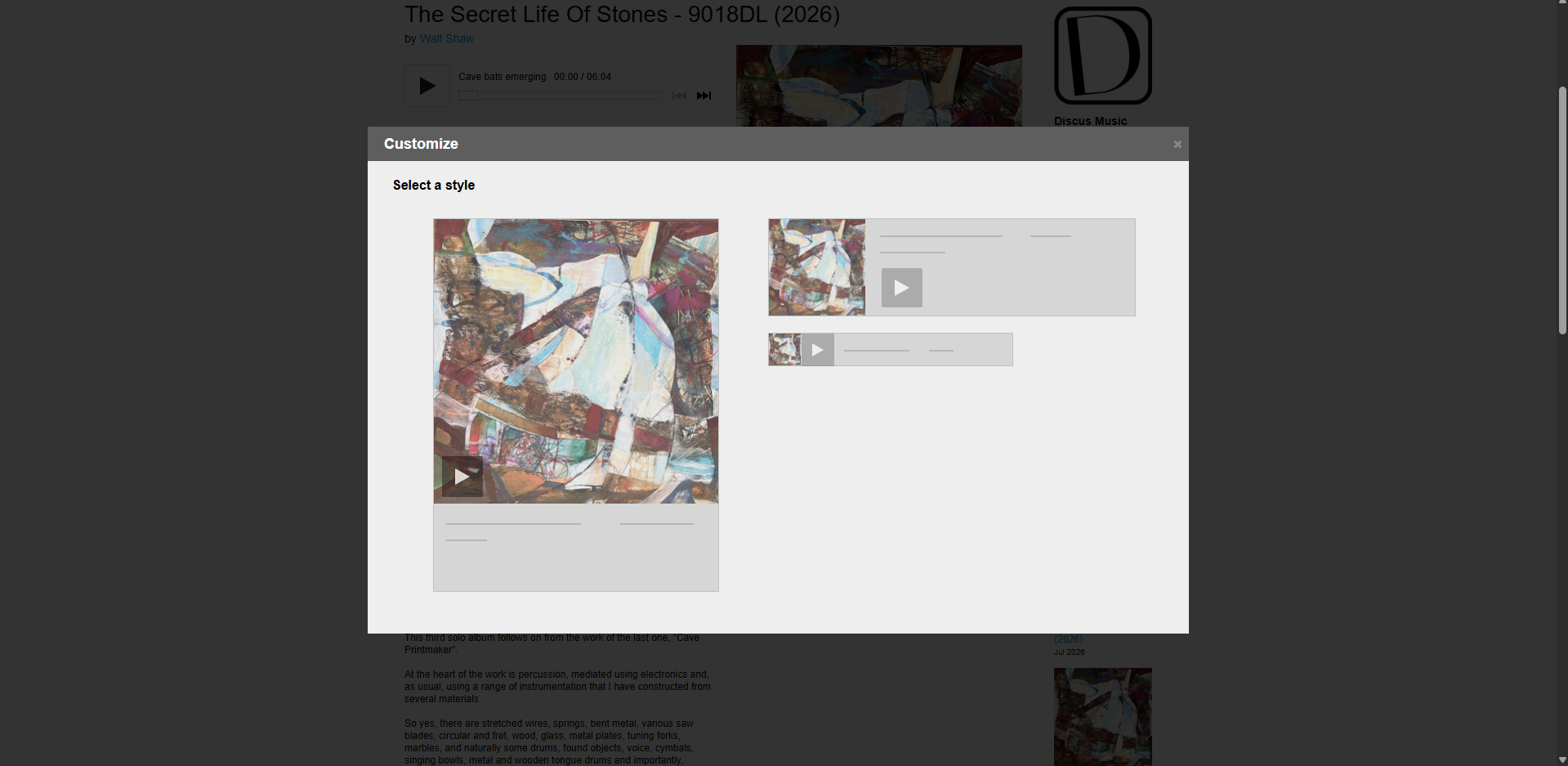
For most stores, I prefer using EmbedAny because I can paste a Bandcamp link instead of managing embed code manually. It also avoids editing Shopify Liquid files or paying someone to add an embed for every new release.
How I Embed Bandcamp in Shopify With EmbedAny
My workflow is simple. First, I open the Bandcamp album or track I want to show and copy its public URL. Then, inside Shopify, I paste that Bandcamp link into a text field and make it italic with Ctrl + I. EmbedAny detects the link and turns it into an interactive Bandcamp player on the storefront.
This is easier than copying iframe code and adjusting HTML every time I want to add another release.
How to Add Bandcamp to Your Shopify Homepage
The homepage works well for a featured album, new release, or artist. For artist stores, I would place it fairly high on the homepage; for stores where merchandise is the main focus, I would keep it lower down.
To embed a Bandcamp song or album:
- Install the EmbedAny app.
- Open the Shopify theme editor.
- Paste the song or album link into a text field.
- Make the link italic with
Ctrl + I.
The link becomes a widget straight away. You can add an app block or paste the link manually; both options work on a Shopify homepage.
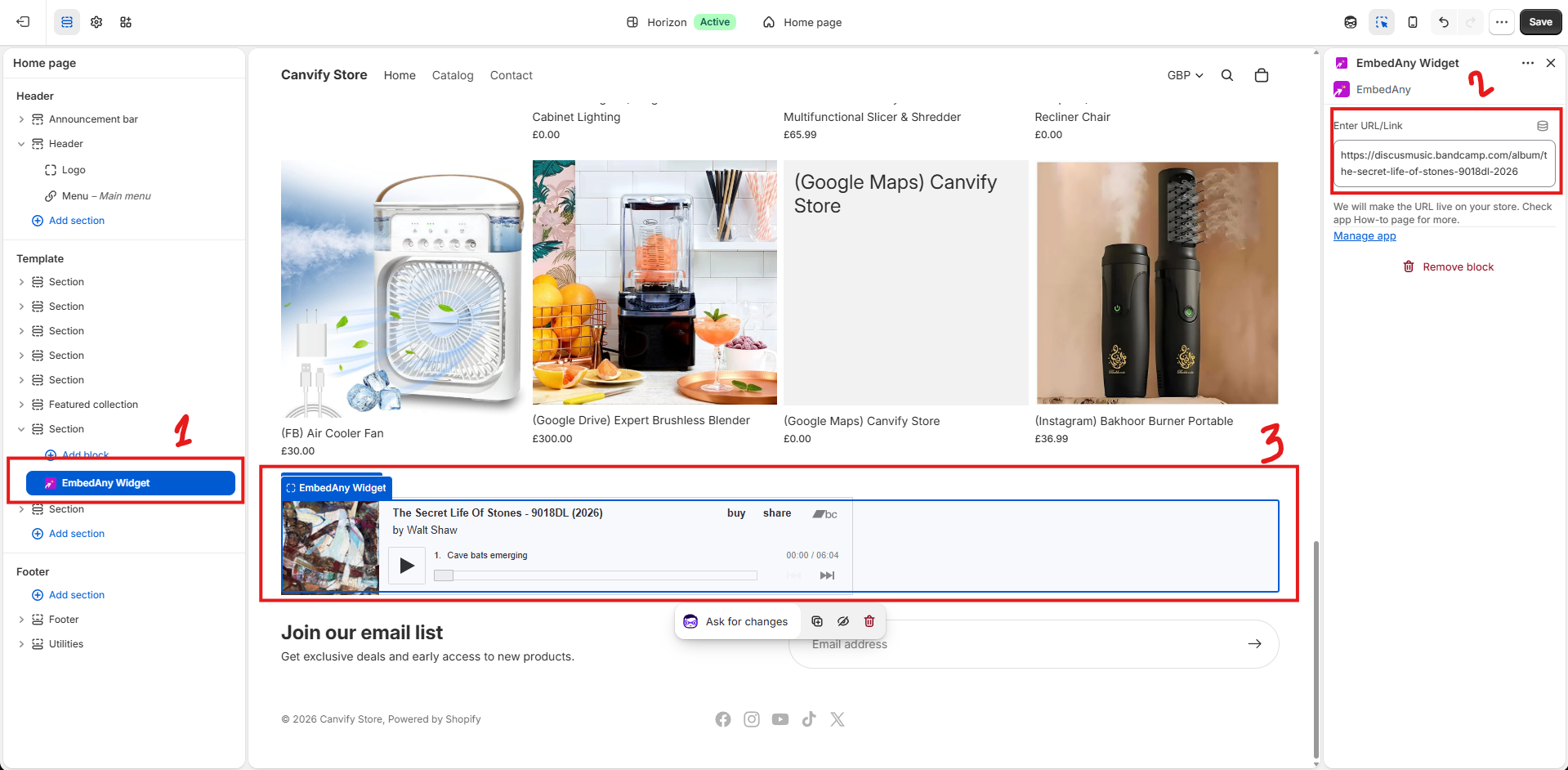
For several releases, Shopify Sidekick can also help you create a grid, slider, or carousel and place a different Bandcamp link in each item.
How to Add Bandcamp to a Shopify Product Page
This is probably my favourite use case. If you sell vinyl, CDs, cassettes, posters, or other album merchandise, place the corresponding Bandcamp release directly on the product page. It lets a shopper listen to the music while they decide whether to buy the physical product.
All you need to do is add the music link to the product description and make it italic.
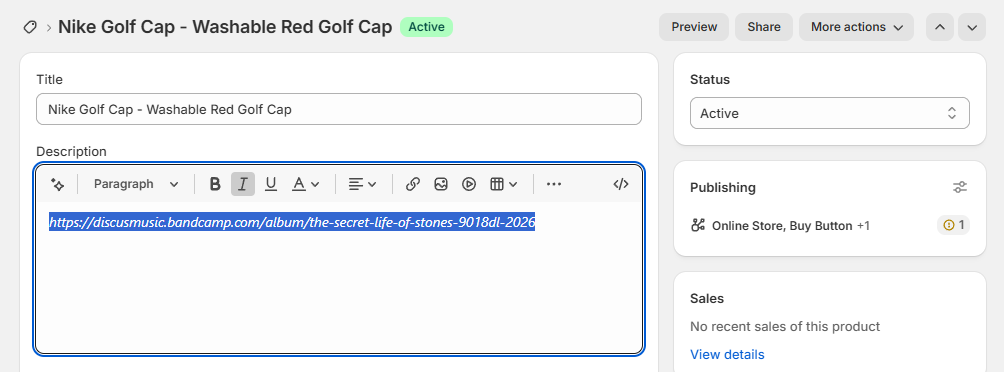
With EmbedAny installed, the pasted link becomes a widget.
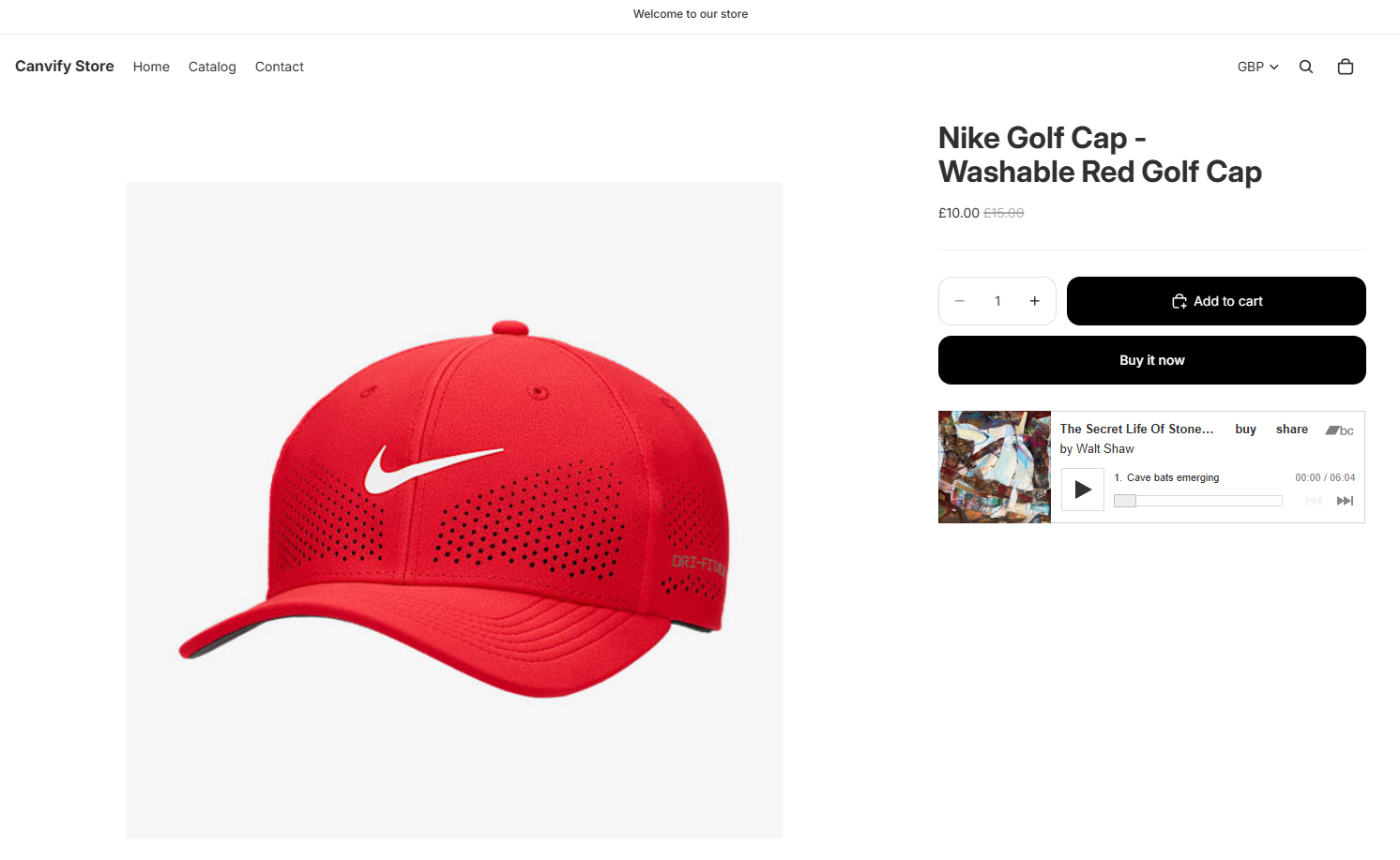
This does not automatically connect the Shopify Add to Cart button with Bandcamp purchases. The embedded player remains Bandcamp content, while the Shopify product continues using Shopify checkout.
If you want to display multiple releases, avoid stacking five large players vertically. Instead, use an EmbedAny multicolumn widget or create a custom section with Sidekick. For example, you could create:
- A three-column album grid
- Horizontal scrolling releases
- A carousel
- A featured album with smaller releases
- Artist cards
Paste one Bandcamp link into each text field. This is an advantage of EmbedAny: you control the Shopify section around the embeds while Bandcamp handles the music player.
Bandcamp Player vs Shopify Music Apps
If you already maintain your music library on Bandcamp, embedding it is usually easier than uploading everything again into another Shopify music-player app.
A dedicated Shopify music app can make sense when you need deeper Shopify-native functionality, such as:
- Shopify-managed audio files
- Custom playlists
- Gated tracks
- Digital delivery
- Music specifically tied to Shopify purchases
But if the goal is simply to let customers listen to a Bandcamp release while browsing your Shopify store, embedding is much simpler.
Final Thoughts
If you already publish music on Bandcamp, you do not need to rebuild the same library just for Shopify. Keep Bandcamp as the home for your music and use Shopify for merchandise, product pages, artist pages, and ecommerce. With EmbedAny, you only need the Bandcamp link to place the player around your store.
The most useful setup is simple: Bandcamp handles the music, Shopify handles the store, and EmbedAny connects the experience.