
How to Add Flipbooks on Shopify
 Abdullah Shahid
Flipbooks are cool. When done well, they give shoppers an interactive way to browse product images, catalogues, manuals, and specifications. They work especially well for fashion stores that want to show lookbooks and technical stores that need a more interesting way to present product manuals in Shopify.
Stop forcing visitors to download PDF manuals or lookbooks. Give them a way to interact with your store instead. In this guide, I will show you how to add a flipbook on Shopify.
3 Ways to Add Flipbooks to Shopify
There are three main ways to add a flipbook to Shopify:
- Manually embed the flipbook using HTML or iframe code.
- Install a dedicated Shopify flipbook app.
- Use EmbedAny to embed a flipbook platform anywhere on your store.
For most stores, I recommend the third option because it gives you more flexibility without requiring custom code or a separate Shopify app for every content type.
A flipbook turns a normal document or PDF into an interactive online publication. Instead of scrolling through a long PDF, visitors can flip through pages much like a physical catalogue.
Platforms such as FlipHTML5, Heyzine, FlippingBook, FlipBooklets, and Issuu let you create and host these interactive publications. The next problem is getting the finished lookbook onto your Shopify store.
1. Manually Embed a Flipbook on Shopify
If you use a platform such as FlipHTML5 or Issuu, it gives you embed links. You need to add that link to your Shopify page’s Liquid code and fix any design issues that result. This method is straightforward, but it is harder to maintain and customise.
When you add a manual iframe, you need to manage screen orientation, resizing, and design consistency. Changing the flipbook later becomes another task.
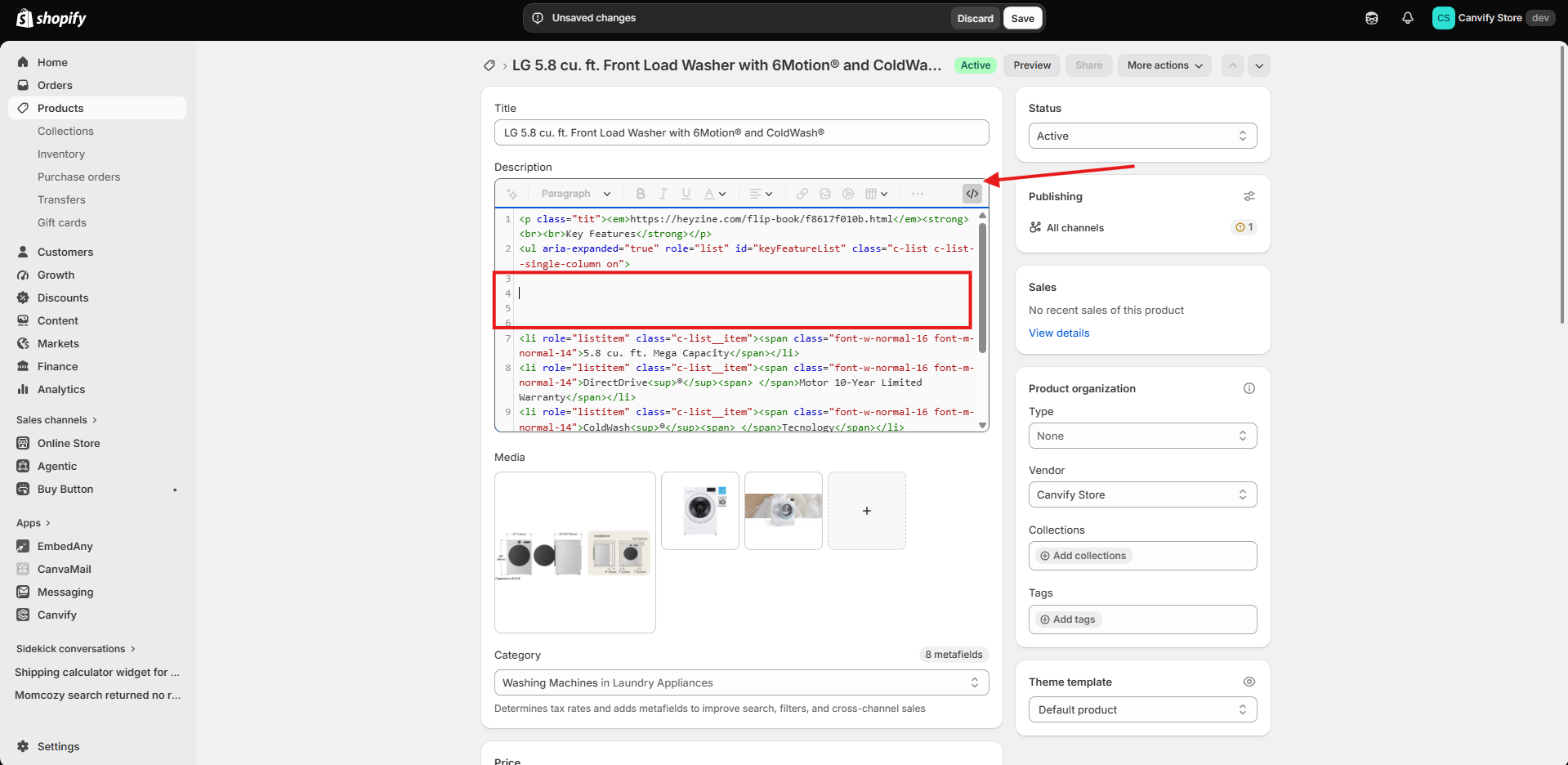
It is also difficult to manually add flipbook embed code to every Shopify product page. Product descriptions support HTML, but adding iframes to other pages requires carefully editing Liquid code without disrupting anything else. For one flipbook, this approach may be fine. For many products, it creates a lot of manual work.
2. Use a Shopify Flipbook App
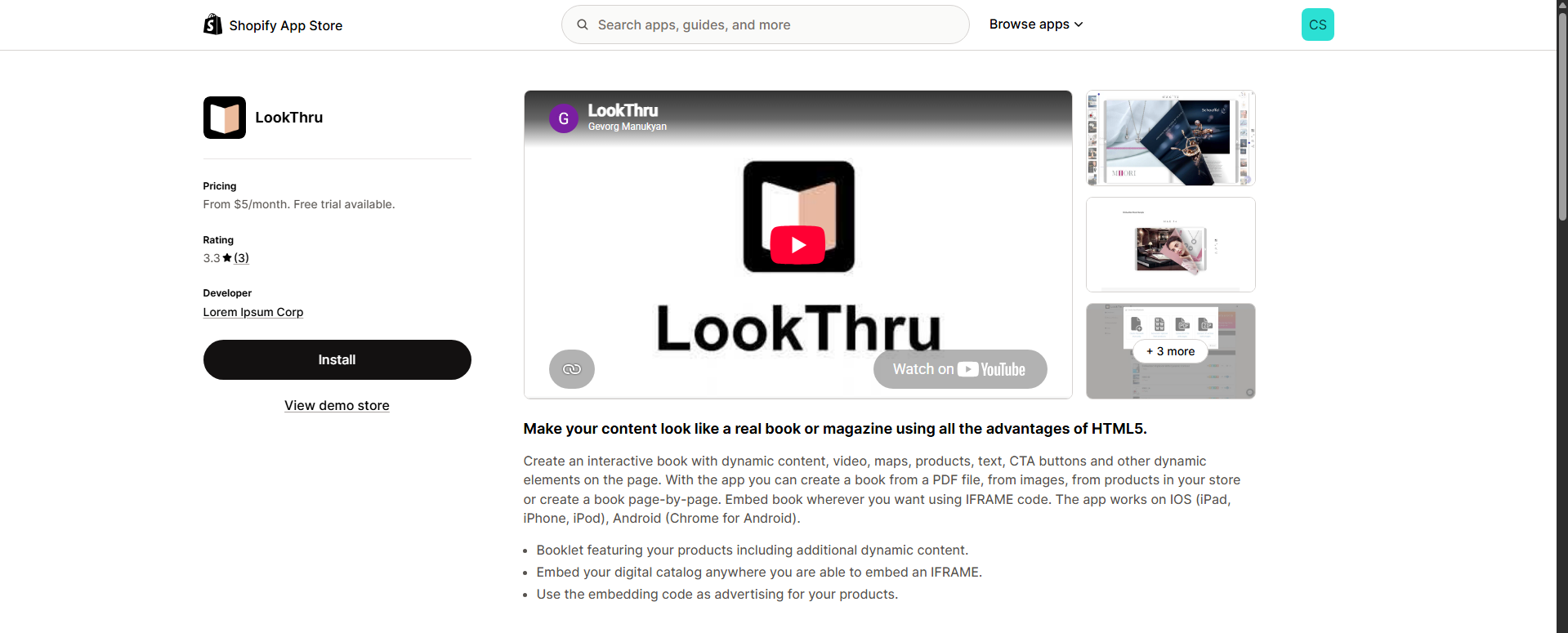 Shopify does not have many established flipbook apps. The ones that exist are often new, not widely used, or do not provide enough customisation to be truly useful.
If a flipbook is not properly sized or has display issues, it loses its purpose. Many Shopify apps try to convert PDFs to flipbooks themselves, and the result can be poor. Rendering the PDF and flipbook as part of the Shopify page can also slow it down and affect SEO.
Using an app is simple: upload a PDF and get a flipbook. However, the downsides can outweigh the benefits:
- You cannot add flipbooks to product descriptions individually.
- You cannot customise the flipbook embed widget.
- You are limited to the flipbook functionality of that app.
There are excellent flipbook websites that create beautiful publications from PDFs. It is usually better to embed them in your store. The next method makes that easier.
3. Add Flipbooks to Shopify Using EmbedAny
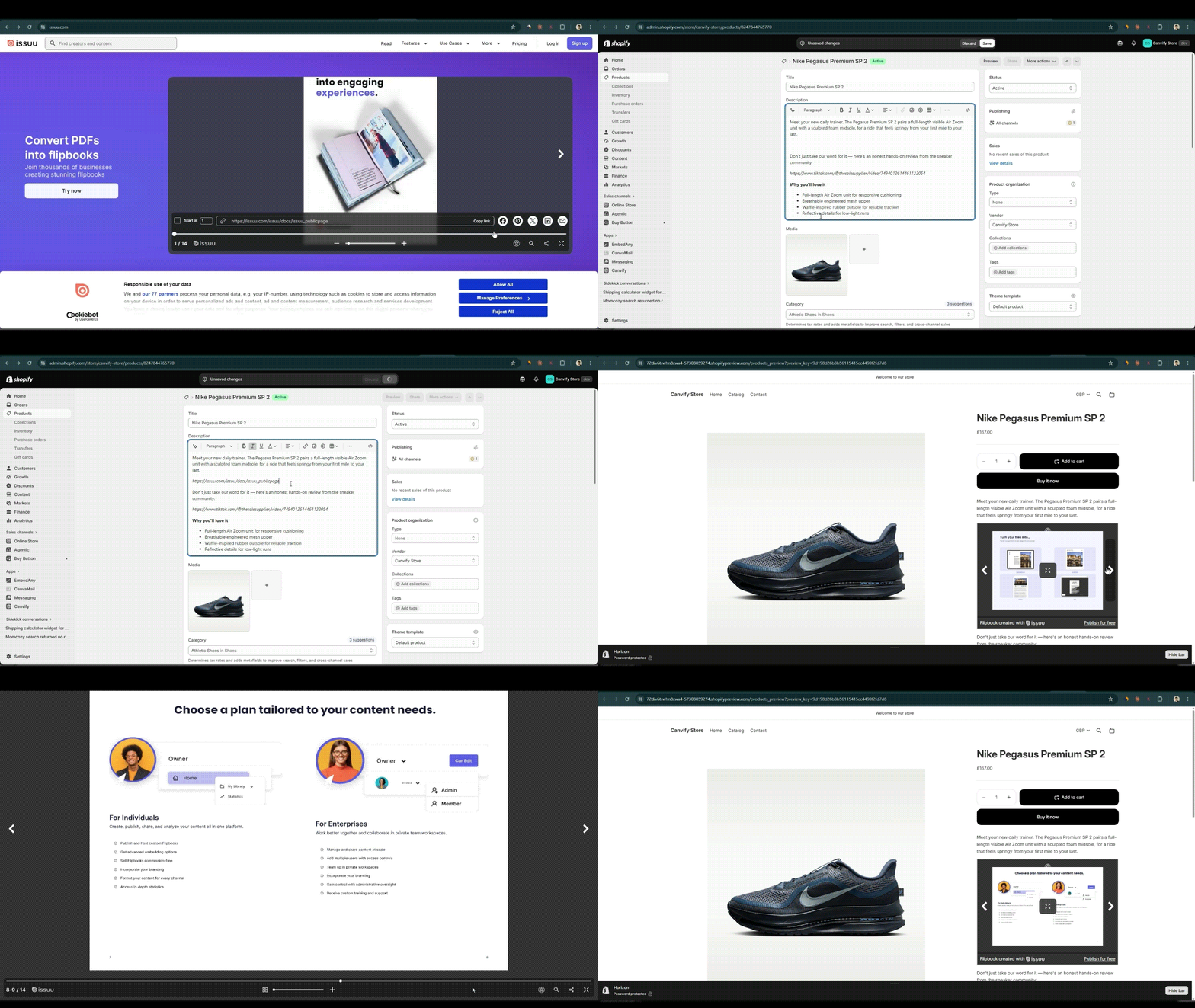
EmbedAny lets you embed any kind of flipbook in Shopify with just a link. If your flipbook is on FlipHTML5, Heyzine, FlippingBook, FlipBooklets, or Issuu, copy and paste its link anywhere on your Shopify store and EmbedAny converts it into an interactive widget. Read our customer case study to see how a store embeds Issuu flipbooks in product descriptions.
The benefit of using a flipbook tool of your choice is design freedom. You control how it looks and the controls customers receive. Choose a platform, host your PDFs there, create flipbooks, and paste a link into your Shopify store. When the link is pasted in the Shopify editor and made italic, EmbedAny detects it and converts it into a live widget.
Add a Flipbook to a Product Description
You can easily add flipbooks to product pages:
- Copy the flipbook share link.
- Go to the product description.
- Paste the flipbook link there.
- Make it italic with
Ctrl + I.
Why Use EmbedAny Instead of a Dedicated Flipbook App?
The main advantage is that EmbedAny is not limited to flipbooks. Your Shopify store may need a product lookbook today, but tomorrow you might want to add Canva designs, YouTube videos, TikToks, maps, documents, or presentations.
EmbedAny supports more than 800 integrations for Shopify. Add a link, get a widget.
Final Thoughts
Manual embedding works, but it requires more technical setup and becomes difficult to manage across multiple platforms. Dedicated flipbook apps are easier, but they solve a very specific problem and can mean installing another app for every new content format.
With EmbedAny, you can continue creating lookbooks in platforms such as FlipHTML5, Heyzine, FlippingBook, FlipBooklets, or Issuu and embed the finished publication into Shopify from its link.