
Dr Cart Shipping Rates & Rules Review: Is It Worth It?
 Abdullah Shahid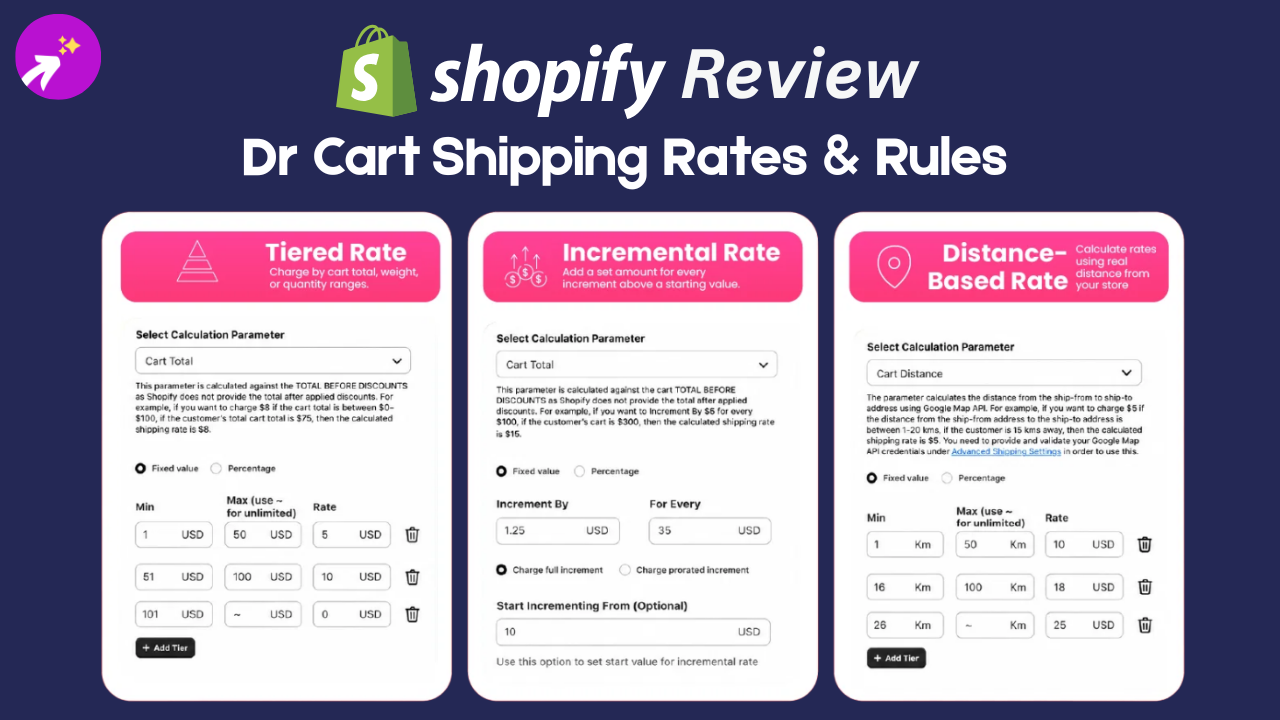
TL;DR Dr Cart Shipping Rates & Rules is a capable Shopify app for stores that need shipping estimates before checkout and detailed rules for complex delivery logic. Its calculator widgets, free shipping bar, and flexible conditions are strong, but the setup can feel overwhelming. It is best for merchants with advanced shipping requirements rather than stores using simple flat rates.
What Is Dr Cart Shipping Rates & Rules?
Dr Cart Shipping Rates & Rules is a Shopify app that gives you two things:
- A storefront shipping calculator that shows estimated shipping before checkout.
- An advanced shipping rules engine for complex rate calculations.
The app looks polished and is packed with features, but that is not what matters most. Shopify apps are more valuable when they fulfil a required function quickly and easily.
This review covers what the app does, how easy it is to use, and whether the subscription is worth it compared with simpler alternatives.
My Review of Dr Cart Shipping Rates & Rules on Shopify
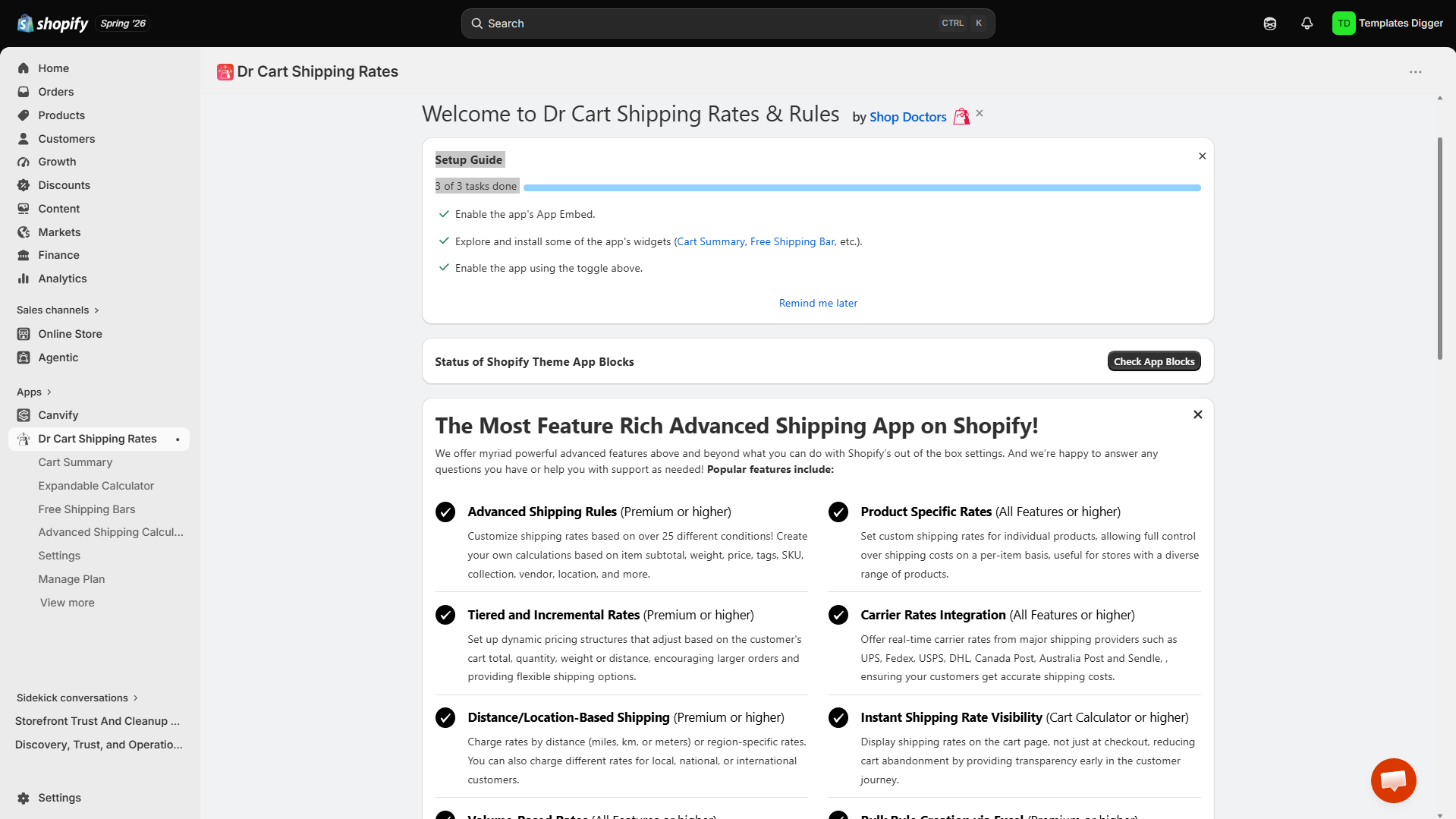
I installed Dr Cart Shipping Rates and tried creating a simple calculator. The app is great at creating shipping widgets with custom rules and rates. You can place these widgets on pricing pages, shipping-information pages, product pages, or anywhere else you need them.
I like the no-commitment 14-day free trial. Every app should let customers try its functionality before paying. However, the app was not as simple as I expected. My first look felt overwhelming, with lots of content I did not need to read.
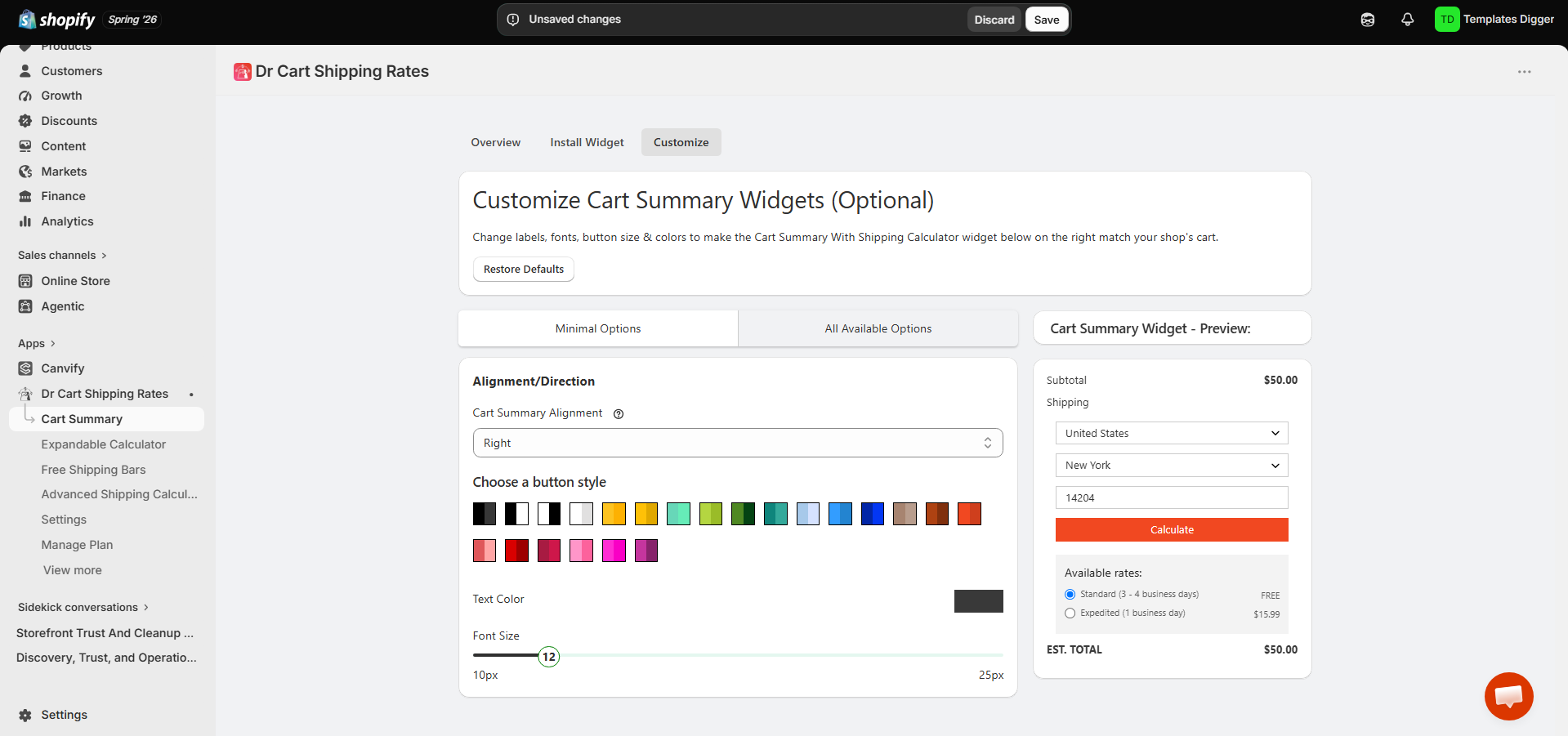
Cart Summary Widget
After exploring the app, I understood its value. It handles order summaries, cart shipping calculators, and related widgets. The Cart Summary feature lets you create and customise a widget that shows the order, discount, and shipping costs. You have probably seen a widget like this on many stores, and it may be from this app or a competitor.
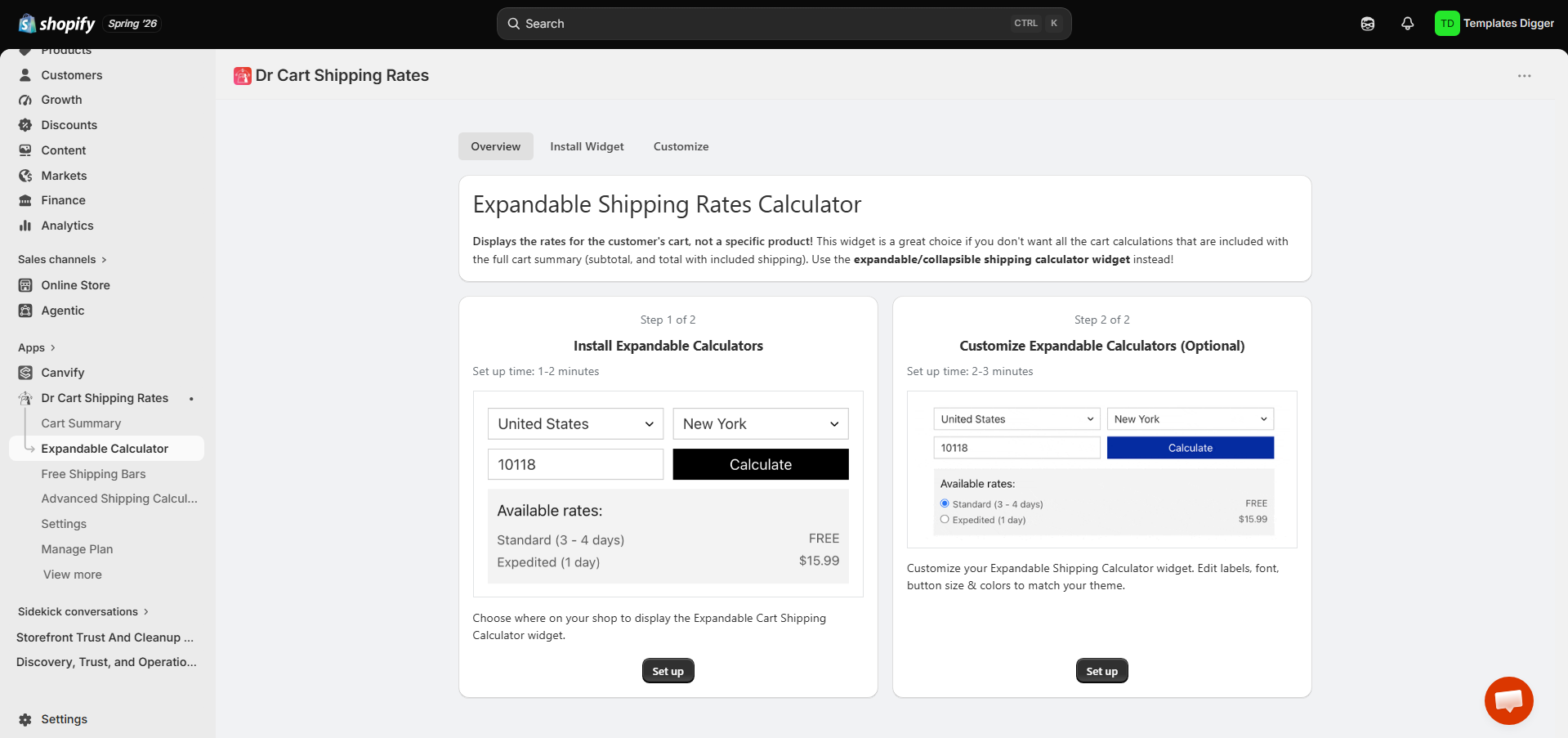
Expandable Shipping Calculator Widget
The expandable calculator adds city, postal-code, and country fields to identify the shipping cost in the cart summary. Instead of only showing the product and shipping price, shoppers can enter their delivery location to check shipping rates. You can customise the widget by defining its colour scheme, font size, input labels, call-to-action text, and notes.
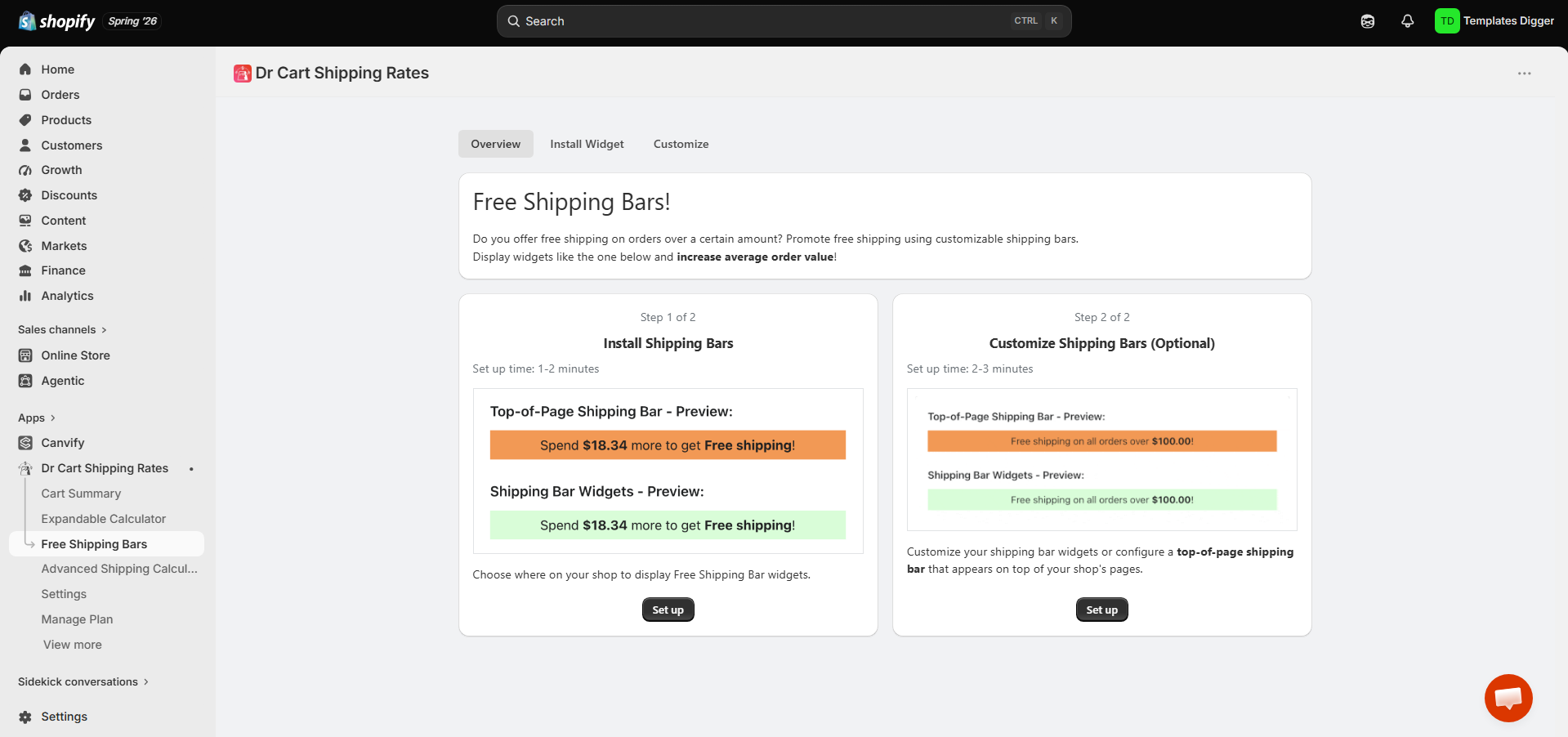
Free Shipping Bar
The free shipping bar is useful for displaying messages in the cart or elsewhere on your website. For example, it can tell a customer they need to spend another $15 to qualify for free shipping. Once the threshold is met, the message changes. I tested whether the message updated immediately when I changed the cart quantity, and it worked perfectly.
Reviews: What Customers Say
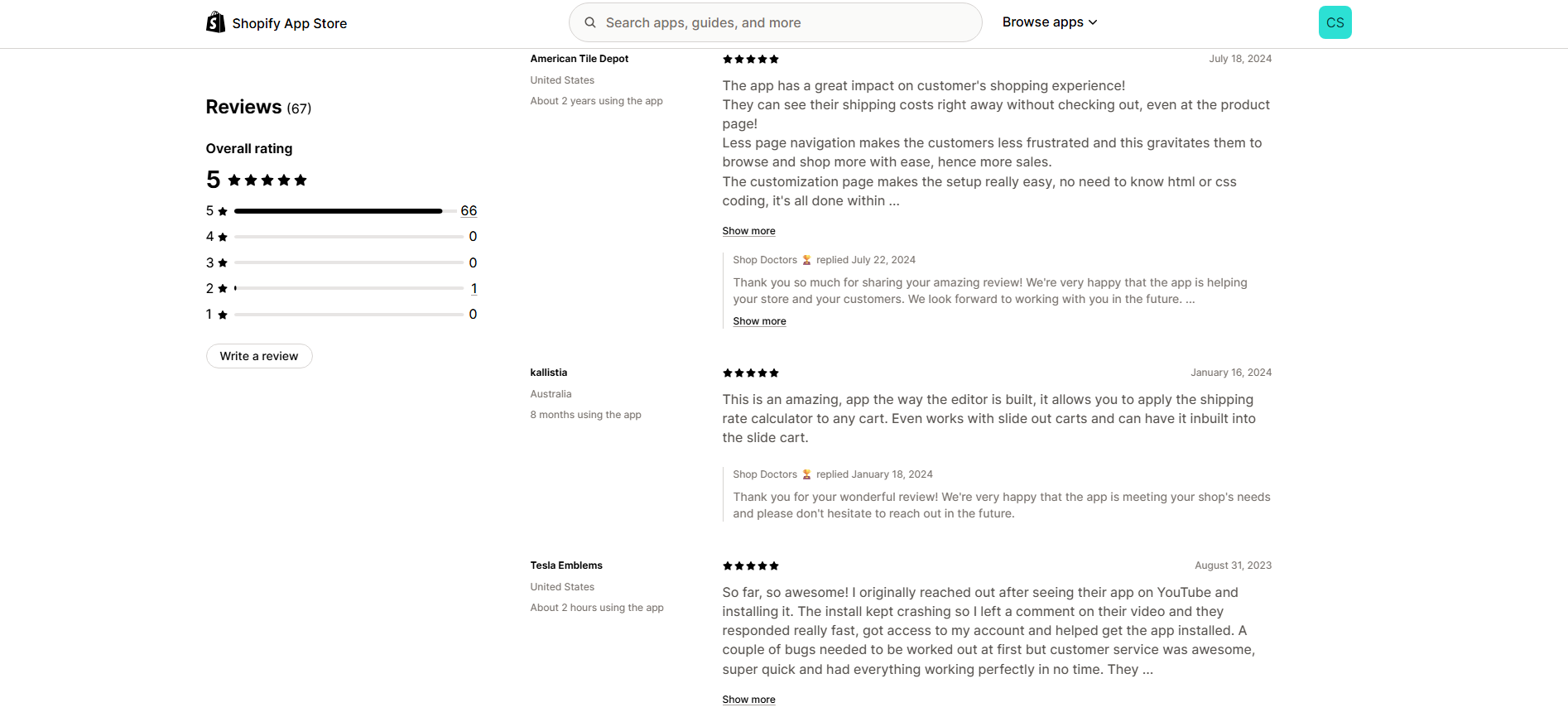
Reviews of Dr Cart are mostly positive. I went through customer reviews and they looked genuine, with people discussing the app’s strengths. Shopify has a strict review policy, so reviews from stores that have used the app for months or years are generally more trustworthy.
Dr Cart Calculator’s Advanced Shipping Rules
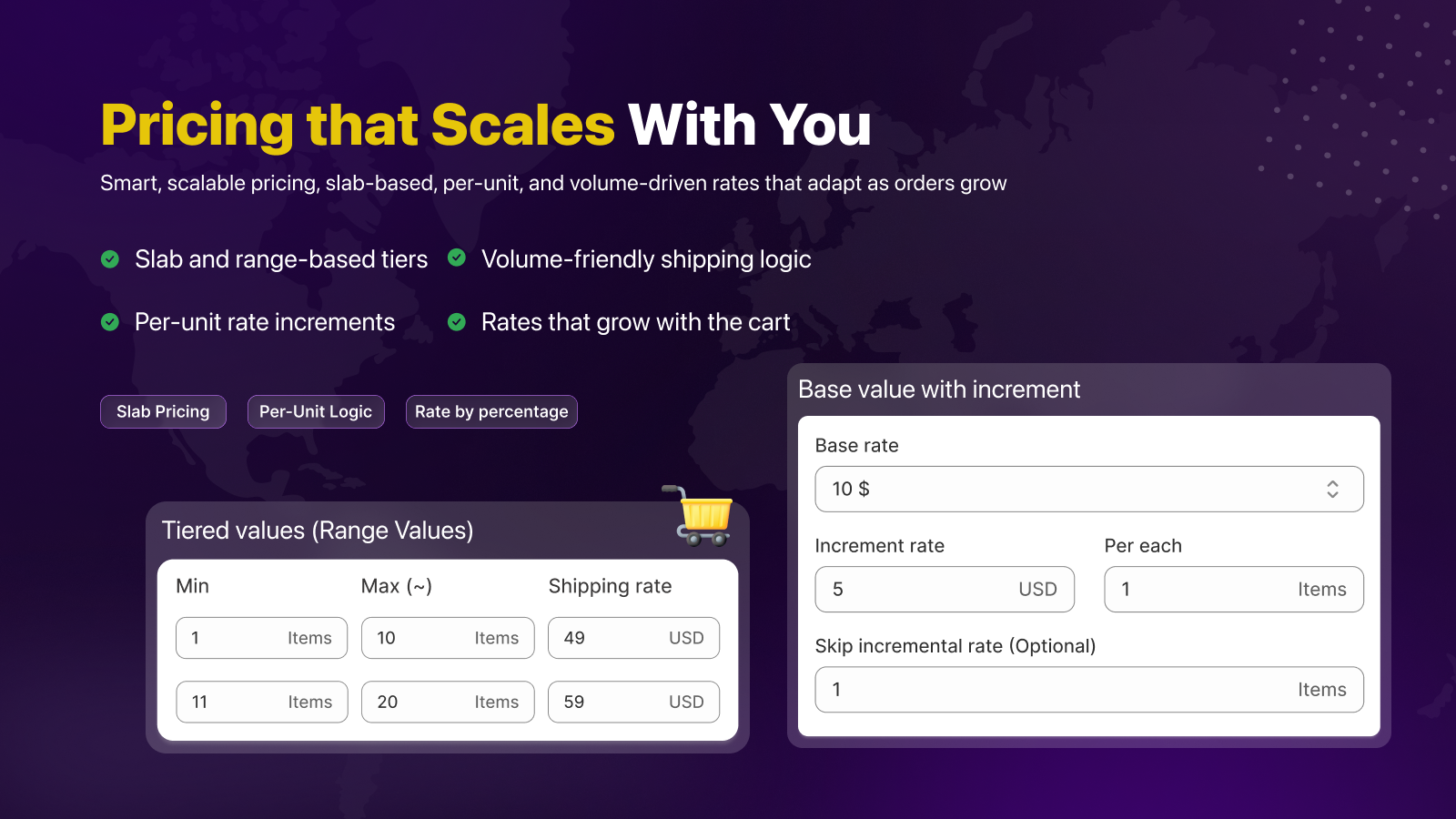
Dr Cart has advanced shipping rules. You can create custom rates based on products, cart value, a customer’s destination, and other factors.
The app is built for stores that ship worldwide, manage multiple suppliers, and need robust shipping logic that does not put the business at a loss. Even a small calculation flaw can cost a company hundreds of dollars unexpectedly.
The feature that stood out most was the ability to build rules around a store’s exact shipping requirements instead of relying only on Shopify’s standard weight-based or price-based rates.
For example, Dr Cart can calculate shipping based on:
- Cart subtotal or quantity
- Product weight and dimensions
- Product tags, SKUs, vendors, or collections
- Customer information
- Country, state, or postal code
- Fulfilment location
- Distance from a selected location
A store could charge one rate for regular products and add another fee when a large, fragile, frozen, or restricted product is included. The main limitation is that these advanced features are not included in the cheapest plan. Shopify must also support third-party carrier-calculated shipping before these rates can appear at checkout.
You need more than Dr Cart’s advanced plan: you must also be on Shopify Plus or another plan that supports third-party carrier-calculated shipping. Shopify Basic does not include it.
Conditions and Rule Logic
I found Dr Cart’s rule builder more flexible than Shopify’s standard flat-rate setup. I could create conditions based on order value, postal code, product tags, weight, and other factors, then choose whether all or only some conditions had to match. It can also combine multiple rates, which is useful for more complex stores, although the setup takes time to understand.
Test Mode
I liked Dr Cart’s Test Mode because it let me check shipping rules before showing them to customers. After enabling it, I could enter Dr. Shipping in the checkout address, name, or city field to display hidden test rates. It made it easier to verify postal-code rules, surcharges, free shipping conditions, and overlapping rates without risking incorrect charges on a live store.
Cart Versus Checkout Results
Cart estimates may not always match the final checkout rate because Dr Cart has less customer information before checkout. IP geolocation can be approximate, while checkout uses the full delivery address. Adding manual country, state, and postal-code fields can improve accuracy, but I would still treat the cart value as an estimate rather than a guaranteed final shipping charge.
Pricing: Dr Cart Shipping Rates & Rules
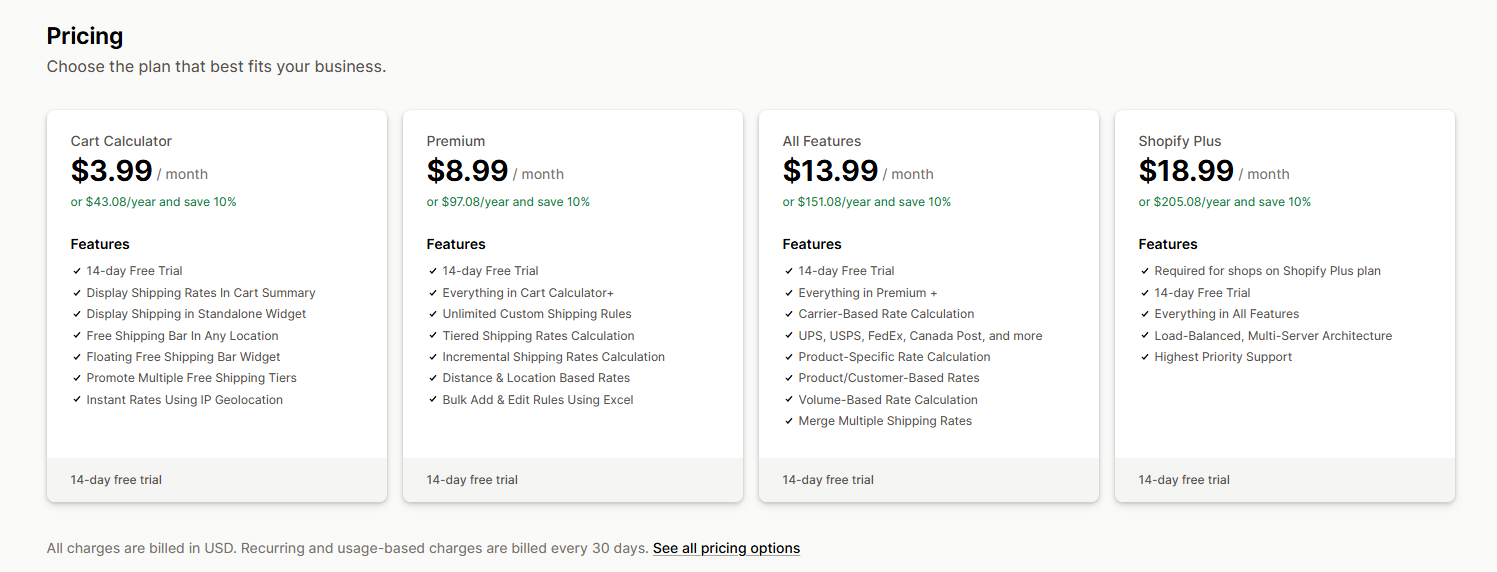
Dr Cart’s pricing starts at $3.99 per month for the Cart Calculator plan, which includes the cart summary, shipping calculator, geolocation, and free shipping bars. I think the cheapest plan is enough for smaller stores that mainly want to show shipping costs before checkout.
The $8.99 Premium plan adds advanced shipping rules, tiered rates, distance-based calculations, and Excel imports, so I would recommend it for stores with more complex delivery logic. The $13.99 All Features plan adds carrier integrations, product-specific rates, customer-based rules, volume calculations, and rate merging, making it better for larger stores with mixed products or more complicated fulfilment needs. There is also an $18.99 Shopify Plus plan with all features, priority support, and additional infrastructure. I would only recommend that plan for higher-volume Shopify Plus merchants.
In summary, the $3.99 plan is enough if you do not need advanced shipping rules and logic. If you do, I would jump straight to the $13.99 plan. The $18.99 plan is for high-volume stores where shipping rates are a significant operational concern and priority support matters.
Pros and Cons of Dr Cart Shipping Rates & Rules
Dr Cart Shipping is useful for stores that need full control over shipping prices, have a global shipping infrastructure, and want to customise the checkout experience. Its flexible rule builder, checkout widgets, shipping summary cards, and rate logic are strong value-for-money benefits.
The main trade-off is that the app is complex to use when you are building advanced calculators. This type of logic is hard to configure with deterministic options. I would like to see an AI tool that creates and tests calculators in the higher plans.
The app is a better fit for merchants with genuine shipping complexity than for stores with one or two simple flat rates.
| Pros | Cons |
|---|---|
| Flexible shipping rules based on products, cart value, destination, weight, and more | Advanced features are not included in the cheapest plan |
| Shows shipping estimates before checkout | Steep learning curve and complex logic |
| Includes useful free shipping bars and progress messaging | Advanced setup can take time to understand |
| Supports product-specific, tiered, distance-based, and carrier rates | Some advanced checkout features depend on Shopify plan compatibility |
Best Dr Cart Calculator Alternatives
Dr Cart offers a lot of control, but that flexibility can make it more complicated than necessary for stores that only need basic shipping estimates. If ease of use is the priority, I would look at simpler calculators first.
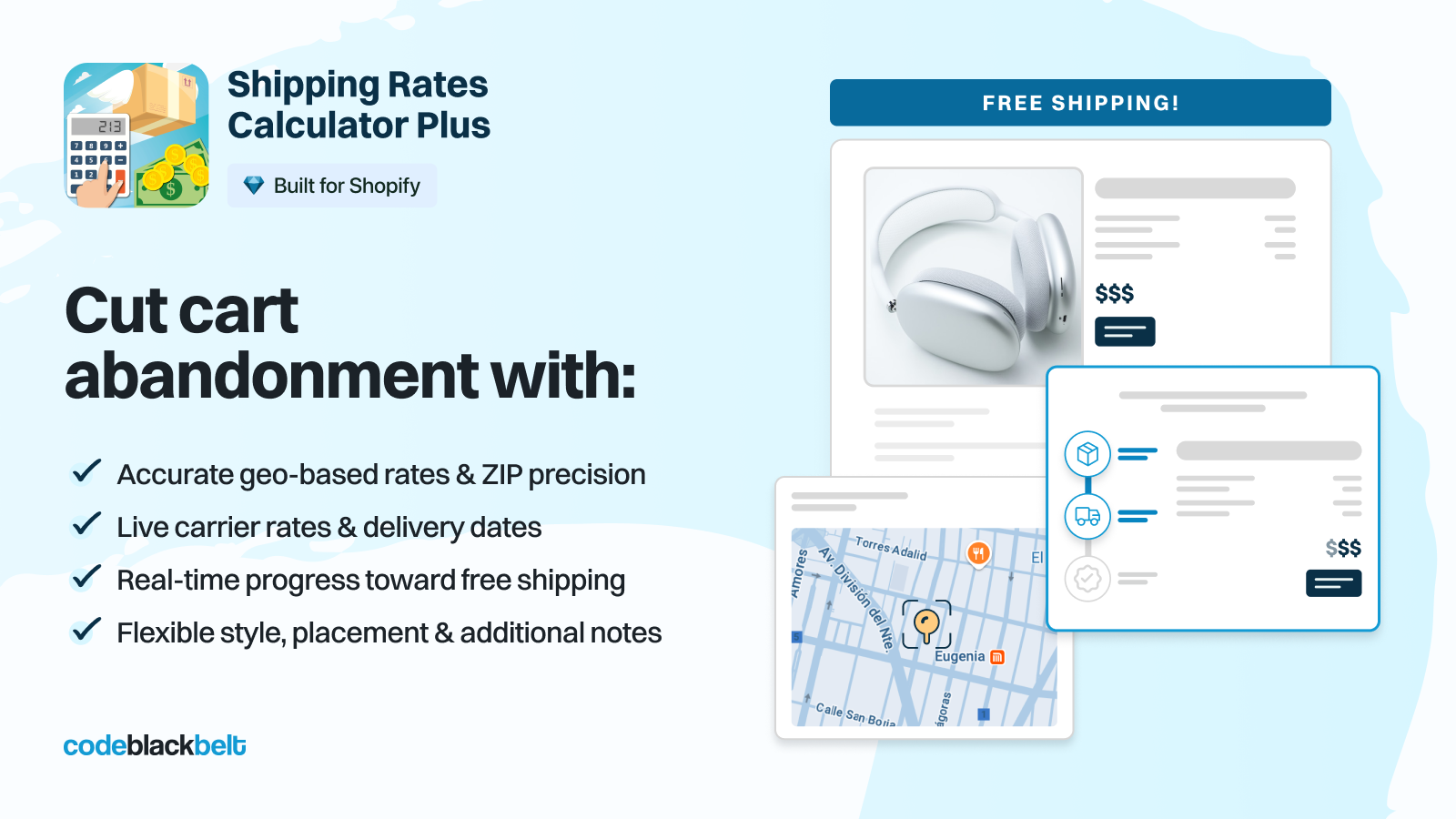
CBB Shipping Rates Calculator costs $4.99 per month and focuses on in-cart estimates, geolocation, and a free shipping bar. I prefer CBB for its simple, straightforward interface. However, it lacks the advanced rules available in Dr Cart.
For advanced rules, ShipX Shipping Rates & Rules is probably the closest Dr Cart alternative. It has a free testing plan, while paid plans start at $9.99 per month for postcode, distance, weight, cart-total, quantity, incremental, and tiered rates. Product-based rules and rate blending require its $24.99 Smart plan. Compared with Dr Cart’s $8.99 Premium and $13.99 All Features plans, ShipX can become more expensive as requirements grow.
Use Shopify Sidekick AI to Create Custom Calculators
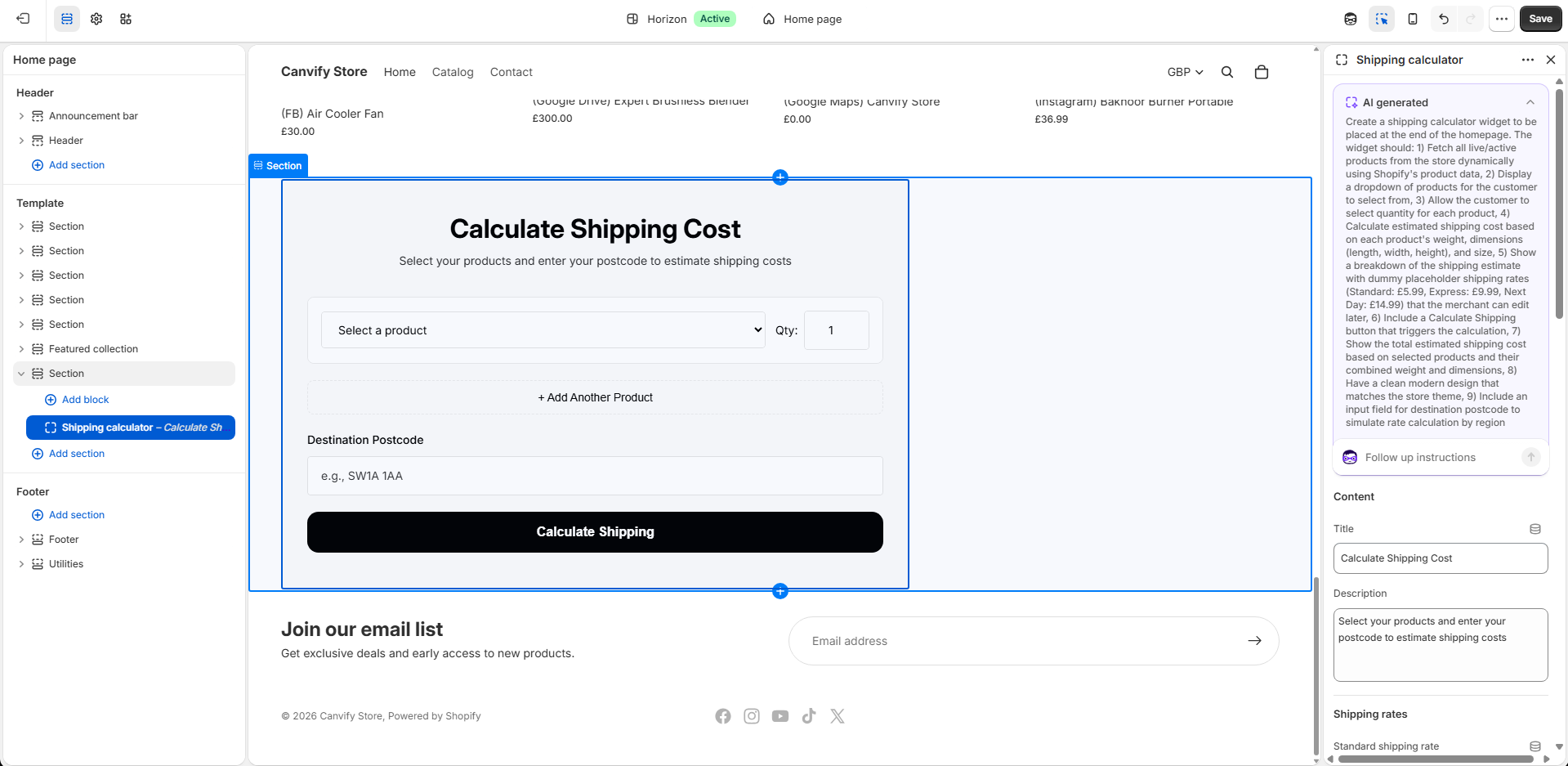
If your requirement is as simple as what Dr Cart’s $3.99 Cart Calculator plan provides, consider building a custom storefront calculator with Shopify’s AI tools. Shopify can generate theme blocks from plain-language instructions and let you refine the result with follow-up prompts.
For example, you could ask it to create a shipping quotation calculator with destination, weight, or order-value fields and place it on a product or information page. The limitation is that an AI-generated calculator is only as functional as the code behind it. It is a plain widget: it cannot be integrated into the checkout page like customer-facing apps such as Dr Cart, and it will not sync to your products.
Use EmbedAny to Embed Third-Party Calculators
Another option is to build the calculator outside Shopify using a platform such as Replit or Canva AI, then embed it in your store with EmbedAny. You can create a custom shipping quotation tool, publish it as a web app, and embed it on a product page, shipping page, or another Shopify section. EmbedAny supports embedded web tools and Replit apps through their published links.
I would use this approach for a public-facing quotation or estimation tool, not as a replacement for Shopify’s actual shipping-rate engine. The calculator could let customers enter their location, weight, quantity, or other details and calculate an estimate, but it would not automatically change Shopify checkout shipping prices unless you built a deeper Shopify integration behind it.
Final Verdict
After testing Dr Cart Shipping Rates & Rules, I think it is a strong option for Shopify stores that need more control over shipping than Shopify’s default settings provide. The $3.99 plan is enough for simple cart estimates, while the higher plans make more sense for stores using product-specific, distance-based, carrier, or complex conditional rates. The main downside is that advanced setups can take time to configure, so I would recommend Dr Cart most to merchants who genuinely need flexible shipping logic rather than those looking for the simplest possible calculator.