
Shopify Iframe App: The Complete Guide to Embedding Content in Shopify
 Abdullah Shahid
I have worked with many Shopify stores that try to use raw iframe codes. Sometimes it works. Many times it does not. Product descriptions reject them. Shopify says “iframe refused to connect”, layout breaks and mobile version looks terrible. If you are searching for a Shopify iframe app, you probably want one thing: to embed external content into your store without breaking your layout or fighting code errors.
In this guide, I will explain:
- How Shopify iframes work
- How to add iframe to Shopify manually
- Common Shopify iframe errors
- Why Shopify iframe video embeds often fail
- How to embed content anywhere without relying on fragile iframe code
- Why installing one flexible app like EmbedAny is smarter than juggling multiple iframe apps
Let’s break it down properly.
What Is a Shopify Iframe and How Does It Work?
 An iframe is an HTML element that lets you display one webpage inside another webpage.
In simple terms:
- You copy embed code from YouTube, Calendly, Spotify, or another platform
- That code contains an
<iframe> - You paste it into your Shopify store
- The content then loads inside a box on your page
That is the basic idea behind shopify iframe integration. You will see this commonly used for:
- Shopify iframe video embeds (YouTube, Vimeo)
- External forms
- Scheduling tools
- Product configurators
- Review widgets
But Shopify does not allow iframes everywhere.
How to Add Iframe to Shopify (Traditional Method)
 If you want to manually add an iframe to Shopify, here are the basic steps:
Method 1: Add Iframe to a Page
- Go to Online Store → Pages
- Create or edit a page
- Click “Show HTML”
- Paste the iframe embed code
- Save
This can work for basic video embeds but you need to make sure you add the HTML code properly. If you paste the embed code in the wrong section, you break your page layout.
Method 2: Add Iframe to Shopify Theme Code
If you want deeper placement:
- Go to Online Store → Themes → Edit Code
- Open the relevant section file
- Paste iframe inside Liquid template
- Save and test
This method requires coding knowledge and can break your theme.
Why Shopify Iframe Video Sometimes Works (And Sometimes Doesn’t)
 A basic shopify iframe video from YouTube often works because YouTube allows embedding.
But here is where problems begin:
- Some platforms block iframe embedding
- Shopify strips iframe tags in certain fields
- Product descriptions often sanitize iframe code
- Mobile responsiveness becomes messy
- Security policies block content
That is when you see errors like “Shopify iframe refused to connect” or “Shopify iframe not working”.
Why Installing Multiple Iframe Apps Is a Bad Idea
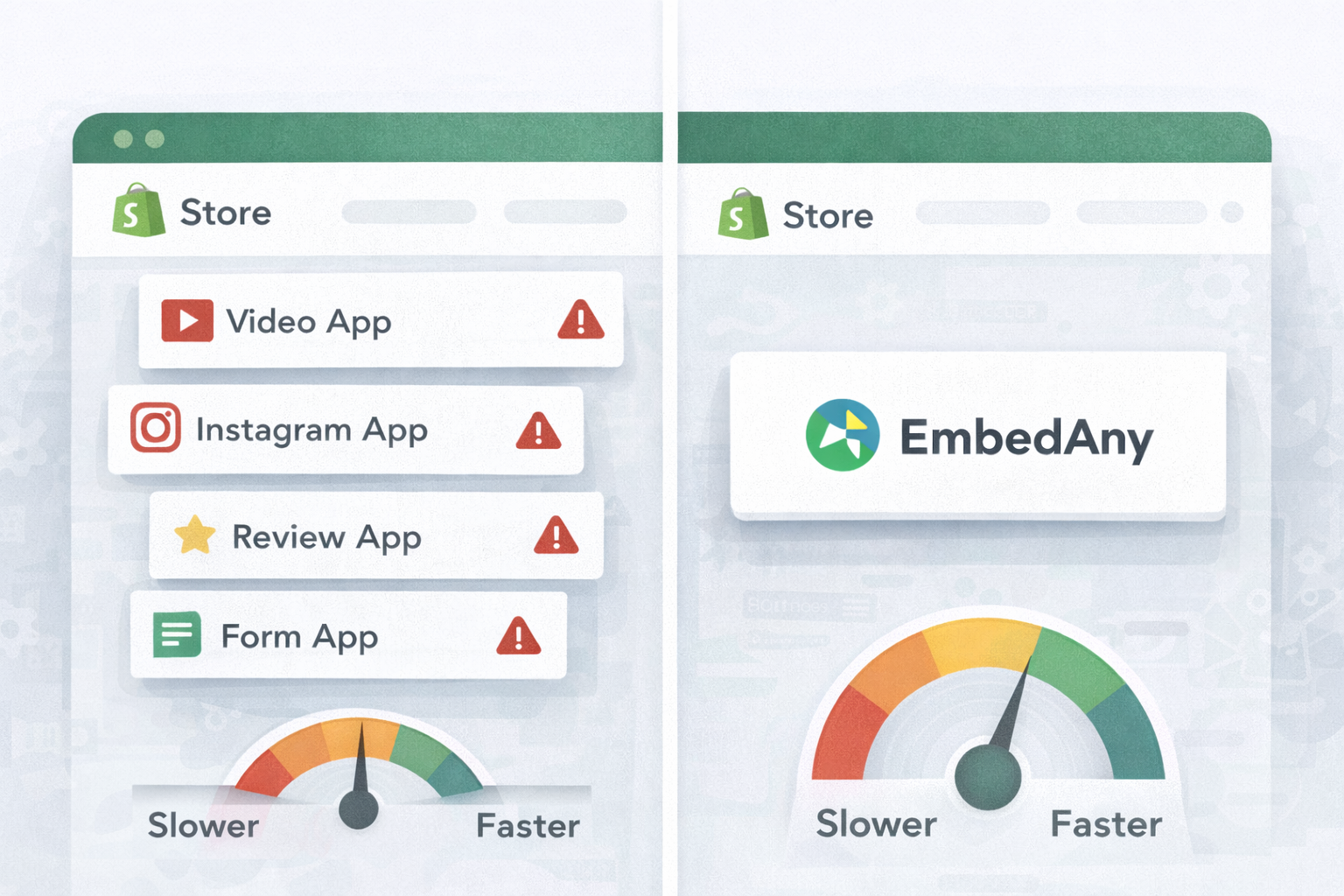 Many store owners solve this problem by installing separate apps:
- One app for video
- One for Instagram
- One for forms
- One for reviews
Now your store has:
- Slower speed
- App conflicts
- Higher monthly cost
- Messy backend
There is a better way.
The Smarter Alternative: Install a Proper Shopify Iframe App Like EmbedAny
If you are searching for a true shopify iframe app, you do not just need iframe support.
You need compatibility, simplicity, flexibility and no-code control. That is exactly what EmbedAny provides.
Instead of pasting fragile iframe code, you simply:
- Paste a normal link
- Italicize the link
- Save
That is it. EmbedAny converts the link into a fully functional embedded widget. No iframe editing. No HTML headaches.
How EmbedAny Replaces Traditional Shopify Iframe Methods
 When you use the traditional Shopify iframe method, the process is rarely simple. First, you copy the embed code from the external platform. Then you switch to HTML view inside Shopify and paste the iframe manually. After that, you often need to adjust width and height settings to make it fit your layout. Next comes fixing responsiveness so it looks correct on mobile devices. You test it again and again. And sometimes, even after all that, you still face errors like “iframe refused to connect.” This entire workflow can feel technical, fragile, and time-consuming.
With EmbedAny, the process is dramatically simpler. You paste the link anywhere in your content and italicize it. That’s it. The link automatically transforms into an interactive embed. You don’t need to find embed links for things like Spotify, Apple Music, Instagram, YouTube, etc.
It works seamlessly inside:
- Product descriptions
- Blog posts
- Landing pages
- Homepage sections
- Custom Liquid
- Anywhere text is supported
This removes the biggest limitation of traditional Shopify iframe integration and gives you flexibility without technical complexity.
Common Shopify Iframe Errors Explained

1. Shopify Iframe Refused to Connect
This happens because the external website blocks embedding through security headers like:
- X-Frame-Options
- Content Security Policy
If a platform does not allow iframe embedding, Shopify cannot override that.
You cannot fix this inside Shopify.
2. Shopify Iframe Not Working in Product Description
Shopify product descriptions sanitize certain HTML. In many themes:
- Iframes get removed
- Layout breaks
- Embedded tools do not render properly
This is one of the biggest frustrations store owners face.
3. Shopify in Iframe Limitations
Trying to load a full Shopify store inside another site using iframe shopify store methods also runs into:
- Checkout security restrictions
- Mixed content warnings
- Cookie blocking
- Tracking issues
Shopify was not designed to be fully loaded inside external iframes.
What Can You Embed Without Using Iframes?
 Here is where EmbedAny truly shines. You can embed content from over 800 platforms including:
- YouTube
- TikTok
- Spotify
- PDFs
- Canva designs
- Slides
- Scheduling tools
- Product configurators
- Review widgets
And yes. Even platforms that block traditional iframe methods often work because EmbedAny handles rendering differently.
How to Embed External Content On Shopify Product Page
This is one of the most asked questions. There is no Shopify native way to embed iframes like video guides, tutorials in your product description. Many stores want to embed guides, tutorials, PDFs, customer UGC from TikTok and Instagram. EmbedAny solves that!
- Copy the link to your content
- Paste it inside Shopify product description
- Italicize the link
- Save
The link becomes an interactive widget inside your product page.
Shopify Iframe Integration for Product Configurators
If you want to display a third-party:
Traditional iframe approach:
- Many configurators block embedding
- Styling looks foreign
- Mobile breaks
Best practice:
- Use EmbedAny to render supported tools cleanly
- Keep your design consistent
- Avoid raw iframe customization
How to Customize the Appearance of an Ecommerce Iframe
With raw iframe:
- You have limited styling control
- External content controls most visuals
- CSS overrides are messy
With EmbedAny:
- Embeds inherit store styling
- Responsive behavior works automatically
- Clean layout
- No height overflow issues
This makes your shopify iframe video look native to your store.
Can You Include a Customer Review Widget From an External Platform?
Yes, you can embed third-party reviews using EmbedAny. Instead of installing multiple review apps, you can:
- Embed Instagram customer posts
- Embed YouTube review videos
- Embed Trustpilot reviews
- Embed Google Reviews
- Embed third-party review pages
Simply paste and italicize links using EmbedAny. This reduces app overload and improves performance.
How to Securely Display a Dynamic Content Feed
Displaying a dynamic content feed inside a Shopify store using traditional iframe methods often creates unexpected security and performance issues. When you load external content directly through an iframe, you depend entirely on the other platform’s security policies. This frequently leads to third party cookies being blocked by modern browsers, which can break tracking, personalization, or login functionality. You may also run into checkout restrictions, especially if sensitive pages are involved, since Shopify enforces strict security rules around payments and customer data. Mixed HTTPS errors are another common problem. If the embedded content is not fully secure or conflicts with Shopify’s HTTPS requirements, browsers will block it or display warnings that damage trust and hurt conversions.
EmbedAny reduces these risks by avoiding fragile, direct iframe dependence whenever possible. Instead of forcing raw iframe code into your store, it renders supported content using integration methods that align better with Shopify’s environment. This approach minimizes security conflicts, reduces browser blocking issues, and maintains consistent performance across devices. As a result, you can display dynamic feeds, videos, social posts, or external content in a way that feels native, secure, and stable inside your Shopify store.
Why EmbedAny Is the Best Shopify Iframe App Alternative
Let me summarize why:
- Works anywhere on Shopify
- No coding required
- Supports 800 plus platforms
- Fixes “iframe refused to connect” frustration
- Avoids installing multiple apps
- Keeps your store fast
- Looks clean and native
Instead of asking “how to add an iframe to Shopify,” you simply paste and italicize. That is it.
FAQ: Shopify Iframe App and Embedding Questions
How can I embed an online store iframe into my website?
You can use iframe embed code if the platform allows it. However, security headers often block it. A more reliable approach is using an embed tool like EmbedAny that converts links into widgets without raw iframe dependence.
How to add iframe to the Shopify product page?
Shopify often removes iframe code in product descriptions. Instead of fighting HTML, use EmbedAny. Paste the link and italicize it to render interactive content.
Why does “Shopify iframe refused to connect”?
The external website blocks iframe embedding through security policies. Shopify cannot override that. You must use a supported embedding method.
What is the best Shopify iframe app?
If you need flexibility, no-code setup, and compatibility across pages, EmbedAny is the most efficient solution.
Can I embed Spotify in Shopify?
Spotify often blocks traditional iframe embedding in certain contexts. EmbedAny allows you to embed Spotify links cleanly.
What Are The Best Services for Integrating Ecommerce Iframes
If you truly need iframe capabilities, look for services that:
- Support responsive design
- Avoid X-Frame-Options errors
- Work inside Shopify product descriptions
- Reduce app clutter
EmbedAny meets all these requirements.
Can I include a customer review widget from an external platform?
Yes. Use EmbedAny to embed review videos, Instagram posts, or third-party review pages directly in product descriptions.
What Are the Best Services for Integrating Ecommerce Iframes?
The best services for integrating ecommerce iframes are the ones that go beyond simply generating embed code. You should look for solutions that support responsive design so your embedded content works smoothly on both desktop and mobile. It is also important that the service helps you avoid common X-Frame-Options and security header errors that often cause “refused to connect” issues.
Ideally, the solution should work inside Shopify product descriptions, blog posts, landing pages, and other content areas without being stripped out by Shopify’s HTML sanitization. It should also reduce app clutter instead of forcing you to install separate apps for videos, social feeds, forms, and reviews.
EmbedAny meets all of these requirements. It allows you to embed content anywhere text is supported, maintains responsive behavior automatically, and eliminates the need for juggling multiple iframe-specific apps.
Final Thoughts
Shopify iframe methods are powerful but limited.
They:
- Break easily
- Get blocked
- Do not work in product descriptions
- Create styling issues
- Cause security errors
Instead of patching these problems one by one, install a proper Shopify iframe app like EmbedAny. Your store becomes interactive without touching HTML. If you are serious about embedding content cleanly inside Shopify, this is the smarter path forward.