
Best Shopify Countdown Timer Apps in 2026
 Abdullah Shahid
TL;DR
GSC Countdown Timer Bar is my top overall pick for a free, dedicated countdown app. Samita is a strong free urgency toolkit, while Hextom is the better option for advanced targeting. Vairo and XB add broader urgency features, and EmbedAny gives you the freedom to embed a custom timer designed in Canva or Figma.
Urgency is one of the oldest sales strategies and remains a powerful way to encourage purchases. Countdown timers, limited-time offers, and low-stock messages can all prompt shoppers to act before a sale ends or stock runs out.
Today, urgency lives on ecommerce websites through countdown bars, pop-ups, and seasonal landing pages. On Shopify, you can add as many countdown timers as you need, changing them based on the season, offer, or campaign. That is why a simple app that lets you create and style different countdowns is useful.
This guide reviews the Shopify countdown timer apps that stood out to me.
Summary Table of Best Shopify Countdown Timer Apps
Based on features, current pricing, documentation, merchant reviews, maturity, and the scope of each app, I would position them like this before hands-on testing:
| App | Award | Price | Why it stands out |
|---|---|---|---|
| GSC Countdown Timer Bar | Best Overall | Free | Excellent dedicated timer functionality, multiple layouts, evergreen, fixed-date, and daily timers, strong customisation, and unusually generous free pricing |
| Countdown Timer Bar Samita | Best Free Urgency Toolkit | Free | Countdown timers plus a cart timer, stock countdown, delivery timer, and sale pop-up |
| Hextom Countdown Timer Bar | Best for Advanced Targeting | Free / $9.99 | The most mature app here, with strong page and device targeting plus paid geo, customer, and traffic targeting |
| Vairo | Best All-in-One FOMO App | Free | Countdown timers combined with live stock alerts and add-to-cart animations |
| XB Countdown Timer | Best New Free Alternative | Free | A surprisingly complete timer with geo-targeting, scheduling, coupons, and analytics |
| EmbedAny | Custom Design Freedom | Free trial | Embed a custom countdown timer designed in Canva, Figma, or another compatible platform |
What You Need to Know About Countdown Apps on Shopify
Most countdown timer apps on Shopify are free. Some do not even have a paid plan. Many developers offer small apps such as countdown timers, product badges, Instagram feeds, and pop-ups to attract customers to their wider paid app catalogue. It is a passive marketing strategy, but it works well for Shopify merchants because the timers are often free.
Of the apps reviewed below, only Hextom has a paid plan. The rest are completely free. The decision therefore comes down to the app that offers the best design customisation, is easiest to use, looks the best, and provides the strongest value.
My 5 Top Picks: Shopify Countdown Timer Apps
GSC Countdown Timer Bar
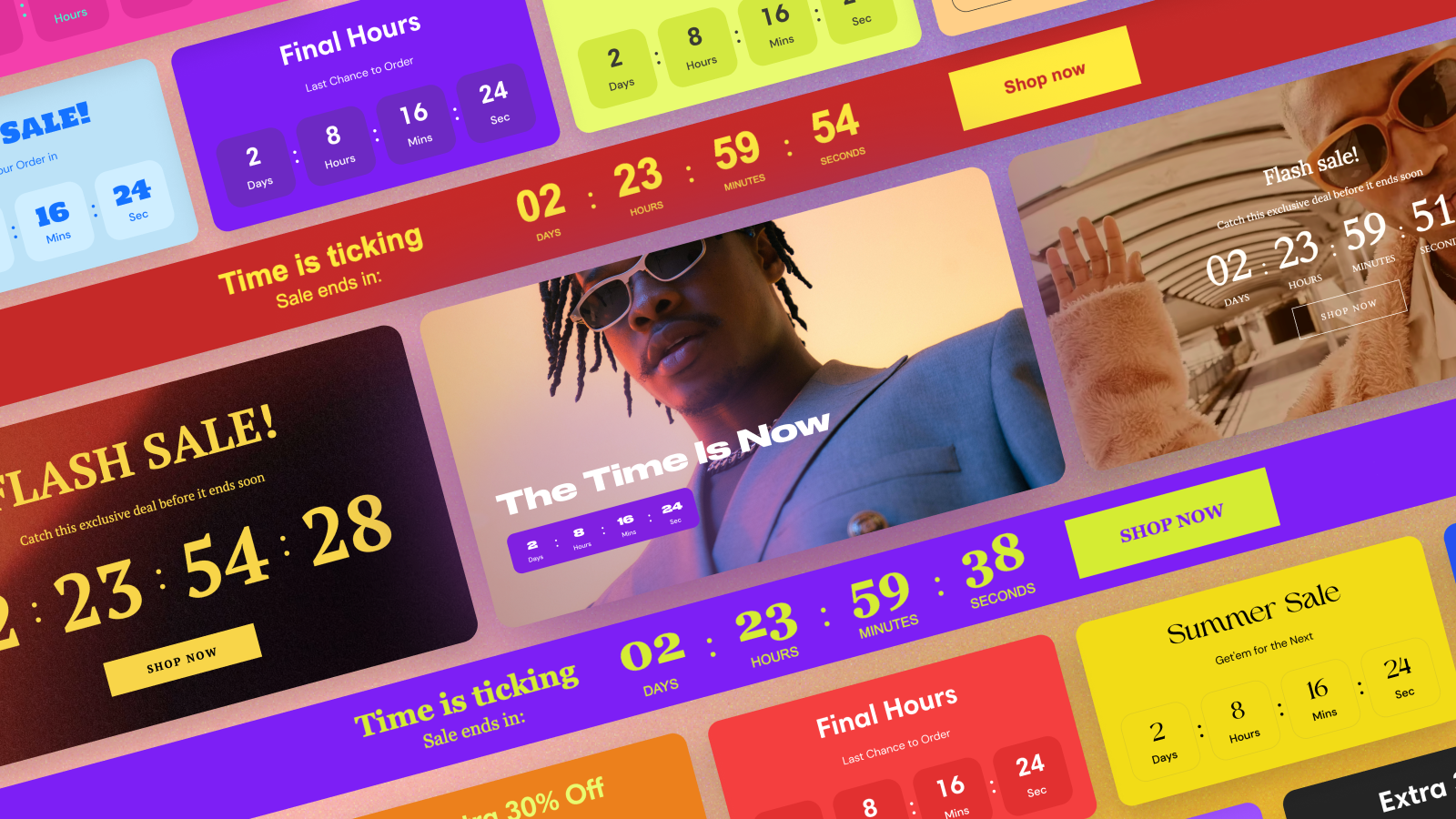
GSC Countdown Timer is completely free and my favourite app on this list. It has a 4.9 rating from almost 500 reviews, which says a lot about its performance. For a free app, I would be happy with a basic, usable tool. GSC goes further, with the most vibrant designs of the apps I tested. That matters because a countdown bar needs to catch a visitor’s attention to be effective.
GSC currently has no limit on its app. The developer has several free apps and only one paid product, so I assume its countdown timer, Instagram feed, product badges, and pop-up apps are intended to drive installs for the paid app. That makes it one of the most compelling options in this comparison.
GSC has three timer modes:
- Fixed date: Everyone counts down to the same deadline.
- Evergreen: Each visitor gets their own countdown when they first encounter it.
- Daily: Recurring timers run during specified daily periods.
You can create four timer layouts: a bar, a large timer, an inline timer on a product page, and a small timer widget for landing pages and collection pages.
The inline timer can go inside product cards or cart items. A large timer can work almost like a promotional section, while the bar works like an announcement bar. This gives GSC more flexibility than apps that provide the same countdown block in different locations.
You can place timers through an app block in the theme editor. However, inline and small timers rely on Online Store 2.0, so they do not work on older themes.
Countdown Timer Bar Samita
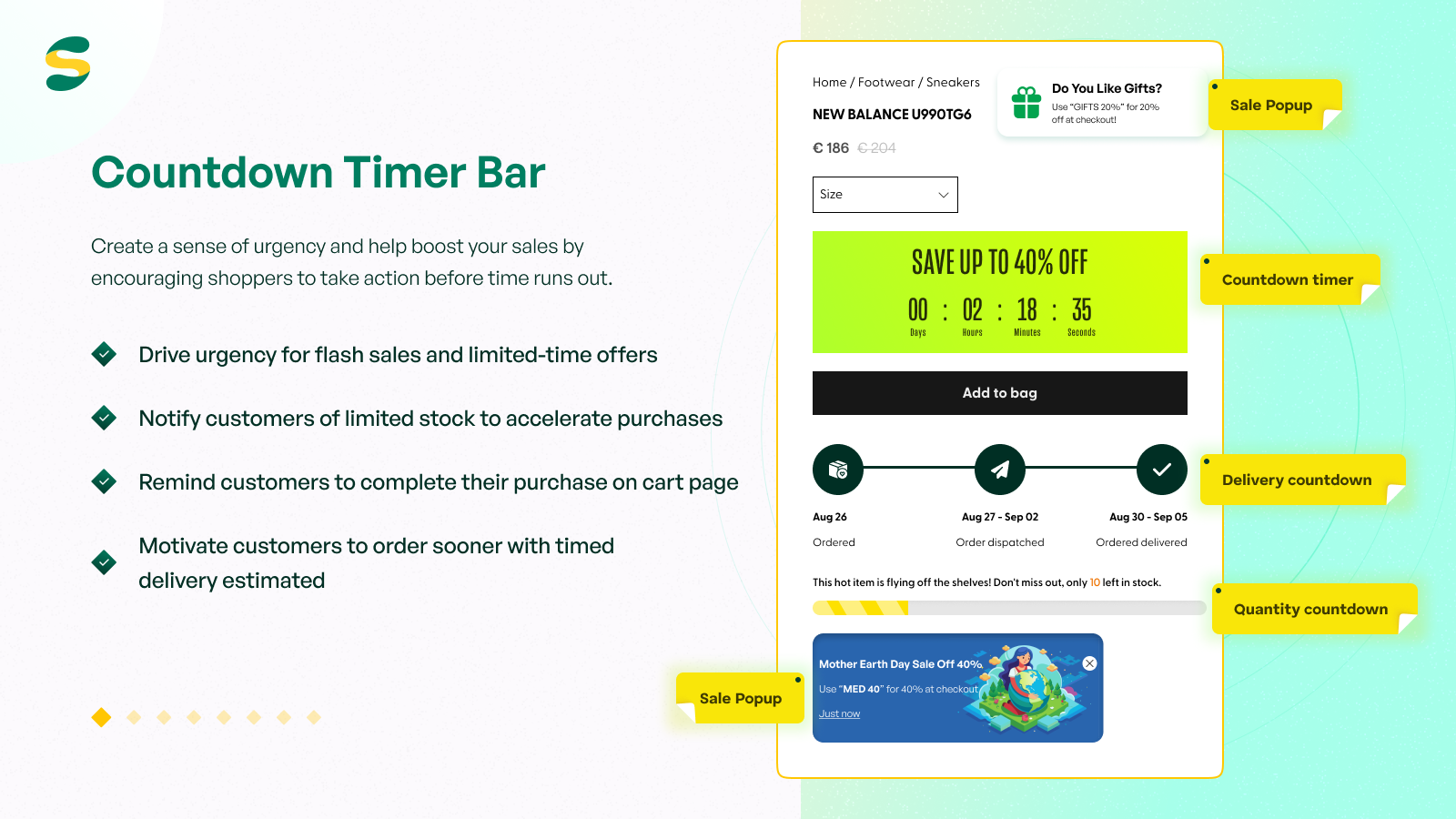
Countdown Timer Bar by Samita offers more than bars and pop-ups. With a five-star rating from more than 170 reviews and a free pricing model, it includes a cart countdown, standard countdown bars and widgets, estimated-delivery countdowns, sale pop-ups, limited-stock timers, and more. It is more than an alternative to GSC: it is an urgency toolkit.
In my experience, Samita Countdown Timer is easier to use and has enough customisation to match widgets to your store theme. When creating timers, you can set rules such as one-time, recurring, daily, weekly, and scheduled. This gives you better control and less management overhead. You can set up countdowns once and leave them running.
Hextom: Countdown Timer Bar
Hextom Countdown Timer is the only paid app in this list. I included it because it is one of the oldest Shopify apps, launched more than a decade ago. It has over 720 reviews and a 4.9 rating. Hextom supports one-time, recurring, and daily timer logic, letting you control timers by device type, product or page type, customer location, and even traffic source.
Hextom is for advanced users with substantial sales volume and a global delivery network. In that case, a $9.99 monthly fee makes sense because you get an exceptional level of customisation for different audiences and acquisition sources.
Hextom is reliable, but if you only need basic countdown functionality, GSC and Samita are free and simpler.
VR Urgency Countdown Timer Bar
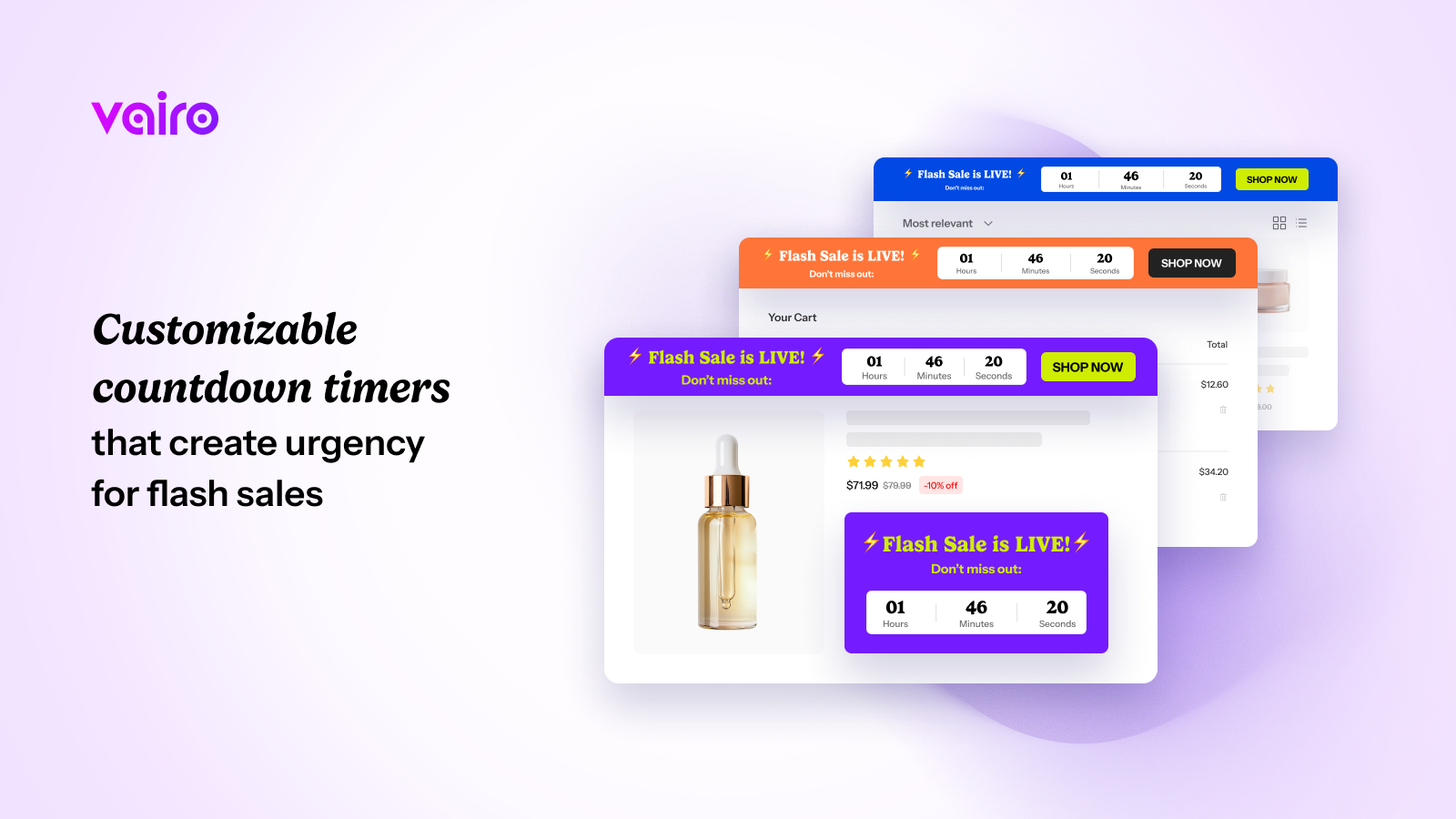
Vairo felt less like a dedicated countdown timer and more like an all-in-one urgency app. Along with countdowns, you get low-stock urgency calls to action and add-to-cart animations. You can place timers on selected products, pages, or carts, and integrate widgets with page builders such as PageFly, EComposer, and GemPages.
What I like about Vairo is the quality of its free features and user experience. It supports recurring, one-time, and session-based timer logic, low-stock notifications, and cart animations. If you do not need a broader FOMO toolkit and want a dedicated countdown timer, I would recommend GSC instead.
XB: Countdown Timer Bar Banner
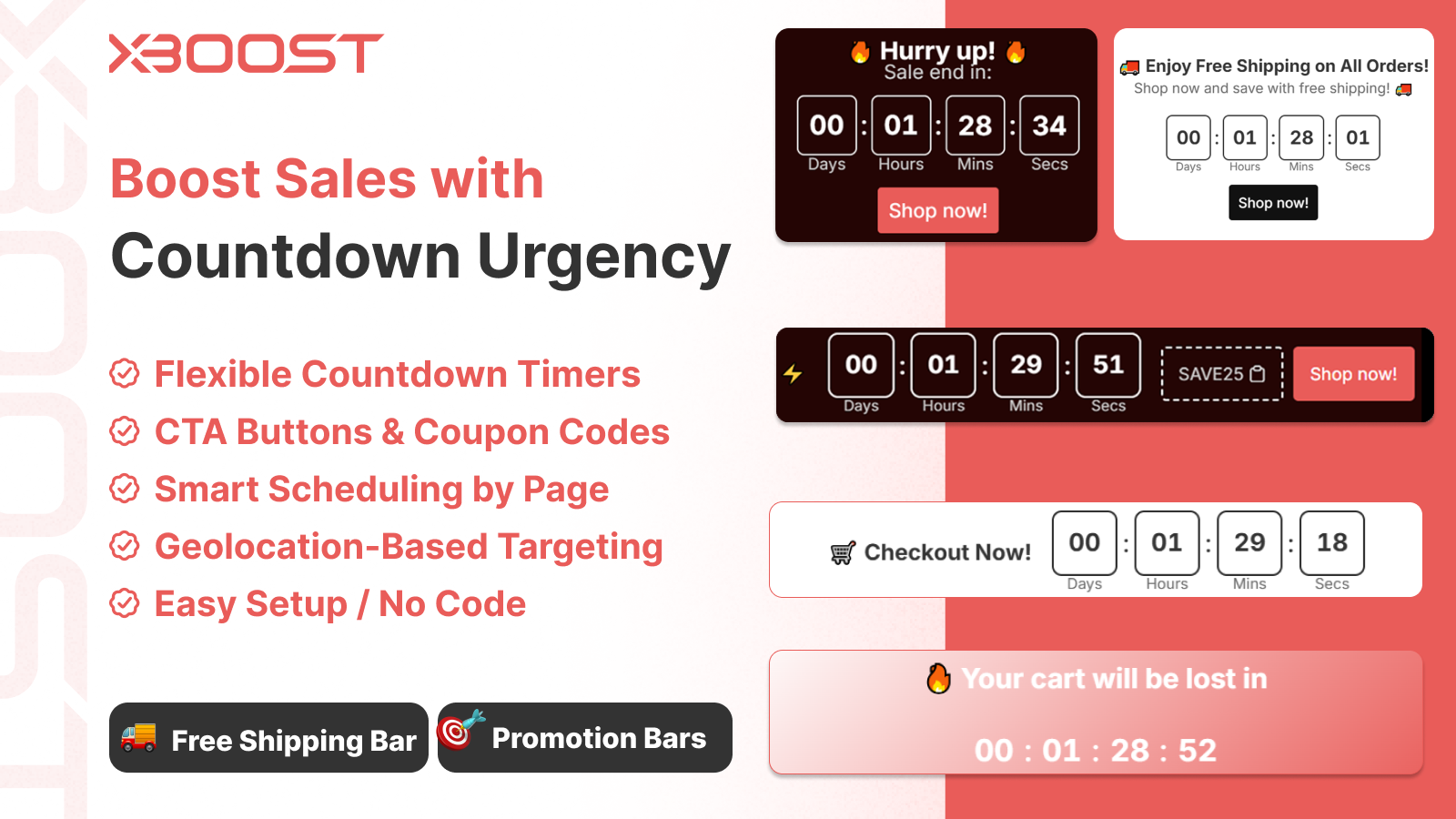
XB was one of the more surprising apps I tested because it is completely free but includes features I would usually expect behind a paid plan. It supports multiple timers, scheduled and recurring campaigns, coupon codes, call-to-action buttons, product targeting, geo-targeting, custom CSS, separate mobile and desktop layouts, and real-time analytics. Geo-targeting stands out because it lets you show different countdowns to visitors based on location without paying for a premium plan.
The main reason I would still rank XB below more established apps is its track record. It launched in December 2025 and currently has far fewer reviews than GSC, Hextom, or Samita. The feedback so far is very positive, especially around ease of use and support, but there is not as much long-term evidence yet. I would recommend XB to merchants who want a feature-rich free timer, especially for location-based campaigns, and do not mind using a newer app.
How to Design a Custom Countdown Timer Using EmbedAny
EmbedAny is a useful bonus app that does much more than add timers. It can embed almost anything on Shopify: a live countdown, widget, calculator, quiz, social media feed, PDF, or another web tool.
EmbedAny does not add low-stock warnings, but you can use it to embed countdown timers from Canva, Figma, and other design platforms. Create a beautiful widget, then embed it on your pages with EmbedAny. Those design tools give you near-limitless design possibilities, while EmbedAny turns a supported link into a widget. See our complete countdown timer tutorial.
Final Verdict: Which Shopify Countdown Timer App Should You Choose?
Most apps in this niche are free, which is uncommon in the Shopify market. I recommend installing the apps that look most relevant, spending around 20 minutes with each, and choosing the one that feels most comfortable for your store and campaign requirements.
For a simple dedicated timer, start with GSC. Choose Samita for a broader free urgency toolkit, Hextom for advanced targeting, Vairo for all-in-one FOMO features, and XB for a newer free alternative with powerful targeting. If you want complete design control, create your timer in a design tool and embed it with EmbedAny.