
10 Best Bundle Apps for Shopify in 2026 (Ranked with Honest Reviews)
 Abdullah Shahid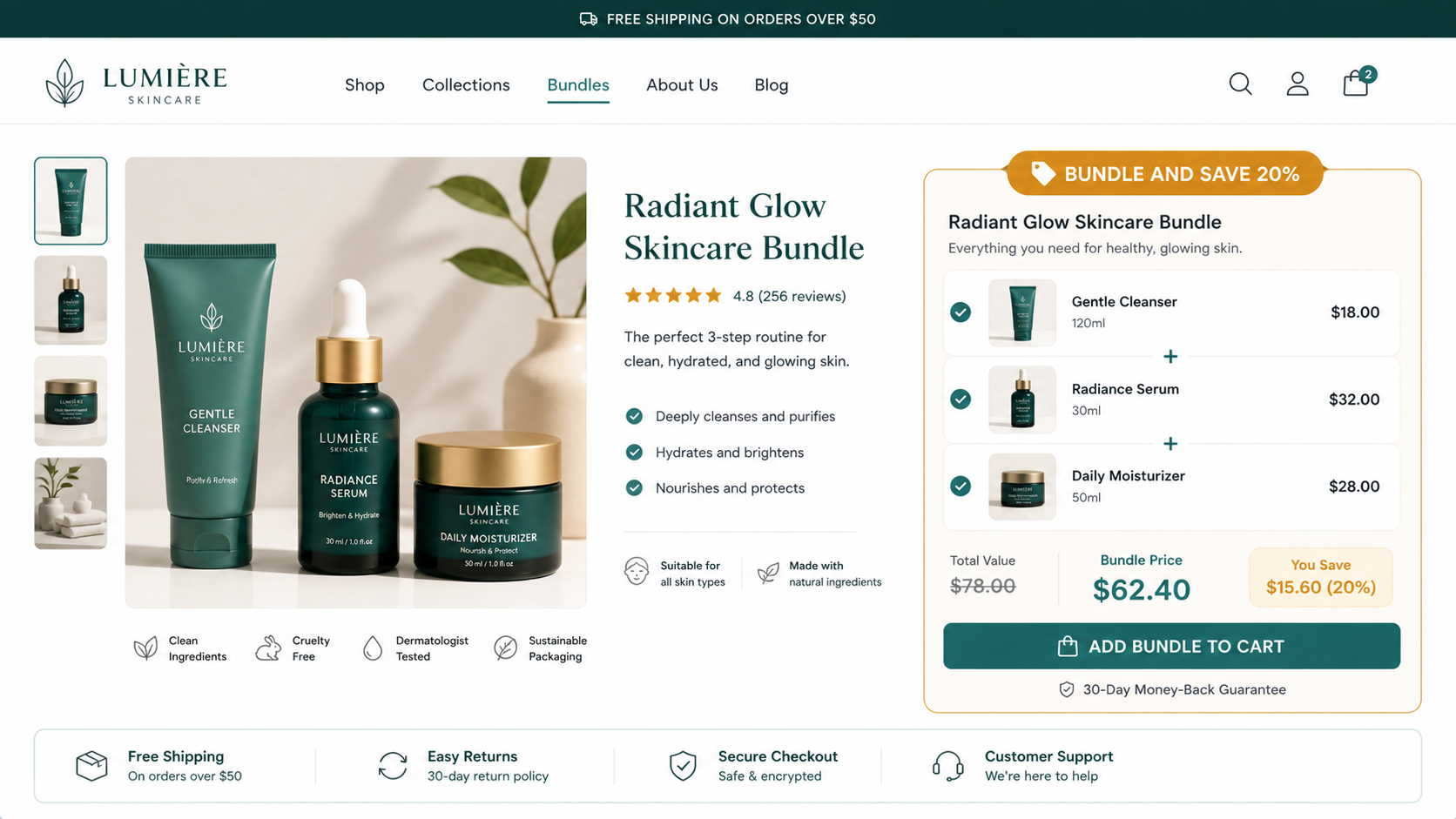
If you’re spending money to get visitors to your store, every visitor who leaves with one product instead of three is revenue you paid for and didn’t fully capture.
Bundling is the most efficient AOV lever available to Shopify merchants. A skincare brand bundles a cleanser, serum, and moisturizer. A fitness brand pairs supplements with accessories. A coffee brand offers a bag and a grinder at a combined price that feels like a deal. In every case, the customer gets more value, and the store captures more revenue from the same acquisition cost.
According to a case study of the DockATot baby product store cited by TinyIMG, implementing a bundle builder produced a 55% increase in AOV and an 86% increase in revenue per user. Those numbers aren’t typical for every store, but the principle holds consistently: a well-designed bundle offer converts better than showing the same products individually.
The challenge is implementation. Shopify’s native bundling is limited. Most bundle apps on the App Store are either too simple for complex use cases or too expensive for what they actually do. And there’s one pricing trap that quietly kills margins at scale that most reviews don’t mention.
This guide cuts through all of that. I’ll cover the best bundle apps for Shopify in 2026, how to bundle without an app, the pricing trap to avoid, and how social proof makes bundle pages convert better.
Why Bundle Products on Shopify?
Before getting into the apps, it’s worth knowing why bundling works so the strategy makes sense before the tool does.
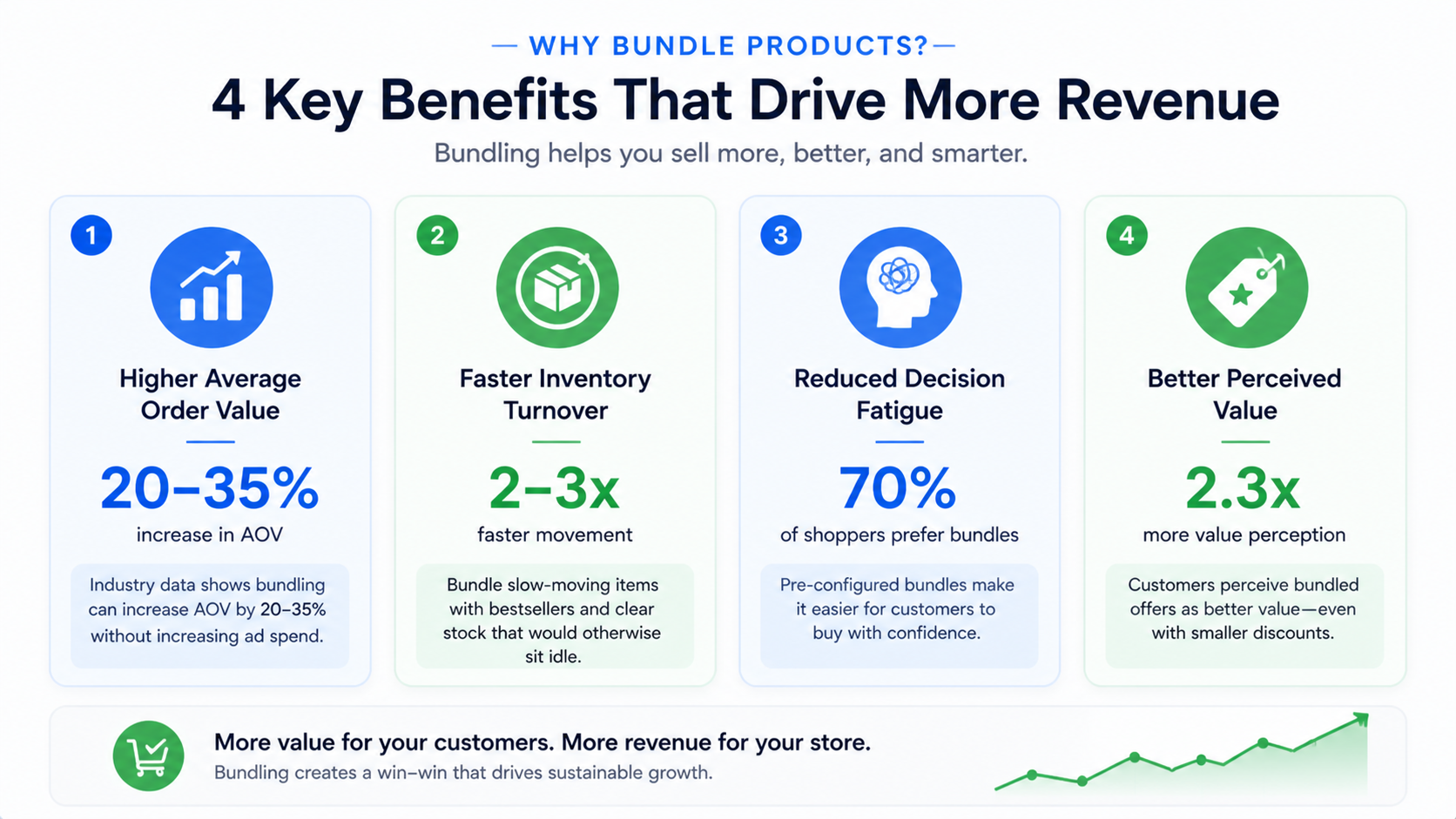
Increases average order value without increasing ad spend. Your customer acquisition cost stays the same whether someone buys one product or three. When a bundle converts, the additional revenue per order is almost entirely incremental margin. Bundling is proven to boost AOV by 20-35% according to industry data compiled by ShopScan.
Reduces decision fatigue. A customer who has to browse your entire catalog to build their own kit will often give up. A pre-configured bundle gives them a curated complete solution in one click. This is especially powerful in categories like skincare, supplements, electronics accessories, and baby products where customers need complementary items anyway.
Moves slow-moving inventory. Pair a bestseller with a slower-moving product at a bundle discount. The bestseller carries the slow mover and you clear stock that would otherwise sit idle.
Improves perceived value. Customers perceive bundled offerings as better value even when the actual discount is modest. A 10% bundle discount often converts better than a 10% storewide sale because the bundle frames the value clearly: “these go together, and together they cost less.”
Types of Shopify Product Bundles
Understanding the bundle types helps you pick the right app. Different apps handle different types, and not every app handles all of them equally well.
Fixed bundle (classic kit). A pre-set group of products sold together as a single unit at one price. “Starter Kit” or “Complete Set.” Easiest to set up, most predictable for inventory.
Mix and match. Customers choose from a selection of products to build their own bundle. “Pick any 3 from this collection.” More complex to configure, but gives customers the autonomy that converts well for personalized-feel products.
Volume discount / quantity breaks. Buy 2 get 10% off, buy 3 get 15% off. Applies at the product level. Best for consumables, supplements, clothing basics, and anything customers naturally buy in multiples.
BOGO and Buy X Get Y. Buy one get one free, or buy a specific product and get a gift item. Strong for promotions and clearing inventory.
Frequently bought together. An algorithmically or manually curated “customers also bought” bundle widget on the product page. Amazon’s most effective conversion element, now available in Shopify via several apps.
Subscription bundle. A recurring bundle that ships on a schedule. Best for consumables (supplements, coffee, pet food) where repeat purchase is the natural behavior.
The Pricing Trap Most Bundle Guides Don’t Mention
Before I get into the app reviews, one thing worth flagging because it’s buried in most guides.
Some apps charge a flat monthly fee. Others charge based on the revenue their bundles generate: effectively taking a percentage cut of every sale. This “revenue tax” model can quietly eat into your margins, especially as your store grows. A store doing $50,000/month in bundle revenue at a 1% commission is paying $500/month for a single app feature. Compare that to a flat $10-$30/month fee, and the difference becomes enormous at scale.
Always check whether an app charges revenue-based fees. The monthly price on the listing page does not always tell the full story. Some apps advertise a low starting price and then layer revenue commission on top once you start generating meaningful bundle revenue.
Can You Bundle Products on Shopify Without an App?
Yes, but with significant limitations worth knowing before you decide.
Shopify doesn’t offer a built-in native bundling feature where multiple distinct SKUs are automatically grouped and sold as a single bundle SKU with synchronized inventory.
There are three workarounds for creating bundles without an app:
Method 1: Create a new product as a bundle. Go to Products, add a new product, name it “Winter Skincare Kit,” list the included items in the description, upload a composite image, and set the price manually. This works, but there’s a critical flaw: inventory for each component product is not automatically tracked. Every time a bundle sells, you have to manually update stock levels for each item in it. At any real order volume, this creates overselling risk and significant manual overhead.
Method 2: Use product variants. If you have a small number of bundle options, you can use variants (Small Bundle, Large Bundle) under one product listing. Again, no automatic inventory sync between the variant and its component products.
Method 3: Shopify native Bundles app. Shopify provides a free Shopify Bundles app that handles real-time inventory syncing. It supports fixed bundles and multipacks with automatic stock updates across components. This is the best no-cost starting point.
The honest assessment: manual no-app bundling works for stores with very low order volume and a small number of bundle SKUs. The moment you have more than 5-10 bundles or more than 20 orders per month, the manual inventory tracking becomes unsustainable. For anyone beyond that stage, an app is the right call.
If you want to go the no-app route first, install the free Shopify Bundles app. Test it. See if the feature set covers your needs. Then upgrade to a dedicated app once you’ve validated that bundling is converting for your store.
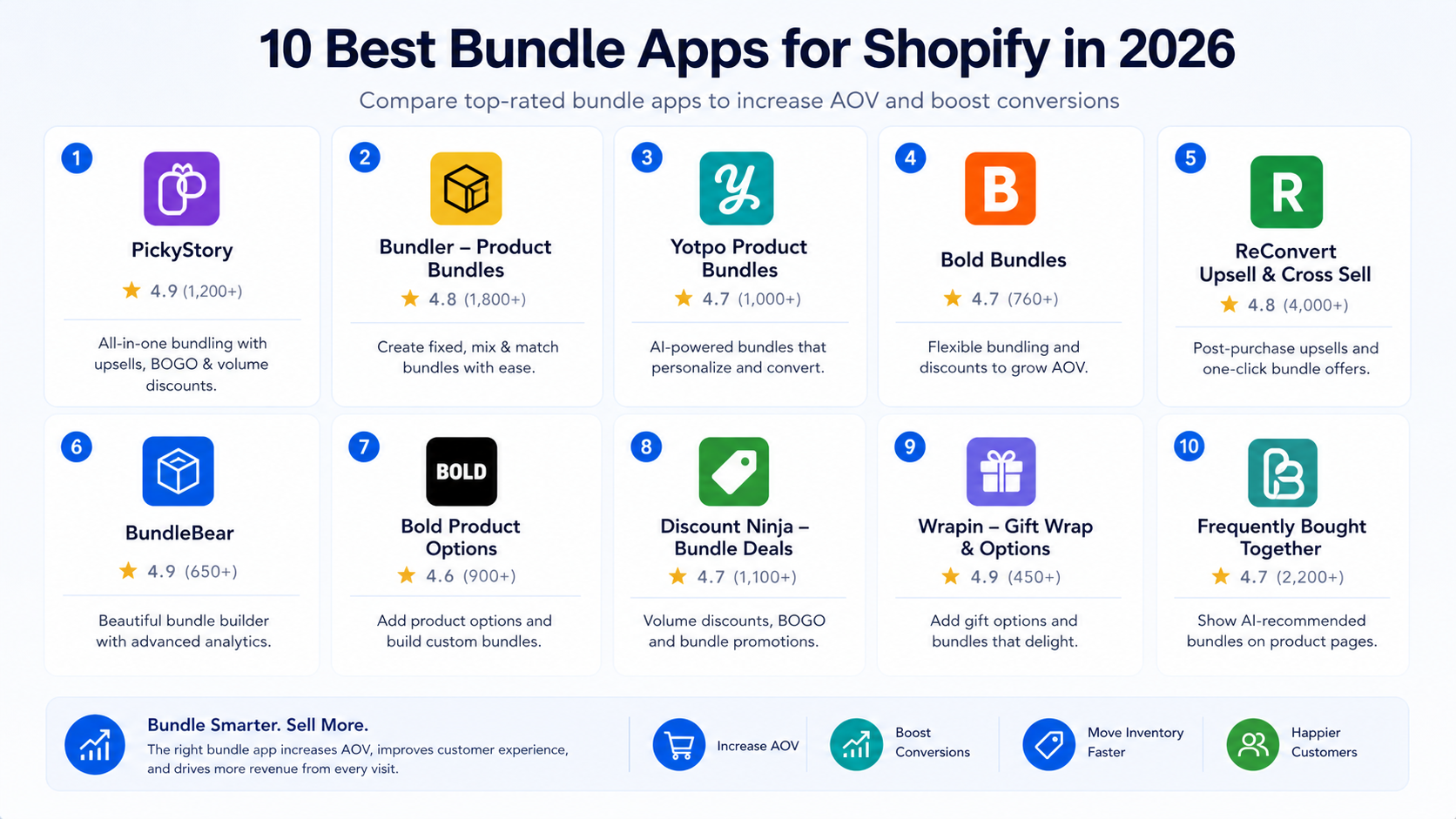
The 10 Best Bundle Apps for Shopify in 2026
1. Bundler: Best Free Plan and Overall Value
apps.shopify.com/bundler-product-bundles | Free plan (unlimited bundles) | Paid from $9.99/month | ⭐ 4.9 (1,800+ reviews)
Bundler earns the top spot because of a simple fact: the free plan is genuinely unlimited. Not unlimited with a feature gate or an order cap: unlimited active bundles on the free tier. For stores testing bundling before committing to a monthly subscription, that’s a meaningful advantage.
The paid plan at $9.99/month unlocks deeper analytics, bundle savings popups (a feature most competitors don’t have: a popup that shows customers how much they’re saving as they add bundle items), and mix-and-match functionality. It also integrates with Shopify POS for in-store bundle selling.
I’ve recommended Bundler to stores ranging from early-stage to several hundred orders per month, and the reliability has been consistent. The widget design is clean and customizable enough to match most themes without CSS work. Support responses are fast and helpful based on App Store review patterns.
What I like: Truly free unlimited bundles to start. Bundle savings popups are a unique conversion feature. POS integration. Clean no-code setup. One of the most affordable paid tiers in the category.
What to watch: Less visual polish on the widget than Kaching or Wide Bundles. Mix-and-match bundles require the paid plan. Analytics depth is lighter than premium alternatives.
Best for: Stores of any size that want to test bundling before paying for it, and growing stores that want capable bundles at a low monthly cost.
2. Fast Bundle: Best All-Round App for Flexible Bundle Types
apps.shopify.com/fast-bundle | Free trial available | Paid from $19.99/month | ⭐ 4.9 (2,000+ reviews) | Built for Shopify
Fast Bundle is the most versatile bundle app on this list. It supports seven distinct bundle types: fixed bundles, mix and match, volume discounts, cross-sell offers, Buy X Get Y, add-ons, and AI-powered frequently bought together recommendations: all without coding.
The AI Bulk Edit Bundles feature stands out. Rather than configuring each bundle individually, you can apply bulk edits across your entire bundle catalog in one action. For stores with large product catalogs, this saves significant setup time. The AI Bundle Image Generator automatically creates composite bundle images from individual product images, which is useful for creating the visual “this is a set” feel that makes bundle offers convert.
Fast Bundle also integrates with Shopify POS and supports subscription bundles, multi-language, and multi-currency: making it one of the stronger options for global stores.
Pricing is flat: no revenue commission. At $19.99/month for the entry plan, it’s competitive for the feature depth.
What I like: Seven bundle types from one install. AI bulk editing and image generation. Built for Shopify badge. No revenue commission. Strong POS and subscription support. Widely trusted by Shopify Plus brands.
What to watch: Entry price is higher than Bundler for comparable basic functionality. May be more app than smaller stores need if they only want simple fixed bundles.
Best for: Stores that need multiple bundle types: especially mix and match, add-ons, and frequently bought together: and want the flexibility to scale without switching apps.
3. Kaching Bundle Quantity Breaks: Best for Volume Discounts and BOGO
apps.shopify.com/kaching-bundle-quantity-breaks | Free up to $1,000 generated revenue | Paid from $14.99/month | ⭐ 4.9 (1,000+ reviews)
Kaching Bundle Quantity Breaks is the app I’d recommend specifically for stores where the primary bundle strategy is quantity-based: buy 2 save 10%, buy 3 save 15%, buy 4 save 20%. The widget is visually clean, the pricing rule configuration is straightforward, and the A/B testing feature: rare in this price range: lets you test different bundle offer structures and layouts against each other.
The free plan is genuinely useful: it works until your bundles generate $1,000 in revenue. After that, the $14.99/month plan unlocks unlimited revenue. No revenue commission model: it’s a flat fee.
One honest differentiator: Kaching has one of the most responsive support teams in the bundle app category, based on consistent merchant feedback. For merchants who want fast resolution when something doesn’t display correctly, that matters.
What I like: Clean widget design that integrates naturally with product pages. A/B testing for bundle offers. Responsive support team. Flat-fee pricing with no revenue commission. Free tier up to $1,000 generated revenue.
What to watch: Less useful if you need mix-and-match or build-your-own bundle types. Best suited for single-product quantity breaks and BOGO rather than multi-product kits.
Best for: Stores with consumables, supplements, apparel basics, or any product customers naturally buy in multiples, where buy-more-save-more discounts are the primary strategy.
4. Wide Bundles: Best for Design Flexibility and Customization
apps.shopify.com/wide-bundles | From $18/month | ⭐ 4.9 (900+ reviews)
Wide Bundles focuses heavily on the visual side of bundle offers. It provides 100+ customization options, A/B testing, and the ability to replace Shopify’s default variant selector with a bundle widget that handles quantity breaks and volume discounts more elegantly on the product page.
The design customization is the strongest in this category at this price point. Custom CSS support, the ability to adjust typography, colors, layout, and spacing independently: all without touching your theme code. For stores where the bundle widget’s visual integration with the brand matters, Wide Bundles is the most customizable option.
It also integrates cleanly with cart drawer apps and page builders, which is a practical consideration for stores with custom checkout flows.
What I like: Most design flexibility of any app in this list. A/B testing included. Works cleanly with cart drawer apps and page builders. Good for brands where visual brand consistency is non-negotiable.
What to watch: More expensive than Bundler at the entry level: $18/month with no free plan. The focus is on single-product quantity breaks and volume discounts, not multi-product kit bundles.
Best for: Design-conscious stores that need the bundle widget to match their brand aesthetic precisely, particularly for quantity break and volume discount strategies.
5. Simple Bundles and Kits: Best for Complex Inventory Sync and 3PL Operations
apps.shopify.com/simple-bundles | Paid plans from $49/month | ⭐ 4.9 (1,800+ reviews)
Simple Bundles takes a fundamentally different approach from most apps on this list. It’s not primarily a front-end discount tool: it’s a backend bundle management system that automatically breaks down bundle orders into individual component SKUs for fulfillment, inventory sync, and 3PL integration.
For stores using third-party logistics (ShipStation, Amazon FBA/MCF, Deliverr), warehouse management systems (WMS), or ERP systems, this is the critical capability. When a bundle sells, Simple Bundles tells your 3PL the exact component SKUs to pick and pack, not just “bundle SKU #1234.” That’s an operational problem most other apps don’t solve.
It also bypasses Shopify’s 2,048 variant limit, which matters for stores with mix-and-match bundles that generate large numbers of variant combinations.
What I like: Best backend inventory and fulfillment logic of any app on this list. Deep 3PL and WMS integration. Handles complex mix-and-match bundles. AI-suggested bundles based on order history.
What to watch: Most expensive app on this list: the entry plan is $49/month, with higher tiers up to $249/month. Interface is more complex than simple front-end bundle tools. Some merchants have reported pricing communication issues. Review current pricing carefully before installing.
Best for: Stores with 3PL or WMS operations where component-level SKU breakdown for fulfillment is a requirement. Not the right choice if your goal is simply a discount widget on your product pages.
6. Pumper Bundles: Best Free Option for Simple Bundle Offers
apps.shopify.com/pumper-bundles-volume-discount | Free up to $300 lifetime revenue | Paid from $9.99/month | ⭐ 5.0 (500+ reviews)
Pumper is the most straightforward bundle app for merchants who want to get a basic bundle or volume discount live quickly without a learning curve. Flat discounts, percentage-based deals, or discounts per unit: you pick, configure, and publish in minutes.
It doesn’t offer many bundle types. There’s no mix-and-match, no subscription support, no complex conditional logic. What it does offer is a clean, fast setup with performance-tracking templates built around conversion optimization. The free plan works until your bundles generate $300 in lifetime revenue, after which the $9.99/month paid plan is required.
For a store in its first few months of bundling that wants to test whether the offer type converts before investing in a more capable app, Pumper is a practical starting point.
What I like: Clean, minimal setup. 5.0 App Store rating. Free until $300 lifetime revenue generated. Good conversion-focused templates.
What to watch: Limited bundle types: only handles simple volume discounts and basic bundles. No mix-and-match, subscription, or advanced features. Outgrown quickly by stores that want more complex bundle logic.
Best for: Early-stage stores testing volume discount bundling for the first time before committing to a more feature-rich app.
7. BOGOS: Best for Promotional and Gift Bundle Campaigns
apps.shopify.com/bogos | From $29.99/month | ⭐ 4.8 (1,100+ reviews)
BOGOS is purpose-built for promotional bundle campaigns: buy one get one free, buy X get a gift item, free gift with purchase when cart value exceeds a threshold, and mix-and-match configurations tied to promotional events.
Where most bundle apps are primarily AOV tools for everyday product pages, BOGOS is a promotional engine. Limited-time offers, seasonal gifting campaigns, loyalty reward bundles, and “add this product to cart and get X free” offers: these are BOGOS’s strongest use cases. The automatic inventory sync handles the added complexity of free gift offers cleanly.
Pricing is flat: no revenue commission: starting at $29.99/month with a free trial.
What I like: Best promotional bundle and gift-with-purchase logic in the category. Handles free gift campaigns cleanly. Good for seasonal and holiday bundle campaigns.
What to watch: More expensive entry point than simpler apps. The strength is promotional campaign logic: it’s not the best choice for everyday fixed bundles or quantity breaks where simpler apps outperform it on value.
Best for: Stores running active promotional campaigns: Black Friday bundles, Valentine’s Day gift sets, free-gift-with-purchase offers: where promotional bundle mechanics are the primary use case.
8. Rebolt Bundle and Upsell: Best for Cart-Stage Bundling and Upsell Funnels
apps.shopify.com/rebolt-upsell | Free plan available | Paid from $14/month | ⭐ 4.8 (700+ reviews)
Rebolt sits at the intersection of bundles and upsells. Product bundles on the product page, cart upsells, post-purchase offers, and checkout add-ons all from one app. For stores where the bundle strategy extends across multiple touchpoints in the purchase journey: not just the product page: Rebolt provides the broadest coverage at the lowest entry price of any multi-touchpoint option.
The real-time performance tracking, flexible targeting rules, and deep Shopify integration make Rebolt a solid choice for growth-stage stores that want to optimize bundle offers across the funnel without managing multiple apps.
What I like: Covers product page, cart, post-purchase, and checkout in one app. Affordable entry tier. Real-time analytics. Clean Shopify integration.
What to watch: Less design customization than Wide Bundles. Bundle analytics are shallower than premium alternatives like Simple Bundles.
Best for: Stores wanting bundle and upsell logic across the full purchase journey without installing separate apps for each stage.
9. Zoorix Bundle Kit and Cross Sell: Best for Build-a-Box and Flexible Customer Configuration
apps.shopify.com/zoorix | Free plan available | Paid from $7.99/month | ⭐ 5.0 (700+ reviews)
Zoorix handles complex customer-facing bundle configuration: “Build a Box” flows where customers select their own items from a defined collection, mix-and-match bundles with variant-level control, Buy X Get Y deals, and quantity breaks.
The front-end experience is one of the more polished in this price range. The “Build a Box” interface in particular: where customers can visually select items and see their bundle take shape: is well-suited for gift box stores, subscription boxes, and curated product lines where customer personalization is part of the brand experience.
At $7.99/month for the entry paid plan, it’s competitive for the feature depth. The free plan is functional for testing.
What I like: Clean “Build a Box” customer interface. Good developer-facing flexibility for custom implementations. Affordable paid tier. Strong for mix-and-match with variant control.
What to watch: Does not support bundles that exceed Shopify’s 2,000 variant limit: for that, Simple Bundles is the right tool. Some merchants on complex themes report needing support assistance for initial setup.
Best for: Gift box stores, subscription boxes, and brands where customer-driven personalization of their own bundle is a key part of the purchase experience.
10. Bundled: Products Bundle Builder: Best for Quick Native-Feel Setup with Analytics
apps.shopify.com/bundles | Free plan available | Paid plans available | ⭐ 4.9 (500+ reviews)
Bundled (also known as Bundles.app: Inventory Sync) sits in a clean middle ground: more capable than the native Shopify Bundles app, less complex than Simple Bundles, and more focused on reliable inventory sync than design customization.
The merchant reviews are notably consistent on two points: the inventory sync works accurately without errors, and the support is genuinely responsive. For stores where bundle inventory reliability is the primary concern: particularly stores that have had inventory sync failures with other apps: Bundled provides peace of mind at a lower cost than Simple Bundles.
What I like: Accurate real-time inventory sync. Consistently praised support team. Clean interface without unnecessary complexity. Good for stores that need reliable bundle stock tracking above all else.
What to watch: Less feature depth than Fast Bundle or Kaching for discount mechanics and design customization. Best suited to straightforward fixed bundles and kits rather than complex promotional logic.
Best for: Stores where accurate inventory sync is the primary requirement, and merchants who want a reliable, well-supported bundle app without paying for features they don’t need.
Full Comparison Table
| # | App | Best For | Free Plan | Starting Price | Revenue Commission | Bundle Types |
|---|---|---|---|---|---|---|
| 1 | Bundler | Best free plan, overall value | Yes (unlimited) | $9.99/mo | No | Fixed, mix & match, volume |
| 2 | Fast Bundle | Most bundle types, AI features | Trial | $19.99/mo | No | 7 types |
| 3 | Kaching Bundle | Volume discounts, BOGO, A/B testing | Yes ($1K rev) | $14.99/mo | No | Volume, BOGO, quantity breaks |
| 4 | Wide Bundles | Design flexibility and customization | No | $18/mo | No | Volume, quantity breaks |
| 5 | Simple Bundles | 3PL/WMS inventory sync, complex ops | No | $49/mo | No | Mix & match, subscription |
| 6 | Pumper Bundles | Quick, simple first bundle | Yes ($300 rev) | $9.99/mo | No | Volume, basic bundles |
| 7 | BOGOS | Promotional and gift campaigns | Trial | $29.99/mo | No | BOGO, free gift, mix & match |
| 8 | Rebolt | Multi-touchpoint bundle and upsell | Yes | $14/mo | No | Product page, cart, post-purchase |
| 9 | Zoorix | Build-a-box, customer-configured bundles | Yes | $7.99/mo | No | Build a box, mix & match, BXGY |
| 10 | Bundled | Reliable inventory sync, clean ops | Yes | Paid tiers | No | Fixed bundles, kits |
How to Choose the Right Bundle App for Your Store
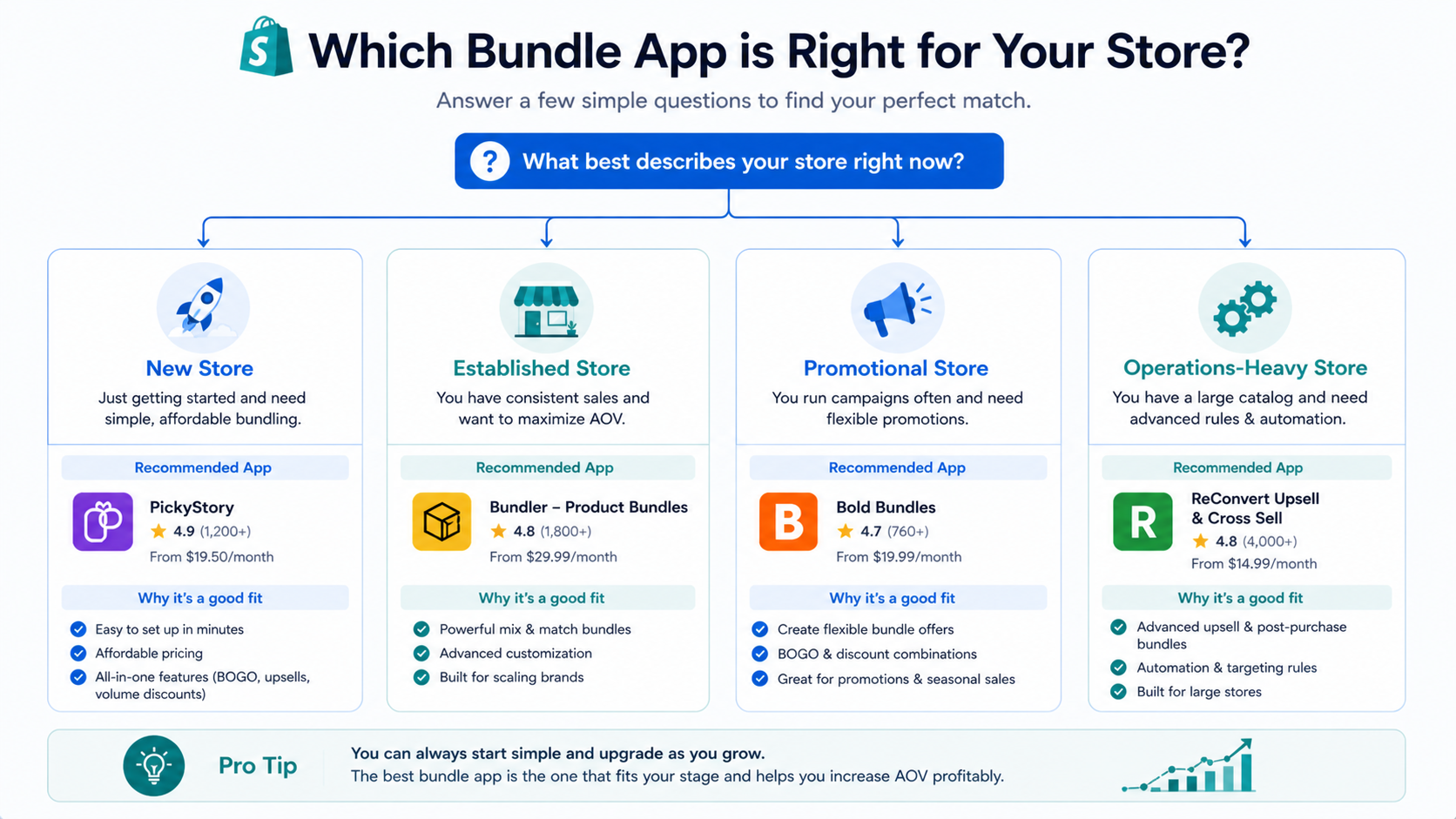
New store testing bundling for the first time: Start with Bundler’s free plan or Pumper’s free tier. Get bundles live, test whether they convert for your product type, and upgrade once you’ve validated the strategy.
Store wanting a flexible, scale-ready solution: Fast Bundle covers the most use cases from one install: fixed bundles, mix and match, volume discounts, frequently bought together, and subscription bundles. The flat pricing scales predictably.
Store where quantity breaks are the primary strategy: Kaching Bundle Quantity Breaks. The A/B testing and clean widget design make it the strongest option for buy-more-save-more bundle mechanics.
Store where customers should configure their own bundles: Zoorix for the Build-a-Box experience. Simple Bundles for complex mix-and-match logic at higher order volumes.
Store with 3PL or WMS operations: Simple Bundles is the only app on this list that properly handles component-level SKU breakdown for fulfillment. Worth the higher price for stores where this operational accuracy is non-negotiable.
Store running promotional campaigns: BOGOS for BOGO, free gift, and limited-time campaign bundles.
One Thing Most Bundle Pages Miss: Social Proof That Shows the Bundle in Use
Setting up a bundle app is the first step. Getting customers to trust the bundle enough to add it to cart is the second: and most bundle pages skip it entirely.
The most effective bundle pages I’ve seen don’t just show a price comparison. They show real customers using the bundled products together.
Think about what closes the sale on a “Starter Skincare Kit” bundle: not just seeing a 15% discount. It’s seeing an Instagram Reel of someone following the three-step routine. A TikTok of a customer doing an unboxing and showing how the products work together. A Google Review mentioning specifically that the kit is worth it. A YouTube short showing the before and after from someone who bought the full bundle.
That content already exists for most stores. It’s sitting on Instagram, TikTok, YouTube, and Google. Getting it onto the bundle product page is where EmbedAny becomes directly useful.
EmbedAny is a Built for Shopify app that lets you embed content from 800+ platforms by pasting a URL. No iframe code. No developer. Paste the link, italicize it (Ctrl+I), and save. The content renders as a live, interactive widget on any Shopify page: including product pages where your bundles live.
Here is what this looks like in practice for bundle pages:
Embed a TikTok or Instagram Reel showing the bundle products being used together. A skincare brand embeds a customer Reel showing their three-step morning routine using the exact products in the bundle. The video sits directly below the bundle widget. Customers see real people using the complete kit, not just a product shot of three bottles together.
Embed a customer review mentioning the bundle specifically. If a customer left a Google Review saying “bought the starter kit and it completely changed my routine,” that review can be embedded next to the add-to-cart button. One paste. One italicize. Done.
Embed a YouTube demo showing how the bundled products work together. For categories where understanding the “why” behind the bundle matters: home electronics, fitness equipment, professional tools: a two-minute product demo showing the items in combination is more persuasive than any copy you write.
Embed an Instagram post from an influencer who used the bundle. If you’ve sent a bundle to a creator and they posted about it, paste their Instagram post link directly into the bundle product page. The creator’s audience trust transfers to your product page.
This is the conversion gap most bundle strategies leave open. The app gets the bundle structured and priced. The social proof gets the customer to actually pull the trigger.
You can learn more about embedding social content on product pages in our guide on how to add an Instagram feed to Shopify and how to embed Facebook reviews on your Shopify store. For the broader picture of what’s preventing conversions on your store, the guide on why your Shopify store is not making sales covers the most common fixable issues across product pages, trust signals, and bundle placement.
FAQs
what is the best bundle app for shopify
For most stores, Bundler is the best starting point: its free plan includes unlimited active bundles with no order cap. For stores that need multiple bundle types (mix and match, volume discounts, frequently bought together, subscriptions), Fast Bundle is the most versatile option. For stores with 3PL or WMS operations that need component-level inventory sync, Simple Bundles is the right choice despite its higher price.
can you bundle products on shopify without an app
Yes. There are three native methods: creating a new product that functions as a bundle (manual inventory tracking required), using product variants to represent bundle options, or using Shopify’s free native Bundles app for real-time inventory sync. The free Shopify Bundles app is the best no-cost starting point, but it’s limited to simple fixed bundles and multipacks. For mix-and-match, volume discounts, or any complex bundle logic, a dedicated third-party app is the more practical choice at meaningful order volumes.
what is the difference between a shopify bundle and a volume discount
A bundle groups two or more different products together and sells them at a combined price: for example, a cleanser, serum, and moisturizer sold as a “Starter Kit.” A volume discount offers a price reduction based on quantity of the same product: buy 2 save 10%, buy 3 save 15%. Many apps handle both, but they’re distinct strategies. Bundles target cross-sell (getting customers to buy complementary products) while volume discounts target upsell (getting customers to buy more of the same product).
what is the best free shopify bundle app
Bundler offers the most capable free plan: unlimited active bundles on the free tier with no order cap or revenue limit. Pumper Bundles and Kaching Bundle Quantity Breaks both offer free plans that work up to a revenue threshold ($300 and $1,000 respectively) before requiring an upgrade. The native Shopify Bundles app is also free and handles basic fixed bundles with real-time inventory sync.
how do bundle apps affect shopify page speed
Like all Shopify apps, bundle apps add JavaScript to your pages. The impact varies by app. Most well-coded bundle apps have a minimal page speed impact when lazy-loaded correctly. Fast Bundle carries the Built for Shopify badge, which means it has passed Shopify’s performance standards. Test your PageSpeed Insights score before and after installing any bundle app to confirm the impact on your specific theme and configuration.
should i use a bundle discount or a bundle without a discount
Both work, but they serve different purposes. Discounted bundles (“Save 15% when you buy together”) use price incentive to drive adoption. Curated bundles without a discount (“The Complete Kit”) rely on convenience and the perception that these products are meant to go together. Discounted bundles typically see higher initial adoption. Value-narrative bundles preserve more margin and perform better for premium brands where discounting undermines positioning. A/B testing both approaches is the fastest way to learn which your audience responds to.
what bundle types increase average order value the most
Mix-and-match bundles consistently produce the highest AOV because customers can personalize their bundle and often add more than the minimum. Volume discounts produce strong results for consumables and basics. Frequently bought together bundles on product pages capture impulse cross-sells at the moment of highest purchase intent. The DockATot case study showed a 55% AOV increase and 86% revenue per user increase from bundle builder implementation, though results vary by store and product type.
how do i make my shopify bundle page convert better
The bundle pricing and structure are only half the conversion equation. The other half is trust: customers need to believe the bundled products work well together before they commit to buying all of them. Embedding social proof that specifically shows the bundle in use dramatically improves this. A TikTok of a customer following the complete routine, an Instagram Reel of an unboxing, a Google Review mentioning the kit: these assets already exist for most stores. Using EmbedAny to paste those content links directly into the bundle product page places real social proof exactly where the purchasing decision happens.
is there a shopify bundle app that works with subscriptions
Yes. Fast Bundle, Simple Bundles, and several other apps support subscription bundle logic: where customers receive a recurring bundle on a scheduled cadence. For stores with a subscription-first business model, pairing a bundle app with a dedicated subscription app like Seal Subscriptions or Recharge typically gives the most complete functionality. Fast Bundle’s native subscription bundle support makes it the cleanest single-app solution for stores that want both without a separate integration.